wlan
35
The following window contains the setting options for the display (left) and
for the keyboard backlighting (right). Using the “right” and “left” navigation
keys you can switch between the two options.
The value in the active eld can be adjusted by turning the dial or using the
"up" and "down" navigation keys.
The changes are executed directly and thus allow immediate control.
After the changes have been made, the "back button" will return you to the
settings menu.
3.8.3 Setting the dial settings
The dial on the SmartController recognizes two types of speed settings and direction of travel settings.
These are referred to as DC or AC throttle modes, since the functions are based on analog DC throttles
used in the past and AC analog transformers (Chap. 3.3 "The Locomotive menu").
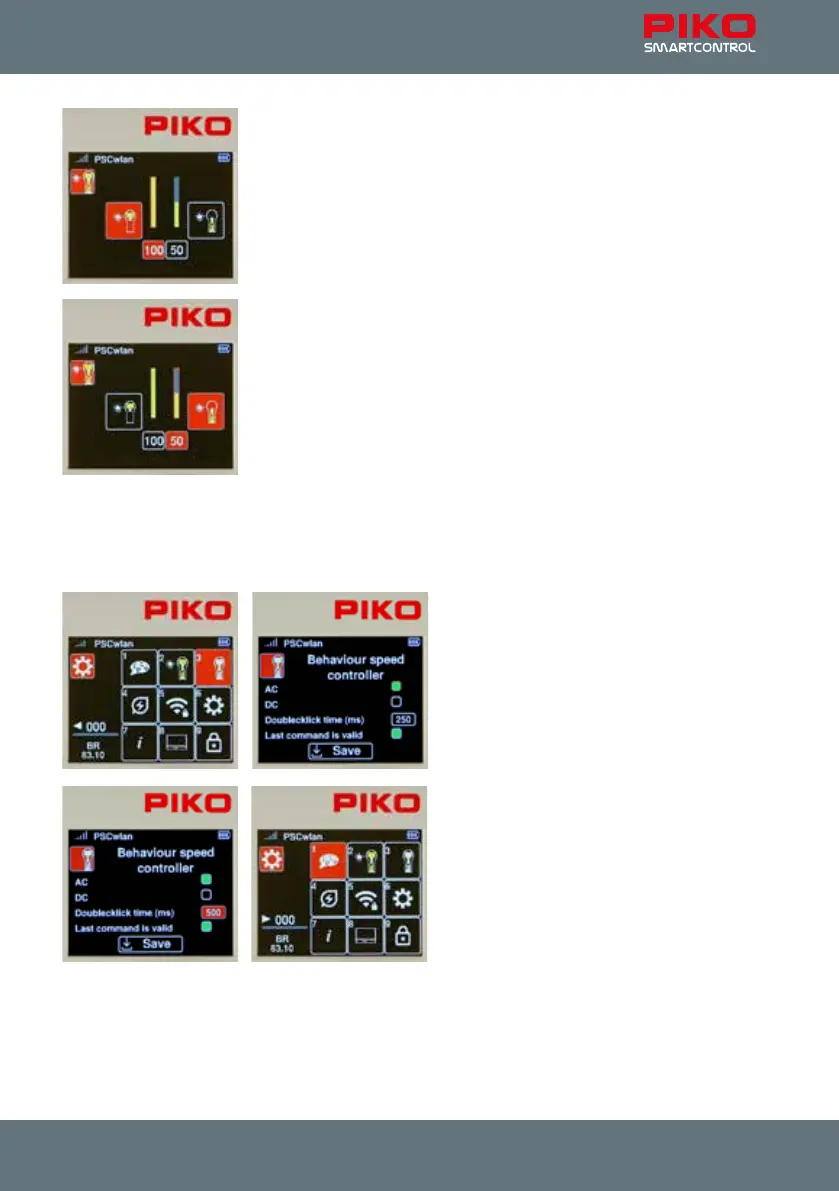
To change these settings, press key 3 or use the
navigation keys to highlight this eld and activate
the menu with the OK button.
The following window contains the DC and AC
options (AC style is the factory setting) which are
selected with the navigation buttons and
conrmed by pressing the OK button (the eld
selected will turn solid green).
The next line denes the maximum "double-click
time" for the throttle in milliseconds. If the dial is
pressed twice (double click) within this time (max.
999ms), an emergency stop command is sent to
the active locomotive.
The "Last command applies" option is listed un-
der the previous line. This is an option for layouts
being operated with more than one throttle. If this
function is activated, several SmartControllers
can access the same locomotive at the same
time and the command sent last is always executed, regardless of which throttle sent it.
Once all the settings have been made, go to the "Save" eld and conrm your choice with the OK
button.
The "back" button returns you to the settings menu.



 To Next Page