wlan
13
DC throttle mode
When the dial is turned to the right, starting at speed step zero, the locomotive will move forward with
increasing speed. When the dial is turned back to the left, the speed of the locomotive is reduced until it
stops. Another left turn will cause the locomotive to move in the opposite direction of travel.
DC throttle mode is activated in the settings menu of the PIKO SmartController
wlan
(chap. 3.8.3).
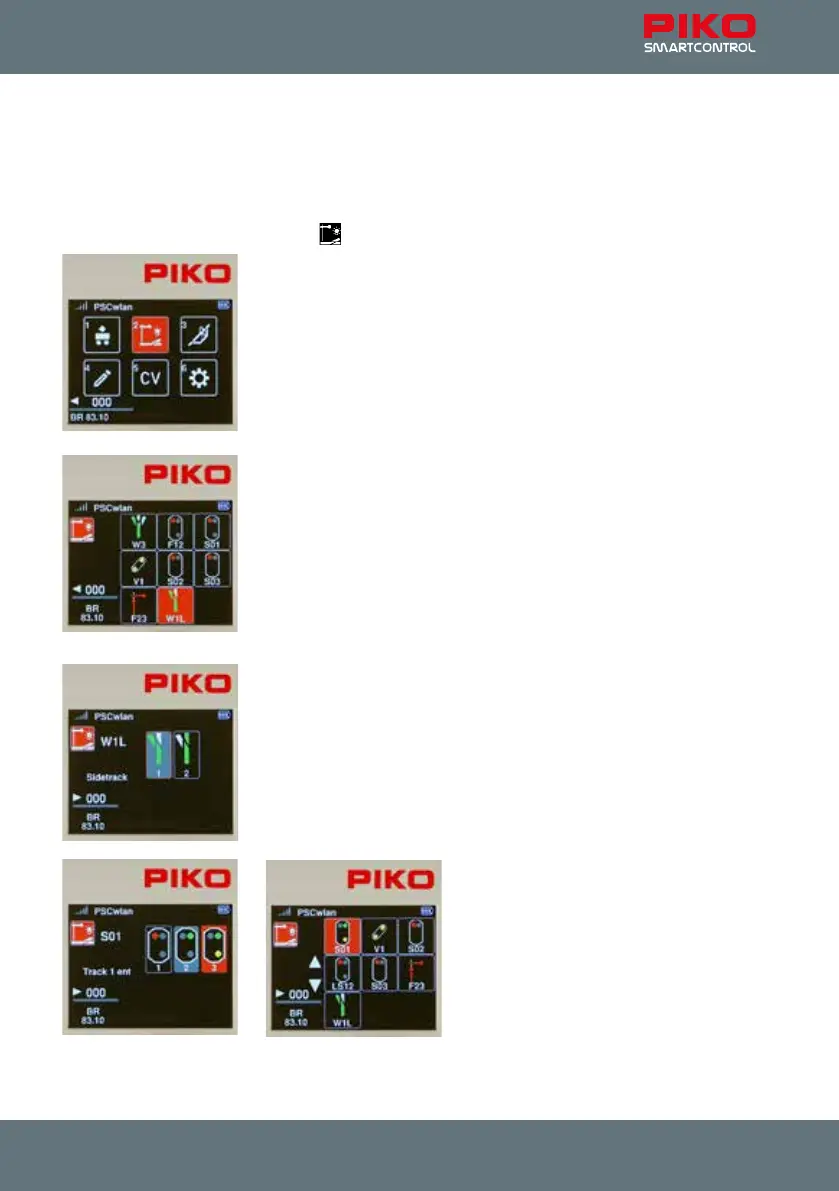
3.4. The Accessory menu [ ]
The SmartControl system will accommodate up to 128 DCC accessories
with addresses between 1 - 2048 (up to 54 addresses in the StartSet
version). Symbols (icons) are available for accessories such as street lamps
up to four-aspect illuminated signals, which must be switched via three
dierent DCC addresses. The accessory menu automatically recognizes
RailCom® accessory decoders. The SmartController is not pre-programmed
for any specic accessory, so they must be entered into the system via the
“Edit accessory” menu. (see Chapter 3.6.2)
Once an accessory is entered into the SmartControl system, it can be
selected on the SmartController by using the keypad (matched to the
accessory’s icon on the display) or by highlighting the accessory’s icon using
the navigation keys and pressing “OK".
Note: While in Accessory mode, the locomotive that was last being operated
from your throttle will continue to be operated by your throttle. The name of
the locomotive, it’s speed and direction of travel will continue to be displayed
in the lower left corner of the display. Just because you changed the throttle
to Accessory mode does not mean that you loose control of the train you
were operating.
If an accessory is called up, its settings (on/o, red/green, etc.) are
displayed on the screen and can be switched directly via the keypad or the
navigation buttons and subsequently conrmed by pressing "OK".
Multi-aspect signals, three-way turnouts and slip switches (turnouts/crossovers) with multiple drives
can be switched at the same time using just one command. The accessory menu will then display them
according to their current position.



 To Next Page