System
wlan
48
3.8.9 Limiting access to individual controller menus (child safety lock)
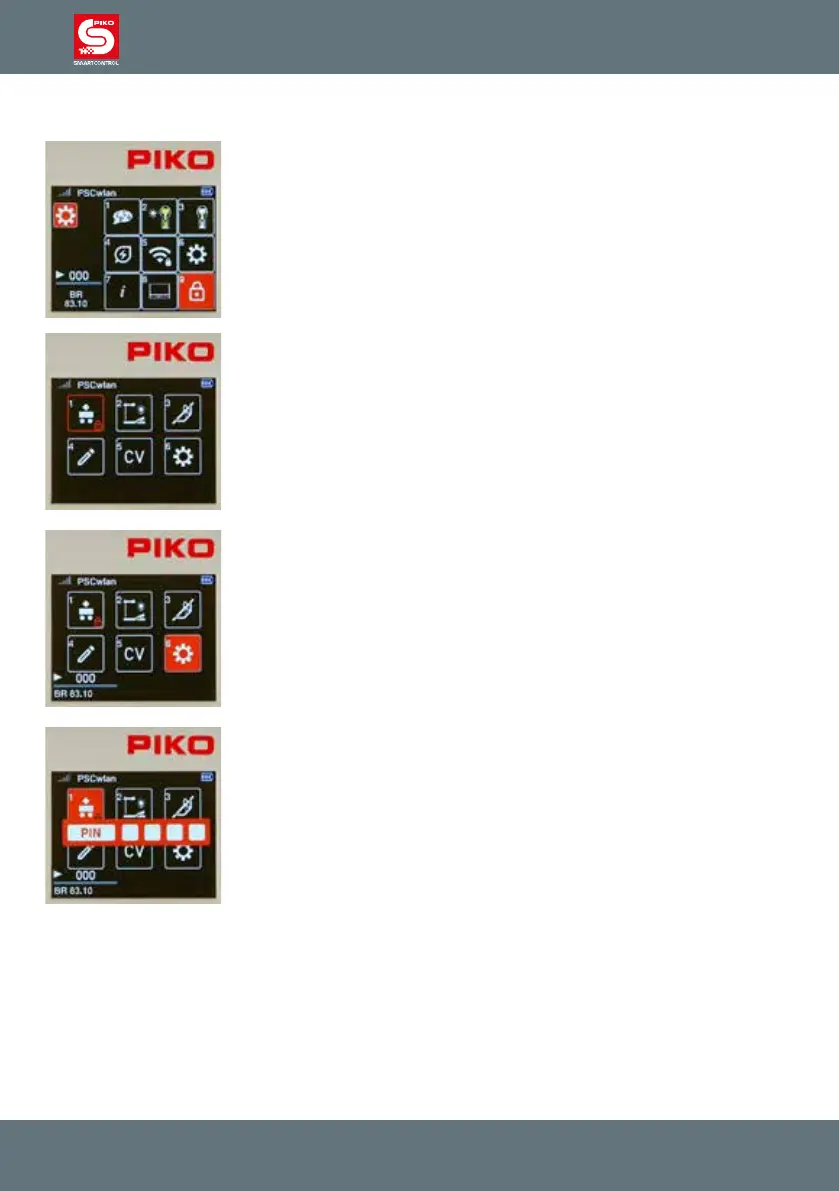
To secure individual areas of the Controller from unauthorized access, these
areas can be locked in such a way that they can only be accessed by
entering a four-digit PIN.
To do this, press key 9 on the keypad while in the settings menu, or navigate
to this eld and activate the menu with the OK button.
In the following display, the areas that should be limited-access can be
selected using the navigation keys and then locked or opened with the OK
button.
A small lock symbol will now appear in the respective eld.
Once all the areas to be locked have been selected, you exit this window by
using the "back" button and then entering the four-digit PIN followed by the
OK button.
In the main menu, the locked areas are now displayed with the small lock
symbol.
If a locked area is selected during operation, the PIN for operating this area
must be entered and conrmed with the OK button. This locked area can be
operated until it is exited. To call it up again, you will need to enter the PIN.



 To Next Page