wlan
7
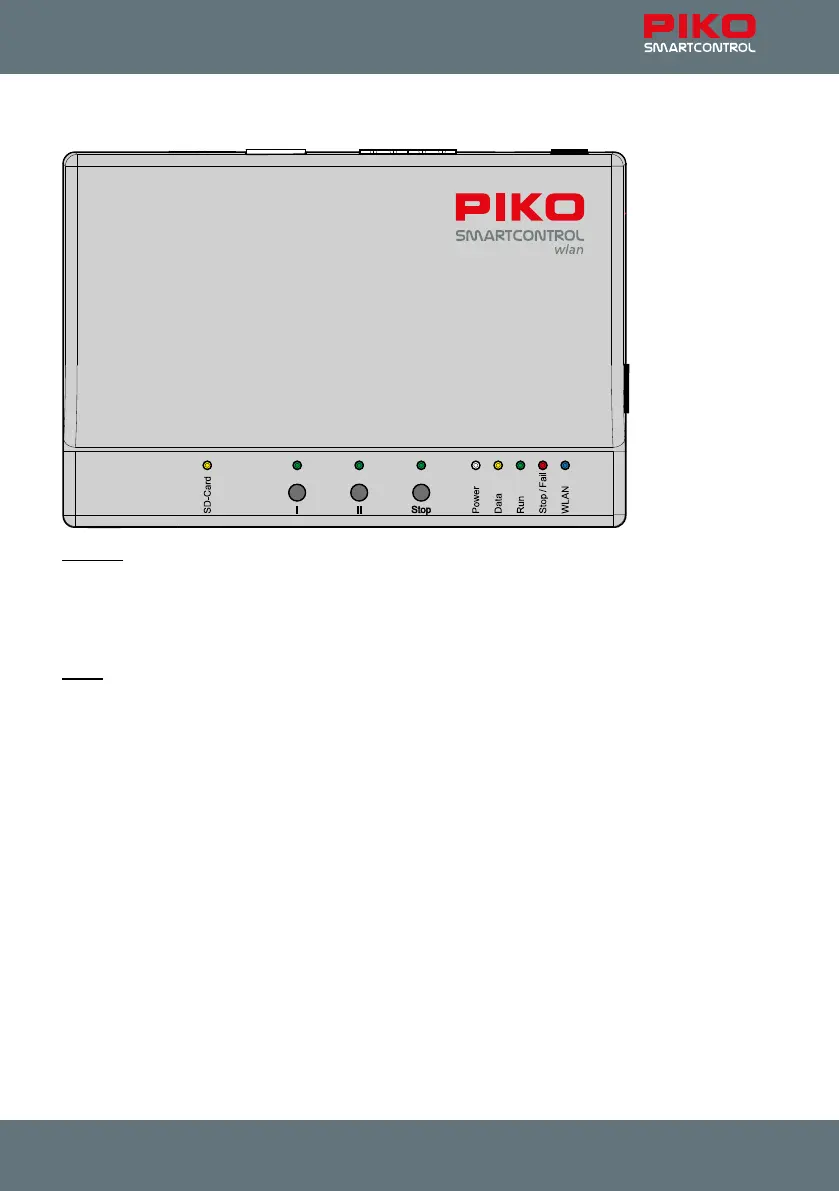
Controls and display elements of the PIKO SmartBox
wlan
Buttons
I: Open use button (you can program this button for any function you want)
II: WLAN "Fast Connect" (adjustable )
Stop: Track power On/O switch
A long press on start-up resets the SmartBox to factory settings
LEDs
SD-Card: SD card data transfer
I: Button I on/o
II: Button II on/o
Stop: Stop button on/o
Power: System is powered on
Data: SmartController is receiving data
Run: Main track is switched on
Stop/Fail: Main track is switched o / system fault
WLAN: Wi-Fi On/O



 To Next Page