EasyManua.ls Logo

Pima Hunter-Pro 832 - User Manual

Pima Hunter-Pro 832
40 pages
Print Icon
To Next Page IconTo Next Page
Loading...
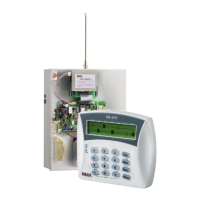
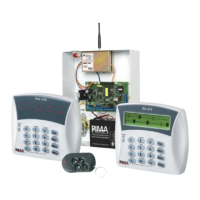
Hunter-Pro 832/8144
Captain 8
Includes Hunter-Pro & Captain Lite
S e c u r i t y S y s t e m s
User Guide
PIMA ELECTRONIC SYSTEMS LTD.

Table of Contents

Other manuals for Pima Hunter-Pro 832

Questions and Answers

  • G
    Gilbert MaloneAug 28, 2025
    What does GSM Comm. Fault mean on Pima Security System?
    • J
      Jessica HarrisAug 29, 2025
      If your Pima Security System displays 'GSM Comm. Fault', it means there is a GSM communication failure with Central Monitoring Station #1.
  • C
    carolyn75Sep 3, 2025
    What does Int. siren fault mean on Pima Hunter-Pro 832?
    • D
      Douglas AustinSep 4, 2025
      If your Pima Security System displays 'Int. siren fault', it means the internal siren is faulty.
  • J
    James MichaelAug 28, 2025
    What does KEYPAD NOT CONNECTED mean on Pima Hunter-Pro 832 Security System?
    • J
      Janet BooneAug 28, 2025
      If your Pima Security System displays 'KEYPAD NOT CONNECTED', it means there is no communication between the keypad and the control panel.
  • W
    wmoralesSep 18, 2025
    What does 'net4pro fault' mean on my Pima Security System?
    • D
      Donald HernandezSep 18, 2025
      The message 'net4pro fault' indicates a communication fault between the panel and the net4pro network card.
  • C
    Carol WoodsSep 23, 2025
    What does detec vol fault mean on Pima Security System?
    • E
      ecarrSep 23, 2025
      If your Pima Security System shows 'Detec Vol. Fault', it indicates that the detector voltage is faulty due to possible tampering. Contact a service technician immediately!
  • J
    Joseph MorrisSep 7, 2025
    What does 'Wireless Z Fault' mean on my Pima Security System?
    • V
      valerietaylorSep 7, 2025
      A 'Wireless Z Fault' indicates that a wireless detector (zone) is faulty, meaning there is no supervision signal.
  • M
    Matthew ScottSep 12, 2025
    What does 'W/L Unit Tamper' mean on my Pima Security System?
    • K
      Kenneth WilliamsSep 12, 2025
      A 'W/L Unit Tamper' message indicates that the I/O-WN box tamper is open or faulty.
  • S
    Steven MartinezSep 18, 2025
    What does 'Video X power fault' mean on my Pima Hunter-Pro 832?
    • W
      William WilsonSep 18, 2025
      The message 'Video X power fault' indicates a voltage fault in VVR #X.
  • J
    Joseph HensleyAug 26, 2025
    What does GSM Unit Fault mean on Pima Security System?
    • H
      Hunter PhillipsAug 26, 2025
      If your Pima Security System is experiencing a 'GSM Unit Fault', it means the GSM-200 module cannot be detected or is faulty.
  • G
    greg46Aug 25, 2025
    What should I do if my Pima Security System indicates a low voltage?
    • M
      Madison WhiteAug 26, 2025
      If the Pima Security System displays a 'Low Voltage' message, it usually appears before the backup battery is completely discharged, often during a prolonged power failure. It's recommended to call a service technician immediately!

Summary

Introduction to Hunter-Pro & Captain 8 Systems

Hunter-Pro & Captain 8 System Features

Overview of the combined features of Hunter-Pro and Captain 8 alarm systems.

Hunter-Pro Series Specific Features

Detailed features exclusive to the Hunter-Pro Series models.

Captain 8 Unique Feature Set

Highlights of the distinctive features of the Captain 8 model.

Understanding Lite Version Differences

Information clarifying the distinctions of the Lite versions.

Crucial Safety and Security Guidelines

Essential safety and security precautions for system installation and use.

System Code Management

Details on system codes including Master, User, Short, and Duress codes.

Master Code Functionality

Explanation of the Master code's role and access authorizations.

User Code Management

Information on setting up user codes, authorizations, and event logging.

Short Code for Arming

Description of the 2-numeral short code used exclusively for arming.

Duress Code for Emergencies

Guidance on the Duress code for silent alarms in distress situations.

Navigating the User Menu

Instructions on how to access and operate the User menu for system settings.

Keypad Overview and Types

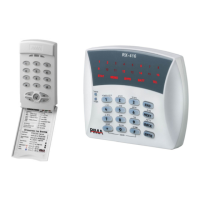
Description of PIMA's LCD keypads: RXN-400, RXN-410/RFID, and RXN-800.

Key #1: Arming and Disarming the System

System Arming Procedures

Methods available for arming the alarm system.

Keypad Arming Process

How to arm the system using codes via the keypad.

Exit and Entry Delayed Zones Explained

Explanation of how exit and entry delay zones function.

Fast Arming to Full Mode

Instructions for quickly arming the system to Full mode.

Disarming the Alarm System

Procedures for disarming the alarm system.

Disarming with Duress Code

How to disarm the system using the Duress code.

Key #2: Event Log Functionality

Event Log Viewing Options

Options for filtering and viewing different types of events in the log.

Key #3: Zone Bypassing Procedures

Bypassing Zones During Arming

Steps for bypassing zones when arming the system.

Bypassing Zones Prior to Arming

How to bypass zones before initiating the arming process.

Reinstating Bypassed Zones

Procedure to reactivate zones that were previously bypassed.

Keys #4 & #7: Home Arming Modes

Fast Arming to Home Modes

Quick methods for arming the system in Home 1 and Home 2 modes.

Key #5: Displaying System Information

Fast 32-Zone Display Mode

Detailed explanation of the fast 32-zone display for zone status.

Scanning Open Zones

How to scan and view open zones and the system's status.

Disabling Zone Status Display

Procedure to turn off the display of zone statuses.

Alternative Display Types

Overview of other available display types for system information.

Displaying All Zones Information

How to display comprehensive information for all programmed zones.

Displaying Bypassed Zones

How to view information related to bypassed zones.

Displaying Soak Tested Zones

Information on viewing zones currently in soak test mode.

Displaying Chime Zones

How to view zones configured for chime alerts.

Overall Zone Status Display

Displaying the current status of all programmed zones.

Showing Partition Names

Method to display the names assigned to system partitions.

Key #6: Telephones, SMS, and Dialer Configuration

Editing Phone Numbers

Procedure for setting phone numbers for receiving alerts and messages.

SMS Message Settings

Configuration options for receiving SMS alerts from the system.

Dialer Test Procedure

How to perform a test of the system's dialer and phone numbers.

Key #8: Setting Time and Date

Key #9: User Code Management

Master Code Configuration

Details on setting and managing the system's Master code.

User Code Management Overview

General procedures for managing user codes.

Adding or Changing User Codes

Instructions on how to add new user codes or modify existing ones.

Deleting User Codes

Procedure for removing user codes from the system.

Assigning User Names

How to assign custom names to user codes.

Configuring User Settings and Authorizations

Setting user permissions, access levels, and other preferences.

Setting User Disarming Time Windows

Defining specific hours during which users can disarm the system.

Assigning Users to Partitions

How to grant users control over specific partitions.

Adding Key Fobs to User Accounts

Procedure for assigning key fobs to individual users.

Removing Key Fobs from User Accounts

Procedure for unassigning key fobs from users.

Adding RFID Tags;Keychains to Users

Procedure for assigning RFID tags or keychains to users.

Removing RFID Tags;Keychains from Users

Procedure for unassigning RFID tags or keychains from users.

Setting Up Duress Codes

Instructions for setting and using Duress codes.

Configuring Short Codes

Steps for setting the 2-numeral short code for arming.

Setting Door Codes

How to configure door codes for access control.

Asterisk Key (*): Keypad Chime Settings

Configuring Chime Zones

How to set specific zones to trigger the keypad chime.

Enabling;Disabling All Chime Zones

Procedure to turn the chime function on or off for all zones.

Silencing the Keypad

How to silence the keypad chime function.

Key #0: Automatic Arming Features

Automatic Arming by Day and Hour

Setting up the system to arm automatically at scheduled times.

Inactivity-Based Auto-Arming

Configuring automatic arming based on periods of inactivity.

Other System Topics

Understanding Partitions (Sub-systems)

Explanation of partitions and their role in system management.

Illustrative Partition Examples

Examples demonstrating various partition configurations.

Displaying Armed Partitions Status

How to view the status of partitions that are currently armed.

Arming with Key Fobs or RFID Tags

Methods for arming the system using accessories like key fobs and RFID tags.

Arming via Key Fob

Specific instructions for arming the system using a key fob.

Enabling Remote System Upload

How to allow remote programming access for technicians.

Character Entry on Keypad

Guide to entering characters using the keypad, similar to mobile phones.

Panic Alarm Activation

Instructions on how to trigger a panic alarm.

RXN-800 Keypad Settings

Specific settings and configurations for the RXN-800 keypad.

Resetting Smoke, Fire, and Anti-mask Detectors

Procedures for resetting detectors after they have been activated.

Hunter-Pro Model Feature Comparison

Comparison of features between Hunter-Pro 832 and 8144 models.

Hunter-Pro vs. Captain 8 Feature Comparison

Comparison of features between Hunter-Pro and Captain 8 systems.

Performing System Tests via BACK Key

Instructions on how to conduct system tests using the BACK key.

Remote Phone Control (Hunter-Pro Only)

Basic Remote Control Mode

Overview of basic remote control functions via phone.

Full Remote Control Mode

Advanced remote control functions, including output activation.

Remote Control Usage Examples

Practical examples demonstrating remote control operations.

Troubleshooting System Faults

Pima Hunter-Pro 832 Specifications

General IconGeneral
BrandPima
ModelHunter-Pro 832
CategorySecurity System
LanguageEnglish

Related product manuals