7
4. Turn the SCROLL knob choose ‘Daylight saving’ status, and then press it to confirm.
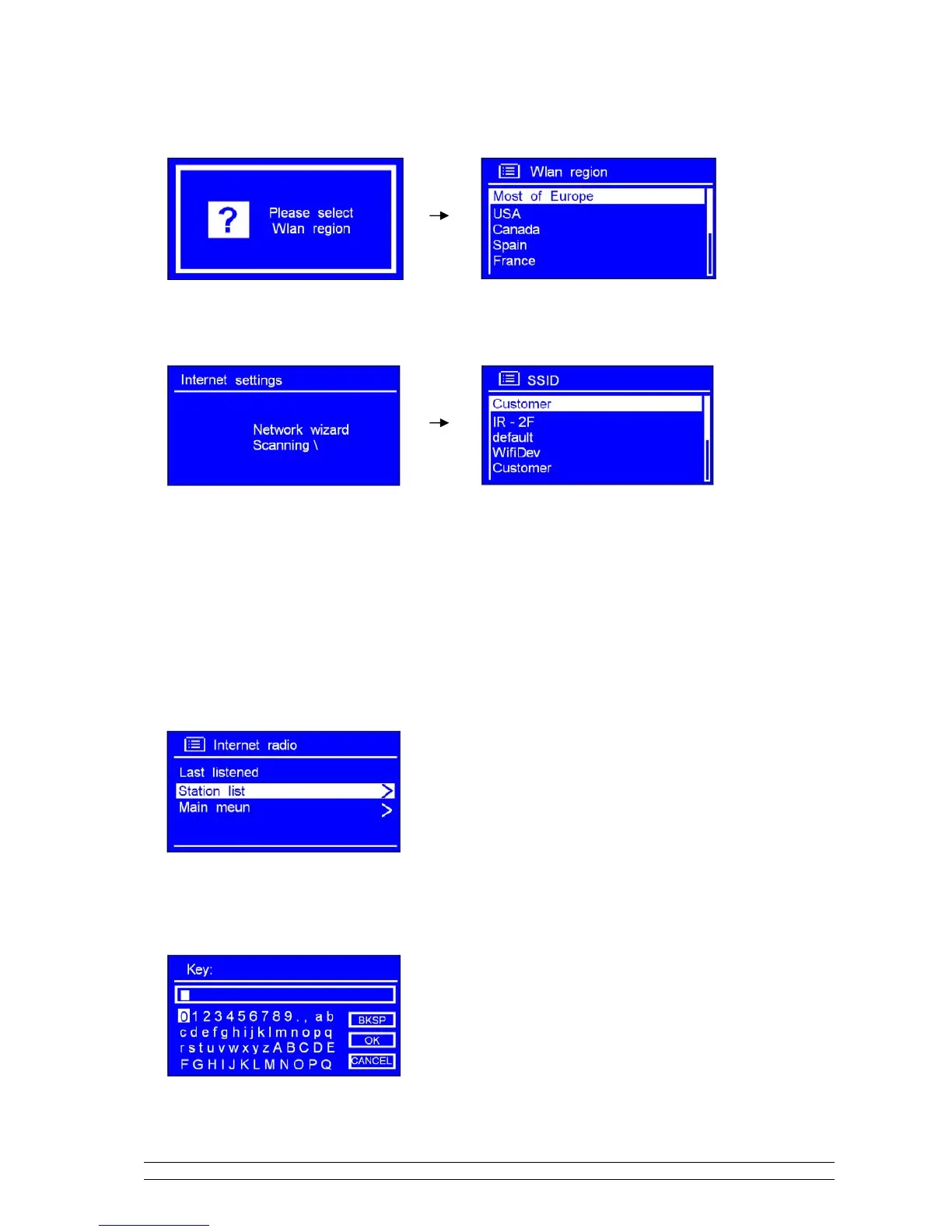
5. Turn the SCROLL knob to your local ‘Wlan region’, and then press it to confirm.
6. Turn the SCROLL knob to your prefer ‘SSID’, press it to confirm. Radio will save it in memory.
Note: In some cases radio may find more than one network. Turn the SCROLL knob to your favorite one, press
it to confirm.
7. If your network is not configured to request a password (WEP/WPA), radio will connect to the network
and display:
8. If a WEP/WPA key (password) is required, radio will ask you to input the WEP/WPA code and display
the password entry screen as follows:



 To Next Page