Alphabet tabs
Makes the screen jump to the beginning of
the page including the entry whose names
start with any of selected alphabets.
Touching [#ABCDE] also displays the page in-
cluding the entry whose names start with pri-
mary symbols or numbers.
Touching [Others] displays the page including
entries that are not assigned to any of the
other tabs.
or :
Shows the next or previous alphabet tab.
4 Touch the desired entry on the list to
make a call.
5 Touch
to end the call.
Dialing GOOG-411
CAUTION
Local and/or long distance charges for making a
phone call may apply.
You can dial GOOG-411 to dial the free busi-
ness listing service of Googleä with one
touch.
1 Display the “Phone Menu” screen.
2 Touch [GOOG-411].
Dialing GOOG-411 starts.
3 You can now use the GOOG-411 phone
service.
For details about GOOG-411 service and avail-
ability, contact Googleä.
Making a phone call using the
received call history
The received call history saves 30 calls per re-
gistered cellular phone. If the number of calls
exceeds 30, the oldest entry will be deleted.
1 Display the “Phone Menu” screen.
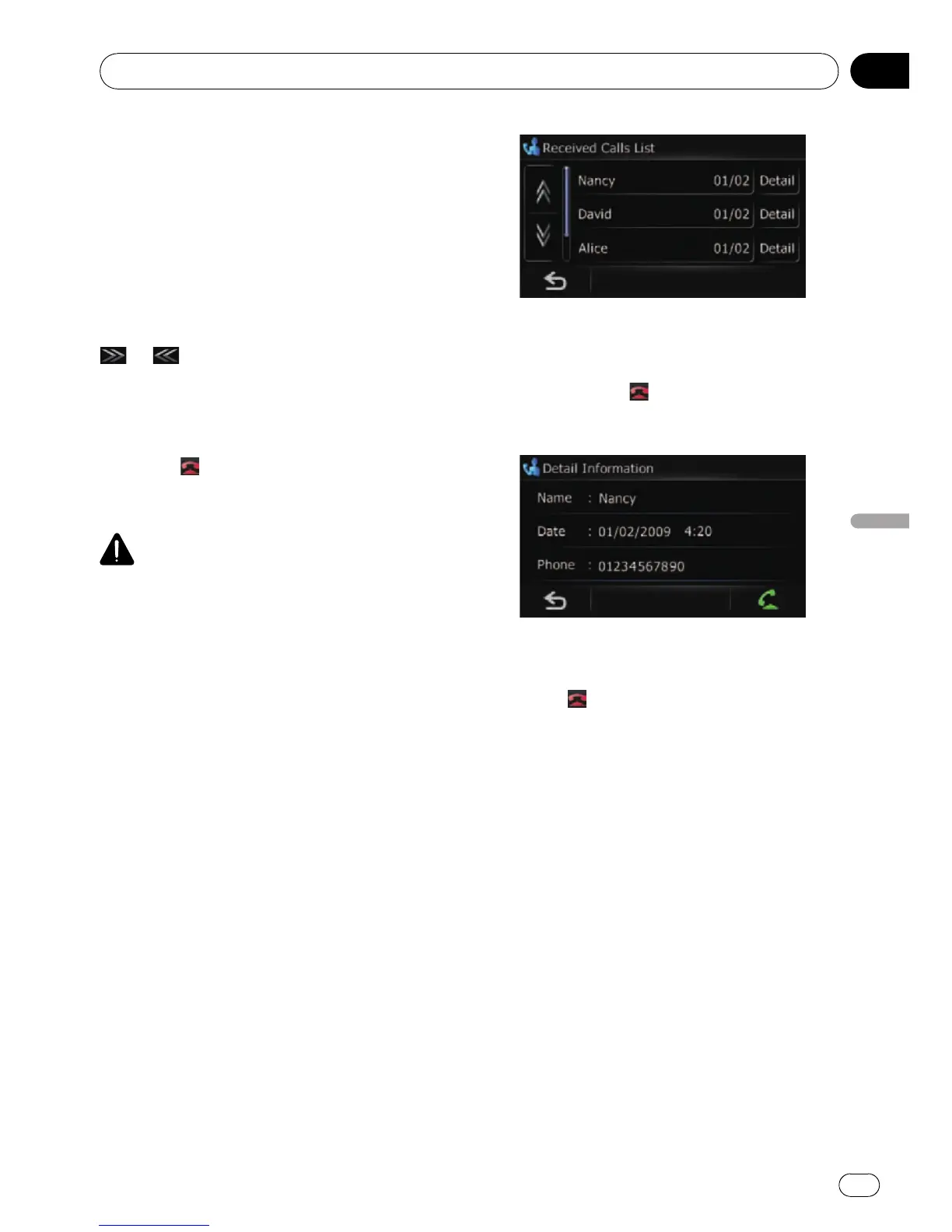
2 Touch [Received].
The “Received Calls List” screen appears.
3 Touch an entry on the list.
Dialing starts.
p To cancel the call after the system starts
dialing, touch
.
# Touch [Detail].
The “Detail Information” screen appears.
You can check the details of the party before mak-
ing a phone call.
4 Touch to end the call.
Using hands-free phoning
En
51
Chapter
10
Using hands-free phoning



 To Next Page
 Loading...