22
Laboratory Oscillator 2
Select a Waveform
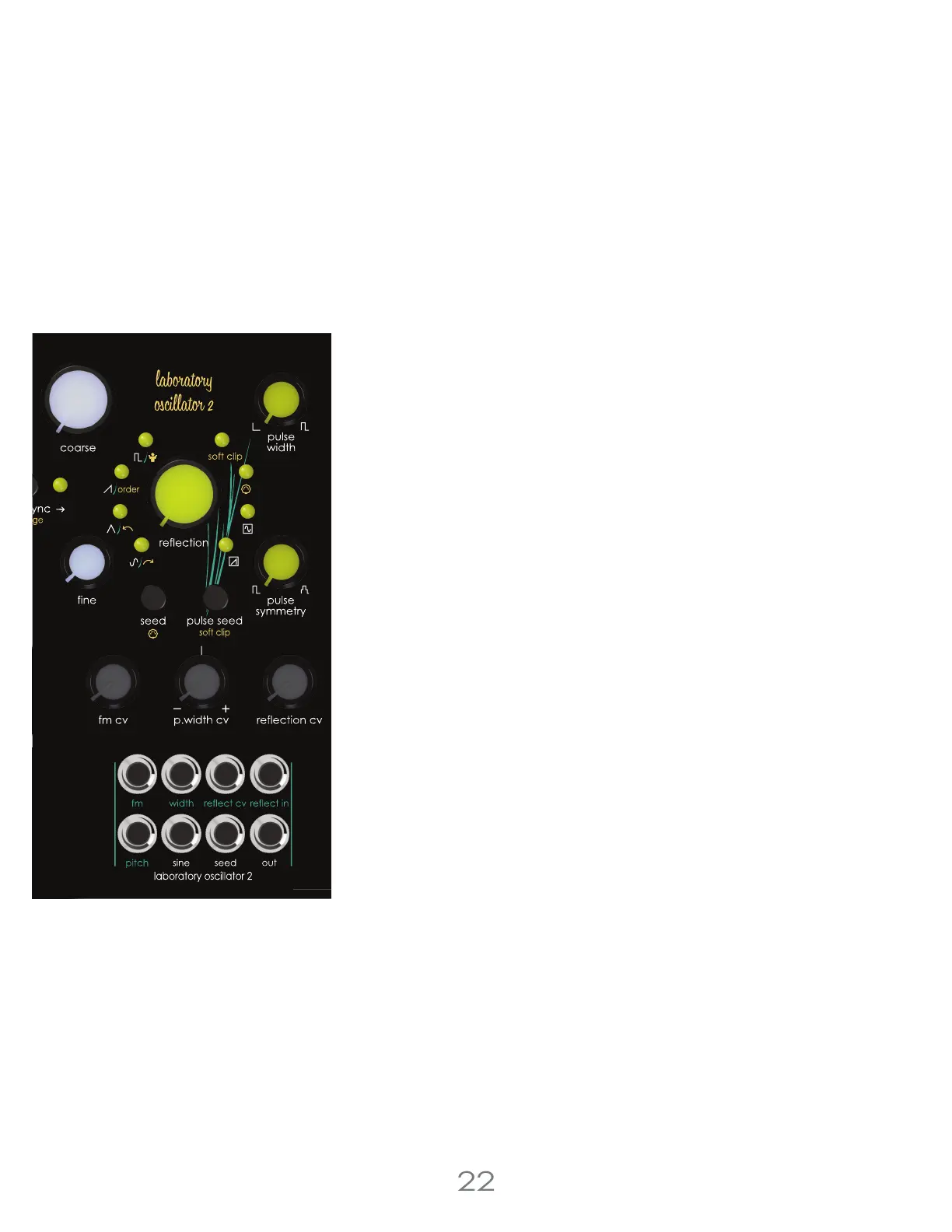
The [SEED BUTTON] selects the active waveform.
Seed Waveform Options
1. Sine Wave [Sine LED]
2. Triangle Wave [Triangle LED]
3. Saw Wave [Saw LED]
4. Pulse Wave [Pulse LED]
5. Randomly Selected Waveform [All LEDs ON]
MIDI Pitch Response
[EDIT BUTTON] + [SEED BUTTON] enables or disables MIDI pitch response. This
also determines if the oscillator responds to the [OCTAVE UP BUTTON] and
[OCTAVE DOWN BUTTON] in the voice control section.
Laboratory Oscillator 2 Input Jacks :
[PITCH JACK] 1 volt per octave pitch input jack.
[FM JACK] Linear frequency modulation input jack. Attenuated using the [FM
CV ATTENUATOR].
[WIDTH JACK] Pulse wide modulation input jack. Attenuverted using the
[P.WIDTH CV ATTENUVERTER].
[REFLECT CV JACK] Reflection modulation input jack. Attenuated using the
[REFLECTION CV ATTENUATOR].
[REFLECT IN JACK] Audio input to reflection, patching into this overrides the
oscillator’s signal path into reflection with an external audio signal. This means
the first oscillator or any other audio signal can be patched through reflection
in place of oscillator 2.
Laboratory Oscillator 2 Output Jacks :
[SINE JACK] Clean sine wave output jack.
[SEED JACK] Unprocessed selected seed wave.
[OUT JACK] Reflection output.
3 Voltage Lab 2 Voice Modules



 To Next Page