54
Everything a Step Can Be (Continued)
Step Jump
Step Jumps cause the sequencer to jump from a step to different step in the sequence when triggered.
They are a way of adding length and creating strange sequencing patterns to extend the Voltage lab
past it’s 16-step limitations.
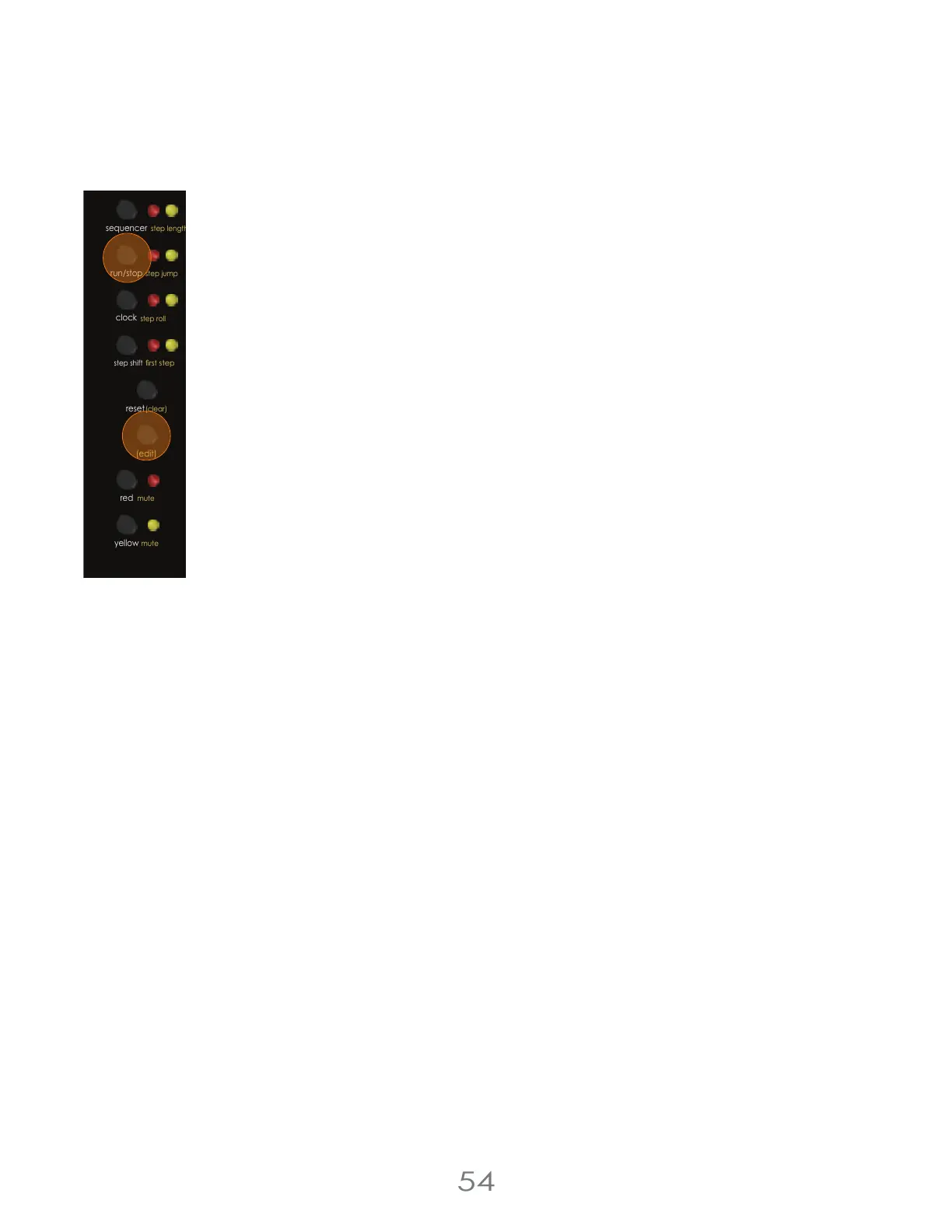
To add a Step Jump, first hold the [EDIT BUTTON] and press the [RUN/STOP BUTTON] to enter the Step
Jump Screen.
Next, press a [TOUCH PAD] to pick the step to jump from, then press a different [TOUCH PAD] to pick a
step to jump to.
Finally, use the [VALUE KNOB] to assign a Jump Condition.
Jump Conditions work exactly like the Percentage Chance Conditions and the Repeat Counter
Conditions explained above in the Step Condition section. They determine whether or not a Jump is
performed, either as a percentage chance or based on how many repeats through the sequence
have occurred.
Beware; it is possible to get yourself trapped in innite jump loops from which one can never escape.
Tread lightly. (You can always just turn off a bad recursive jump)
Step Pressure
Step Pressure controls the [PRESSURE OUTPUTS] when a step is triggered. To assign Step Pressure, use the [VALUE KNOB]
while assigning steps in Knob Mode with the Sequencer On.
For all the other ways of assigning Step Pressure, look above at “Playing Expressively with Pressure”.
4 Voltage Lab 2 Touch Controller
chance (cv)
chance (cv)
step shift
(edit)
mute step condition
red
mute
yellow
run/stop
step roll
clock
oct +
oct -
rst step
sequencer
step jump
reset
(clear)
(tempo)
step chance
step length



 To Next Page