55
BT37 MarkII: Service Manual MA200606 1.0.0
Component replacement
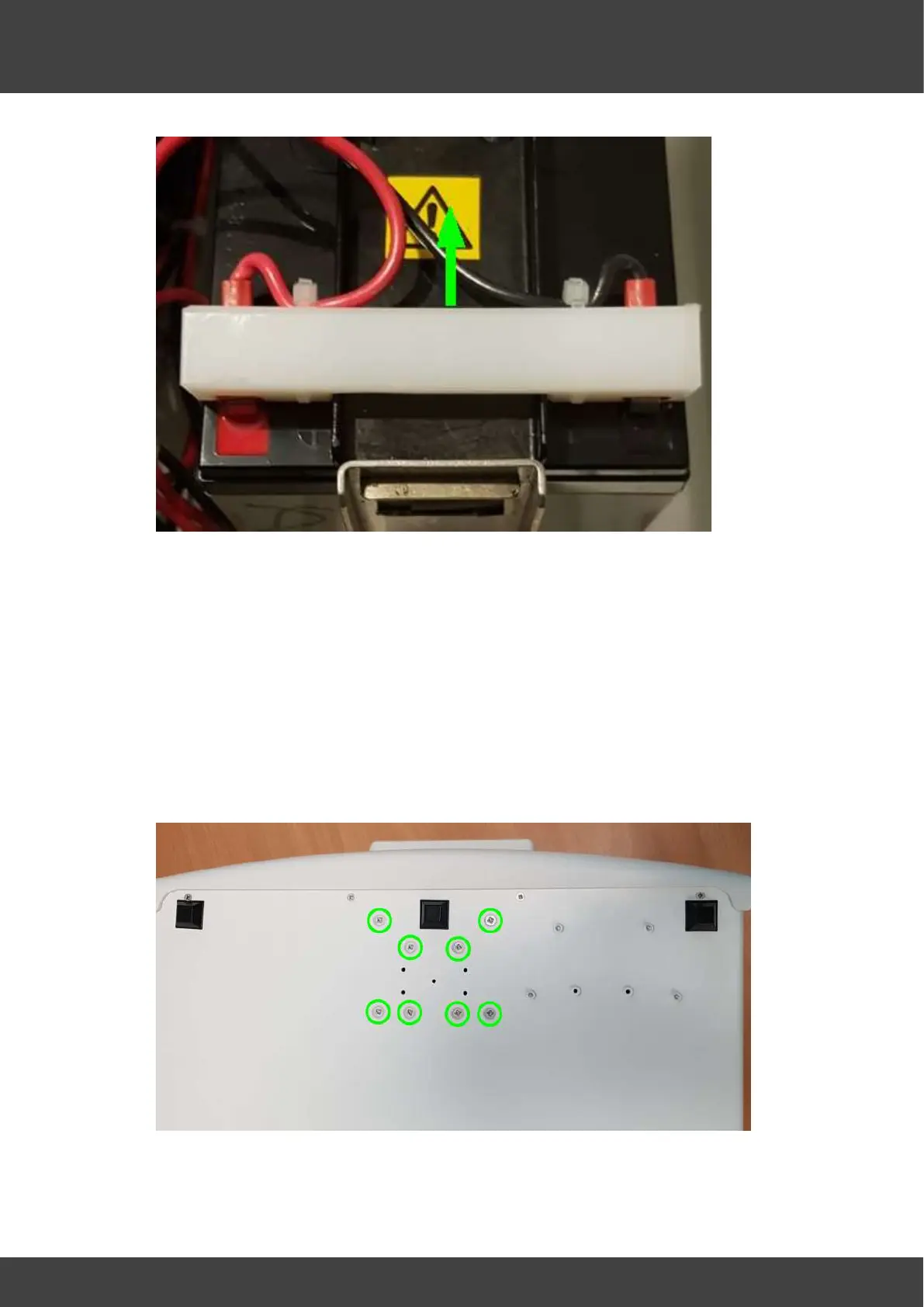
Fig.1 showing reverse polarity protection bar
3) Insulate the exposed battery terminals with insulating tape before
proceeding.
4) Disconnect the 20-way and 30-way FCC cables from the right humidifier board.
5) Disconnect the 20-way and 30-way FCC cables from the left humidifier board.
6) Disconnect the fan cable from the left humidifier board.
7) Remove the tube connecting the mass flow meter to the luer gas port at the back of
the humidifier assembly.
8) Unscrew the humidifier retaining screws shown circled in Fig_2 and remove the
humidifier assembly from the enclosure.
Fig.2 Humidifier assembly retaining screws



 To Next Page