36
BT37 MarkII: Service Manual MA200606 1.0.0
Component replacement
3 Component replacement
3.1 Opening the BT37
Rear panel removal
1) Disconnect the mains lead from the incubator.
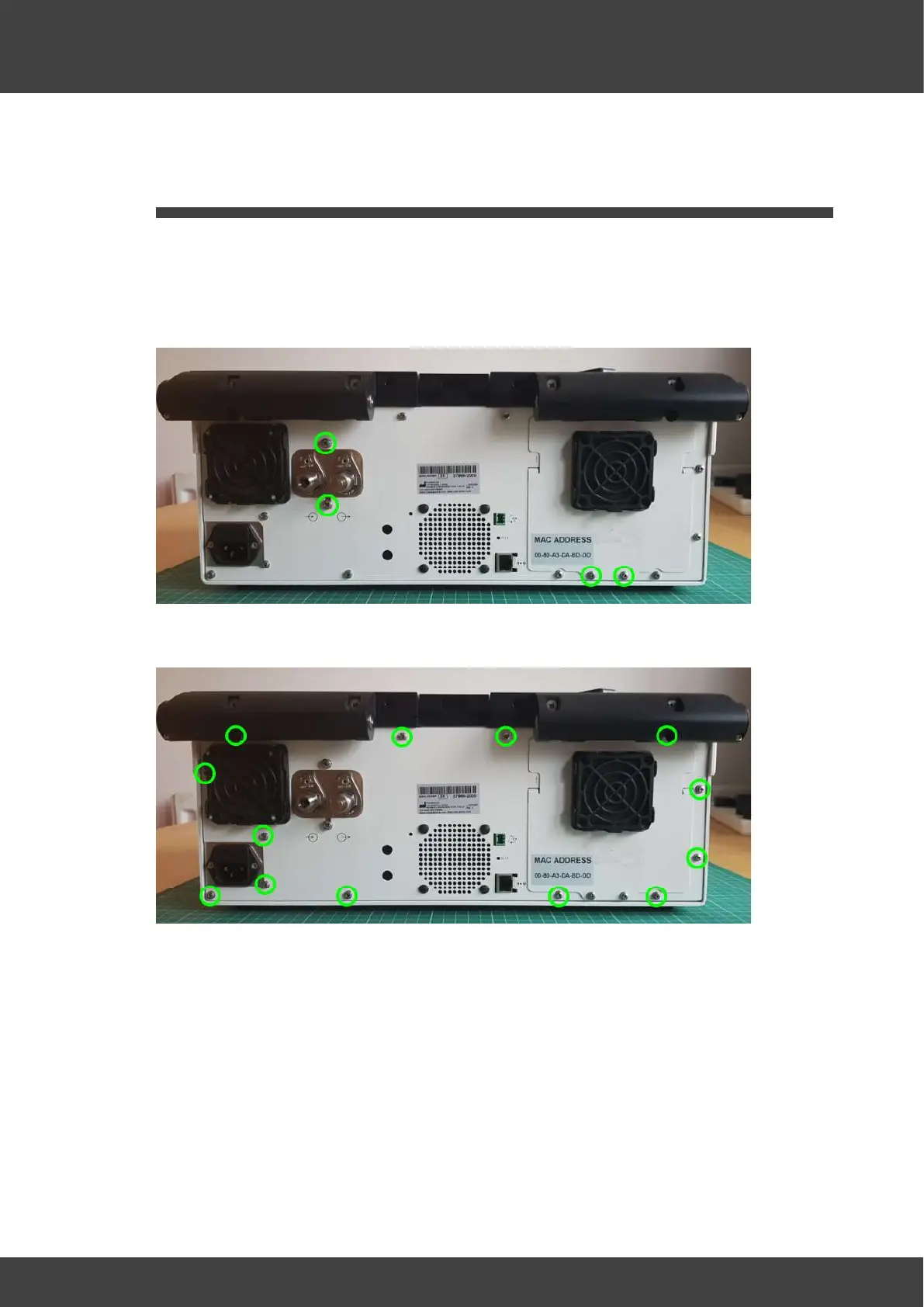
2) Remove the 4 screws and washers shown in Fig.1 that secure the gas inlet manifold
and battery access plate to the rear panel.
Fig.1 Manifold and battery access plate screws
3) Remove the 14 screws that secure the rear panel as shown in Fig.2
Fig.2 Rear panel screws
4) The rear panel may now be partially removed from the equipment.
Disconnect the fan connector from the left humidifier board (as viewed from the front of
the equipment) to enable the rear panel to be completely removed from the incubator.
See Fig.3.



 To Next Page