9
BT37 MarkII: Service Manual MA200606 1.0.0
Introduction
1.1.2
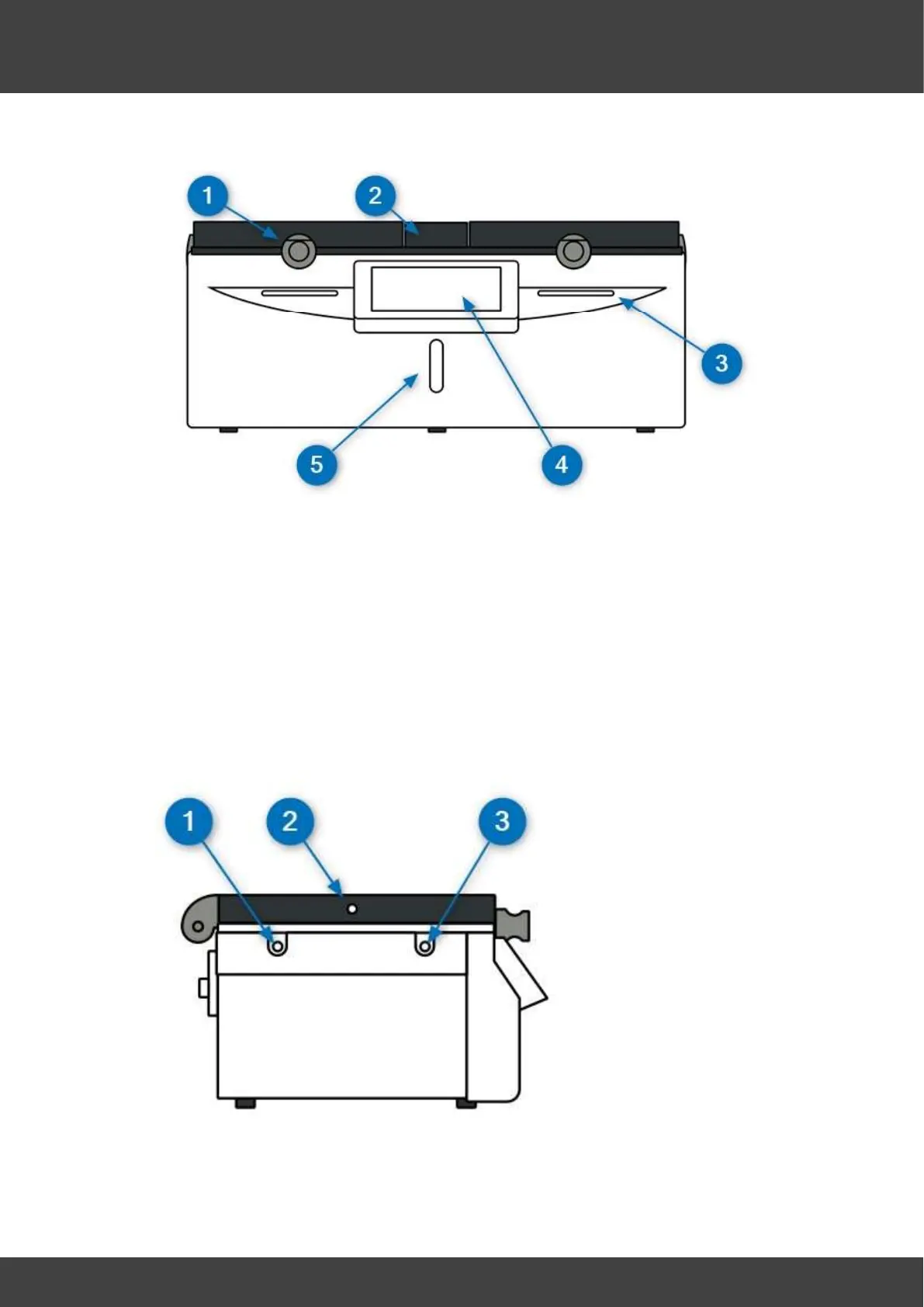
Front view
1. Chamber lid and catch.
2. Humidifier lid.
3. Status indicators.
4. Touchscreen display.
5. Liquid level indicator.
The lids are fitted with rotary catches.
1. To open a lid, rotate the knob anticlockwise and lift the lid.
2. To close a lid, rotate the knob so it can engage with the pin on the main body, then
gently lower the lid, and when it is fully closed, rotate the knob clockwise until it is
felt to latch.
The BT37 will not regard a lid as being shut until it is both closed and the knob rotated
clockwise into its locked position.
1.1.3
Side view
1. Rear of base monitoring port for independent temperature probes.
2. Lid monitoring port for independent temperature probes.
3. Front of base monitoring port for independent temperature probes.



 To Next Page