NetworkVideoRecorderwithHDMI
NVR‐820/NVR‐1620
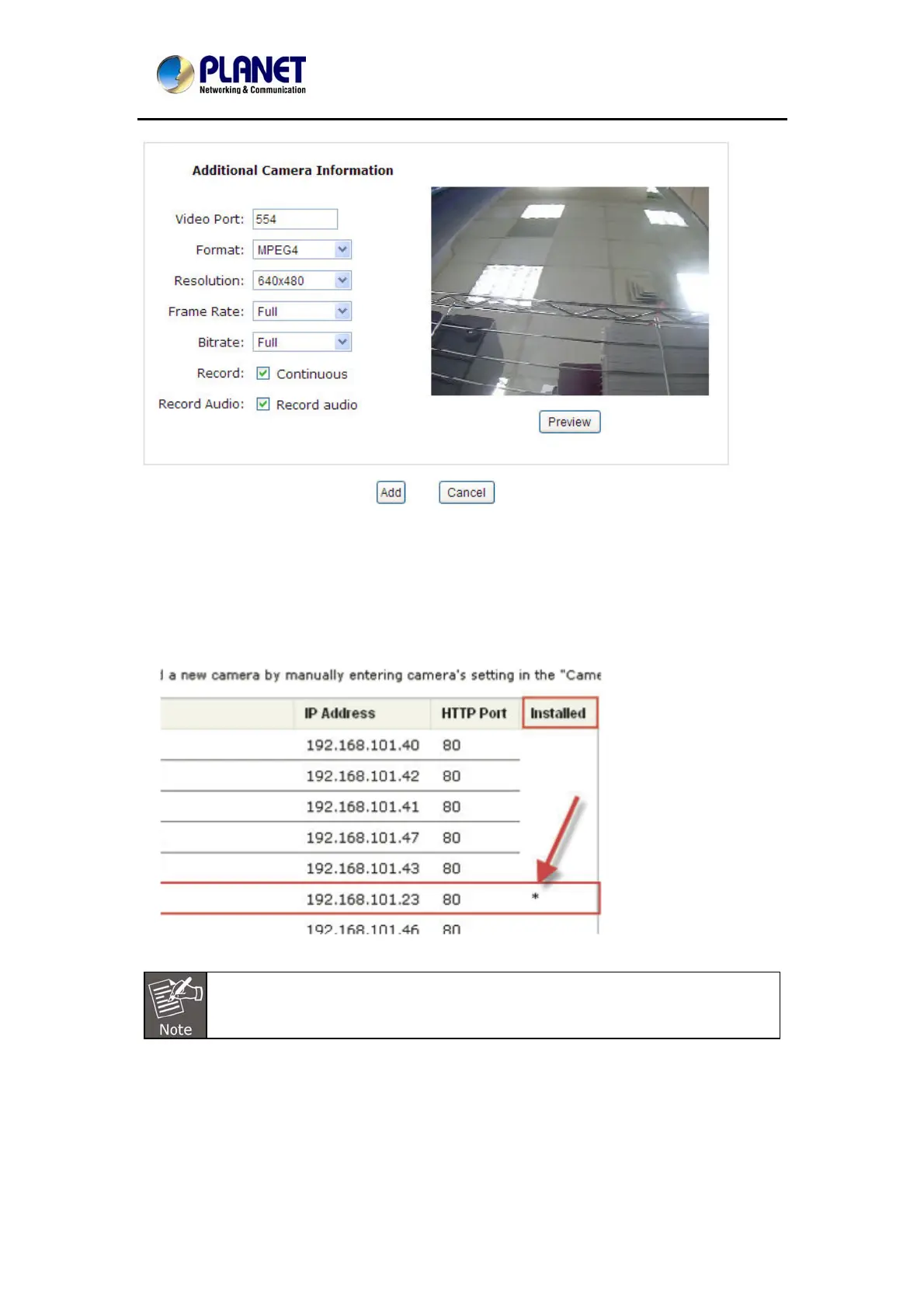
Click on “Detect” to establish connection between the recorder and the camera. If connection
establishes successfully, camera’s detailed information should be polled and displayed as
below.
Adjust its video format, frame rate, resolution or bitrate, etc. if you wish. You can also click on
the “Preview” to preview the live video of the camera.
Click “Add” to finish adding the camera
.
*If cameras are marked with "*" in the search result, it means those cameras are
already configured and connected to the NVR
57



 To Next Page