NetworkVideoRecorderwithHDMI
NVR‐820/NVR‐1620
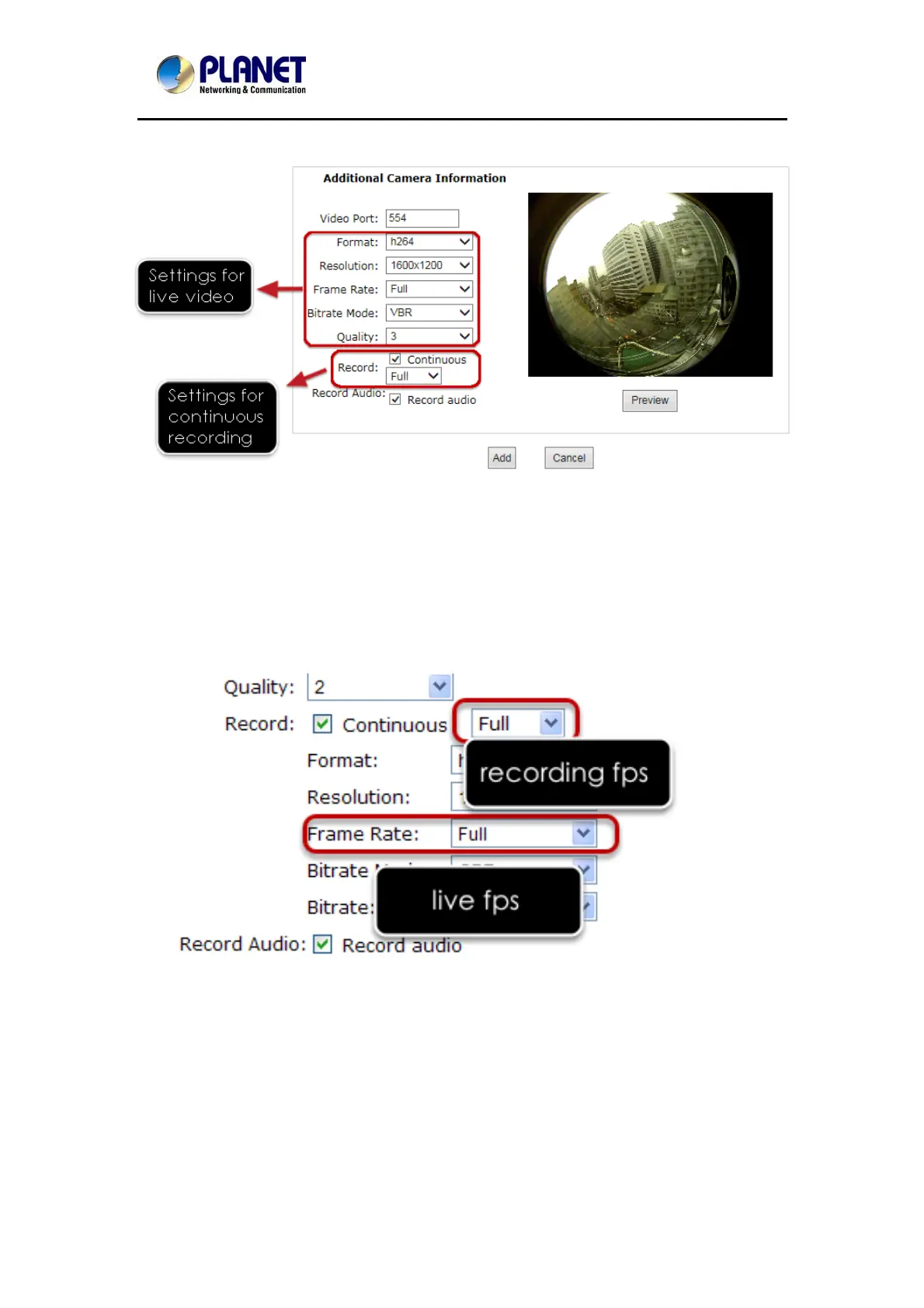
Once the camera's settings are polled and displayed, you can also enable "continuous"
recording and adjust its recording quality settings before adding the camera.
Some cameras are capable of multiple streaming profiles, in which different video codecs are
used for different purposes.
You will be able to use a different video format for continuous recording if it's a multi-stream
capable camera.
There are two types of fps settings here, one is the fps that NVR sets back to the camera, and
this is the fps NVR will be receiving from the camera. The other is recording fps, which will be
limited by the live fps. (e.g.. if the live fps is set to 10, choose "Full" in the recording fps
meaning it will only record at a maximum of 10fps.
For MPEG/H.264, only i frame or full (i+p frame) can be selected for recording fps.
58



 To Next Page