User Manual of WDAP-C7210E_WDAP-W1200E_WDAP-850AC
-109-
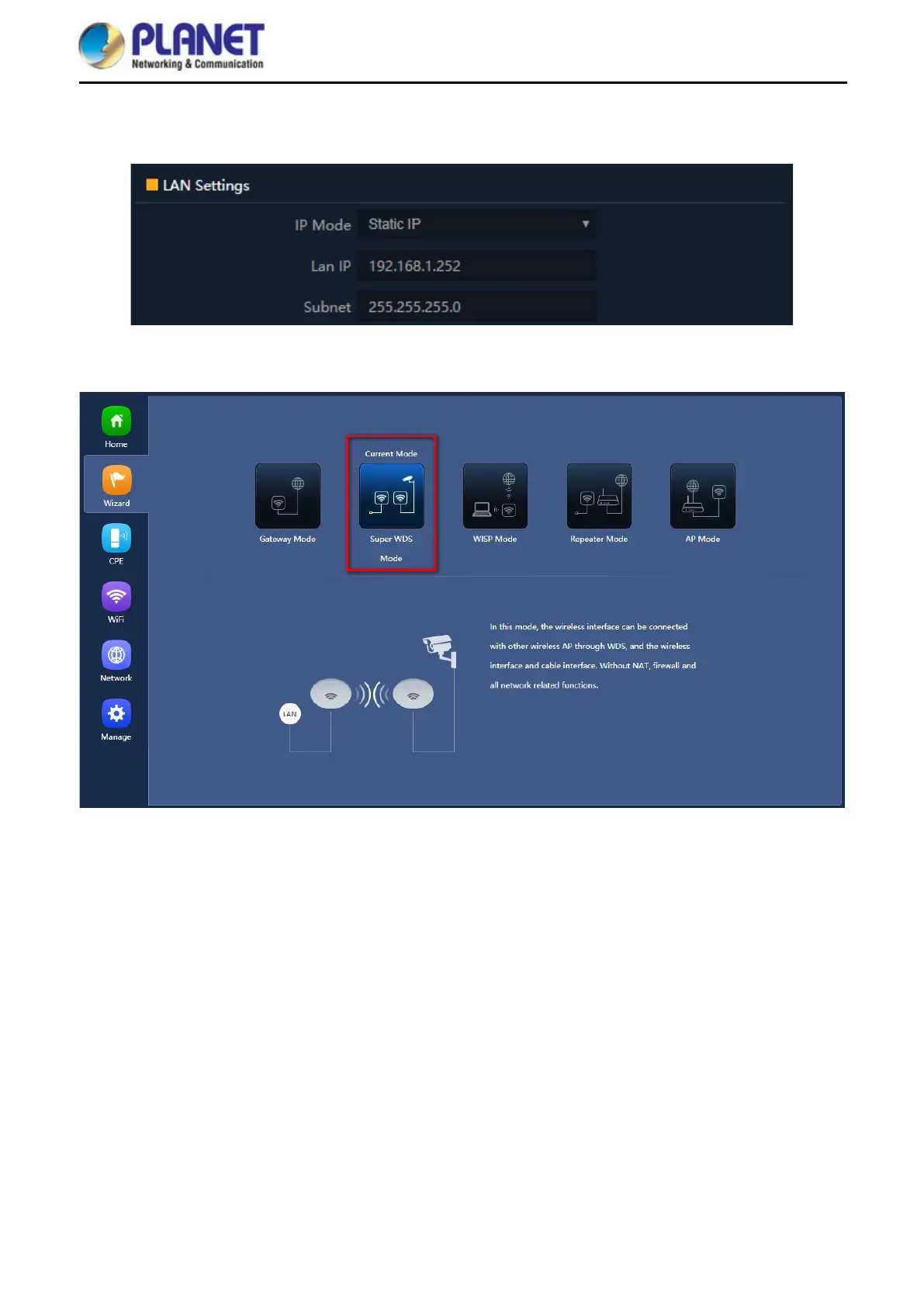
Step 2. In AP-2, change the default IP to the same IP range but different from AP-1. In this case, the IP is
changed to 192.168.1.252.
Step 3. In both APs, go to “Wizard” to configure it in Super WDS Mode.
Step 4. In AP1 set up WDS SSID, for example WDS-1. Select Encrypt for WEP and enter password.














 To Next Page