User Manual of WDAP-C7210E_WDAP-W1200E_WDAP-850AC
-33-
Chapter 4. Configuring the AP
This chapter delivers a detailed presentation of AP’s functionalities and features 3 main items below, allowing
you to manage the AP with ease. (The below web GUI and topology uses WDAP-C7210E as an example)
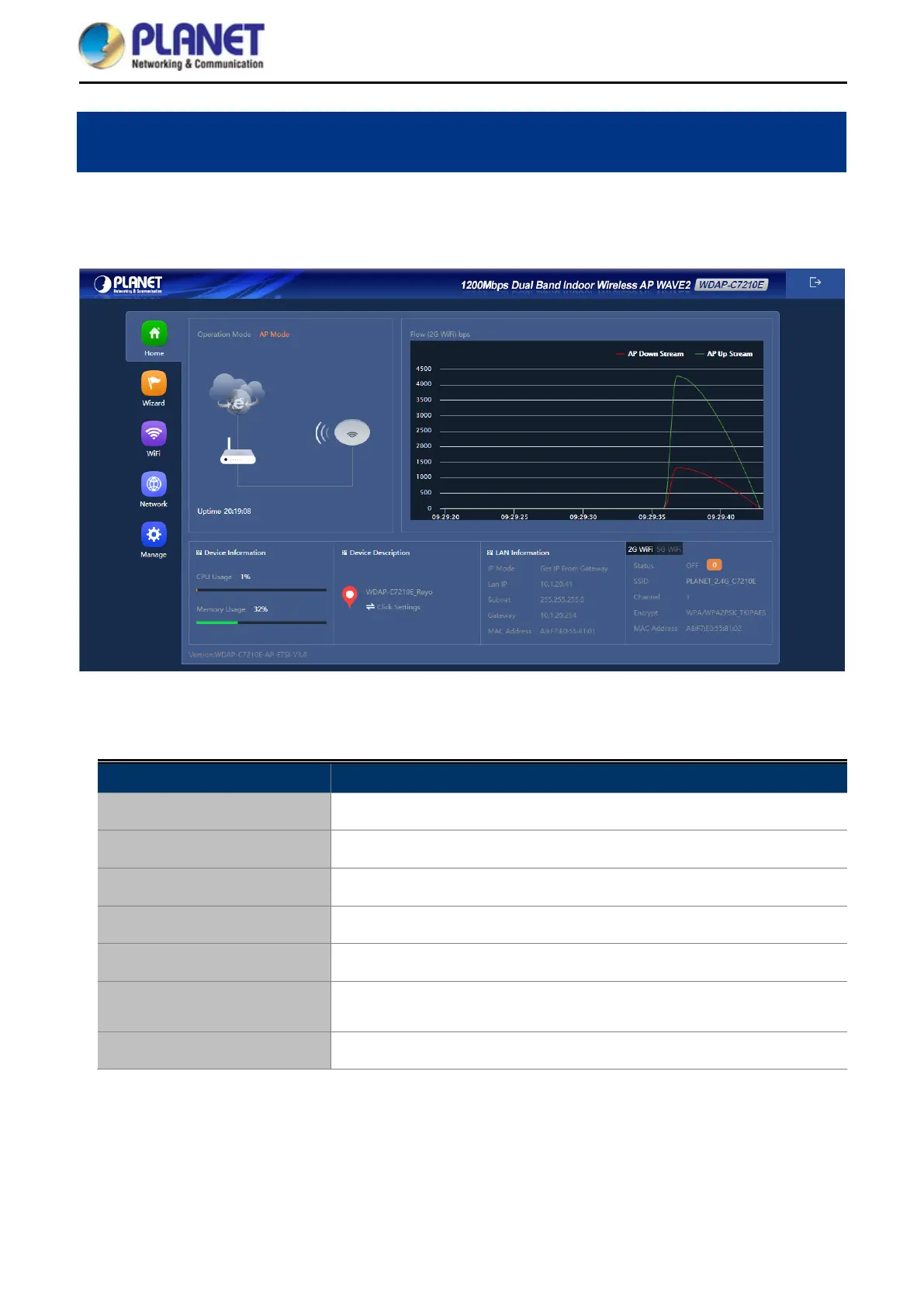
Figure 5-1 Main Menu
The page includes the following fields:
Object Description
Operation Mode
It shows the current mode status.
Device Information
It shows the CPU/memory usage.
Device Description
You can enter the device description.
Flow (5G Wi-Fi) bps
It shows the Upstream/Downstream graph.
LAN Information
It shows the device IP mode, LAN IP, subnet, gateway and MAC address.
Wi-Fi Information
It shows the Wi-Fi status, SSID, channel, Encryption, MAC address and
client list.
Version
It shows the firmware version (Double-click to show more detailed info.).














 To Next Page