User’s Manual of WNRT-627
-153-
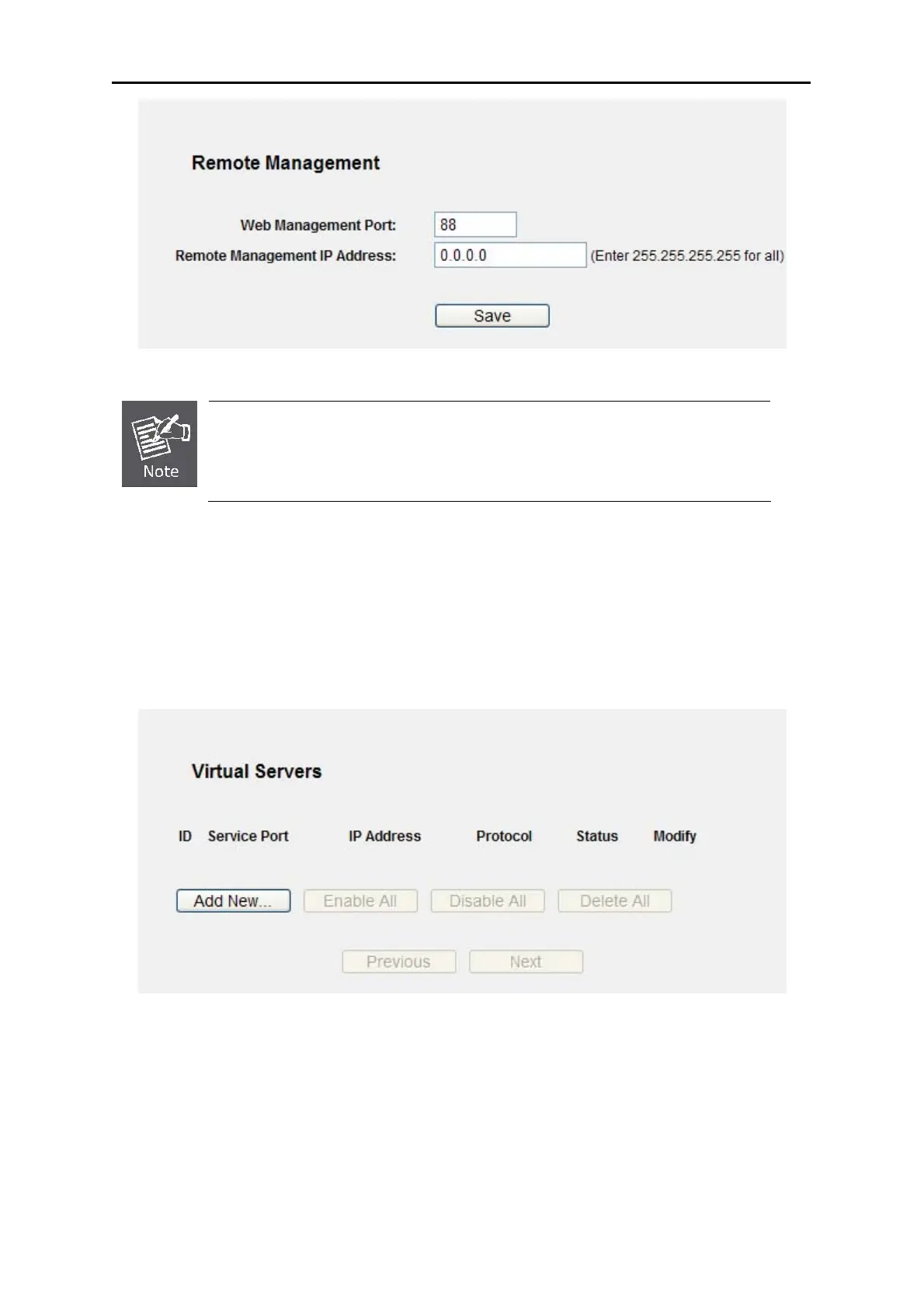
Figure A-7 Remote Management
If the above configuration takes effect, you can configure the Router by typing
http://192.168.1.1:88 (the Router’s LAN IP address: Web Management Port) in
the address field of the W
e
b browser.
3) Log in to the Router, click the “Forwarding” menu on the left of your browser, and click the
"Virtual Servers" submenu. On the "Virtual Servers" page, click Add New…, then on the
“Add or Modify a Virtual Server” page, enter “80” into the blank next to the “Service Port”,
and your IP address next to the “IP Address”, assuming 192.168.1.188 for an example,
remember to Enable and Save.
Figure A-8 Virtual Servers



 To Next Page