User’s Manual of WNRT-627
-46-
If you get “Address not found” error when you access a Website, it is likely that your
DNS servers are set up improperly. You should contact your ISP to get the correct DNS
server address.
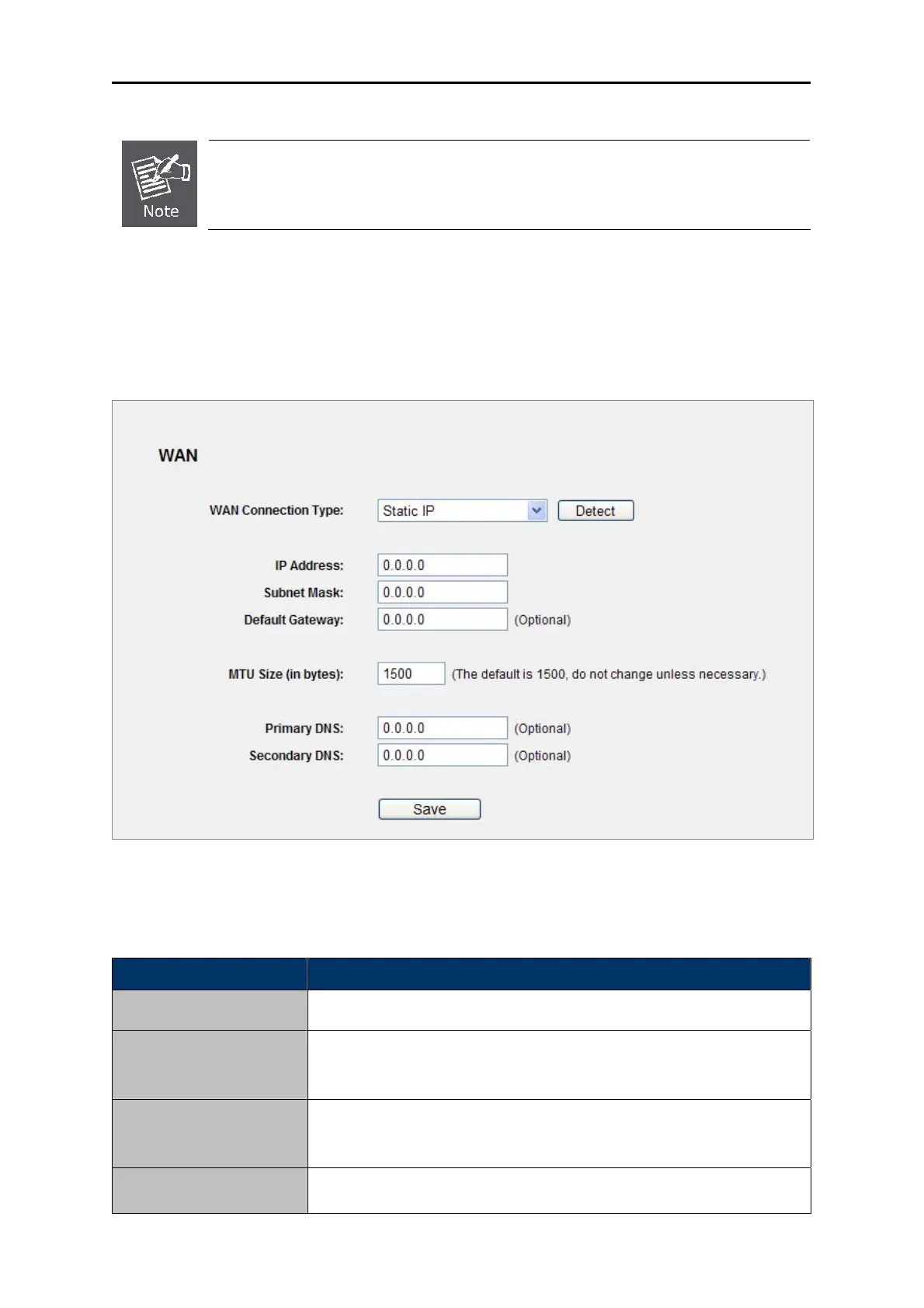
Static IP
2. If your ISP provides a static or fixed IP Address, Subnet Mask, Gateway and DNS setting, select
Static IP. The Static IP settings page will appear, shown in Figure 5-10.
Figure 5-10 WAN - Static IP
The p
age includes the following fields:
Object Description
Enter the IP addre
ss in dotted-decimal notation provided by your ISP.
IP Address
Enter the subnet Mask in dotted-d
ecimal notation provided by your ISP,
usually is 255.255.255.0
Subnet Mask
(Optional) E
nter the gateway IP address in dotted-decimal notation
provided by your ISP.
Default Gateway
MTU Size
The normal MTU (Maximum Transmission Unit) value for most Ethernet



 To Next Page