User’s Manual of WNRT-627
-52-
L2TP / Russia L2TP
5.
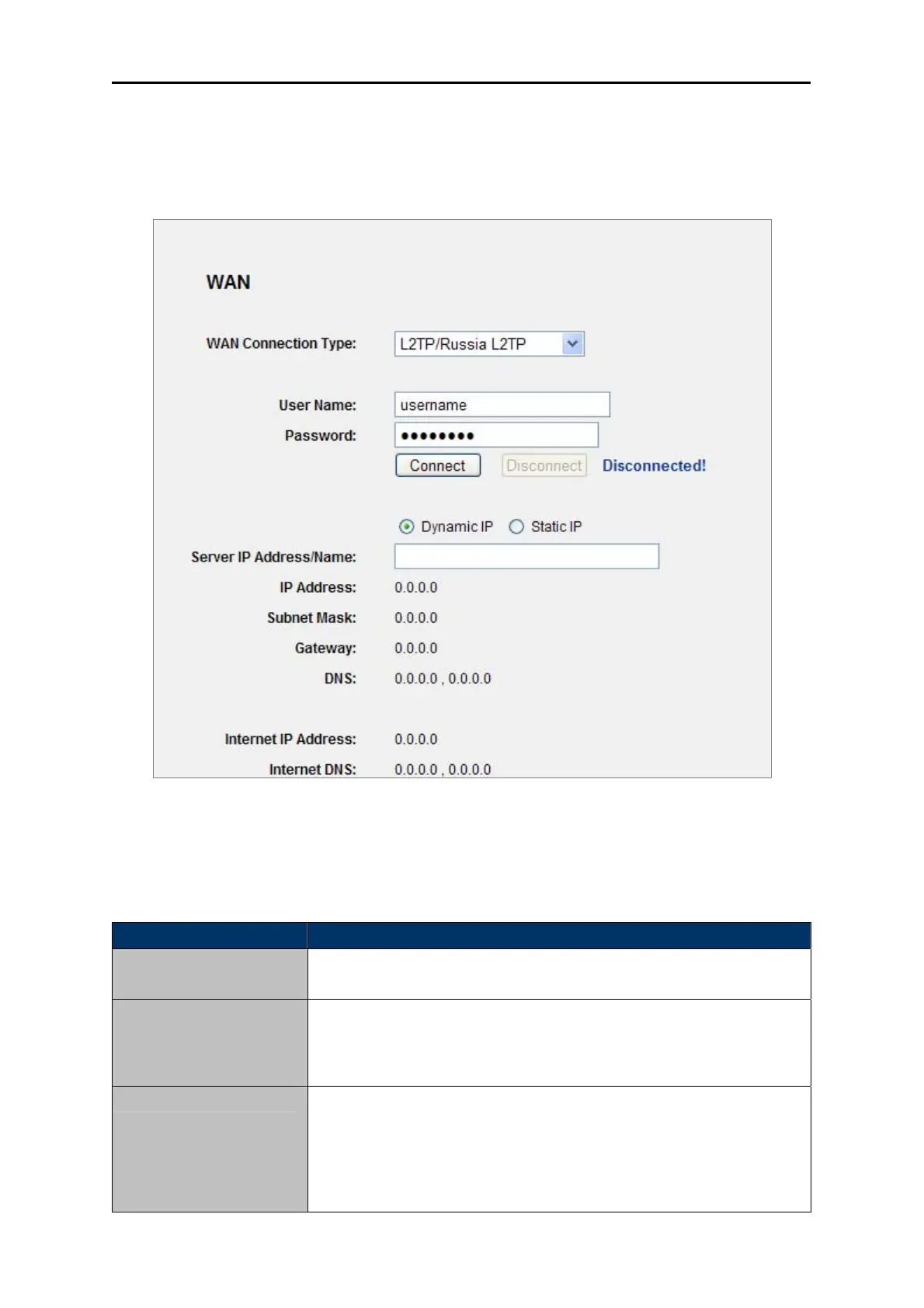
If your ISP provides L2TP / Russia L2TP connection, please select L2TP/Russia L2TP option.
And enter the following parameters (Figure 5-14):
Figure 5-14 WAN - L2TP Settings
The page includes the following fields:
Object Description
User Name/Password Enter the User Name and Password provided by your ISP. These fields
are case-sensitive.
Dynamic IP/ Static IP Choose either as you are given by your ISP. Click the Connect button
to connect immediately.
Click the Disconnect button to disconnect immediately.
Connect on Demand You can configure the Router to disconnect from your Internet
connection after a specified period of inactivity (Max Idle Time). If your
Internet connection has been terminated due to inactivity, Connect on
Demand enables the Router to automatically re-establish your
connection as soon as you attempt to access the Internet again. If you



 To Next Page