User’s Manual of WNRT-627
-64-
combination of 0-9, a-f, A-F, zero key is not
promoted) or 16 ASCII characters.
Table 5-15
If you do not set the key, the wireless security function is still disabled even if you
have selected Shared Key as Authentication Type.
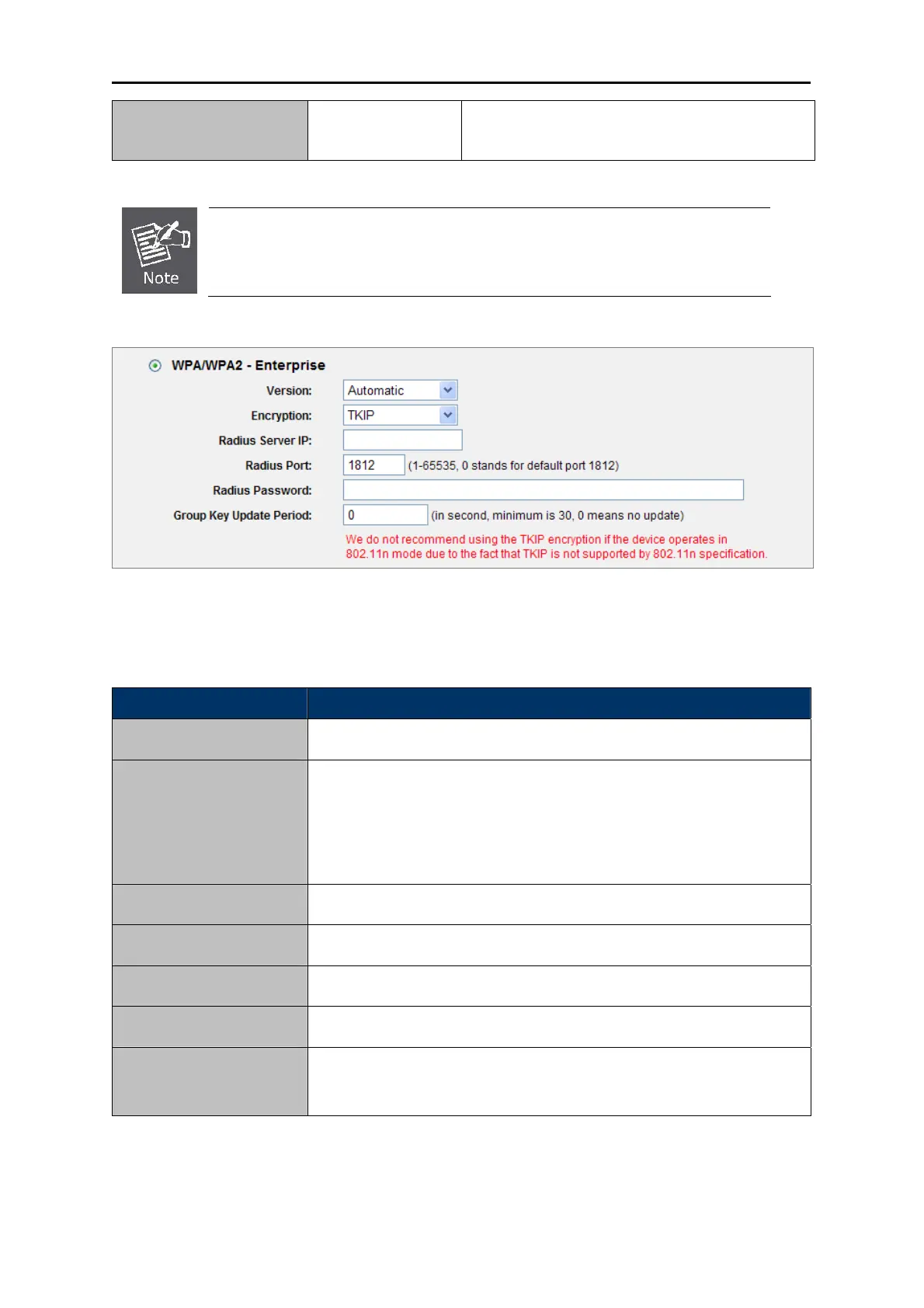
Figure 5-23 Wireles
s Security - WPA/WPA2 Enterprise
The page includes the following fields:
Object Description
It is based on
Radius Server.
WPA/WPA2
You can cho
ose the version of the WPA security on the pull-down list.
The default setting is Automatic, which can select WPA (Wi-Fi
Protected Access) or WPA2 (WPA version 2) automatically based on
the wireless station's capability and request.
Version
Encryption
You can select either Automatic, or TKIP or AES.
Enter the IP addres
s of the Radius Server.
Radius Server IP
Enter the port that radius
service used.
Radius Port
Enter the password fo
r the Radius Server.
Radius Password
Specify the group key upda
te interval in seconds. The value should be
30 or above. Enter 0 to disable the update.
Group Key Update
Period
Table 5-16



 To Next Page