User’s Manual of WNRT-627
-65-
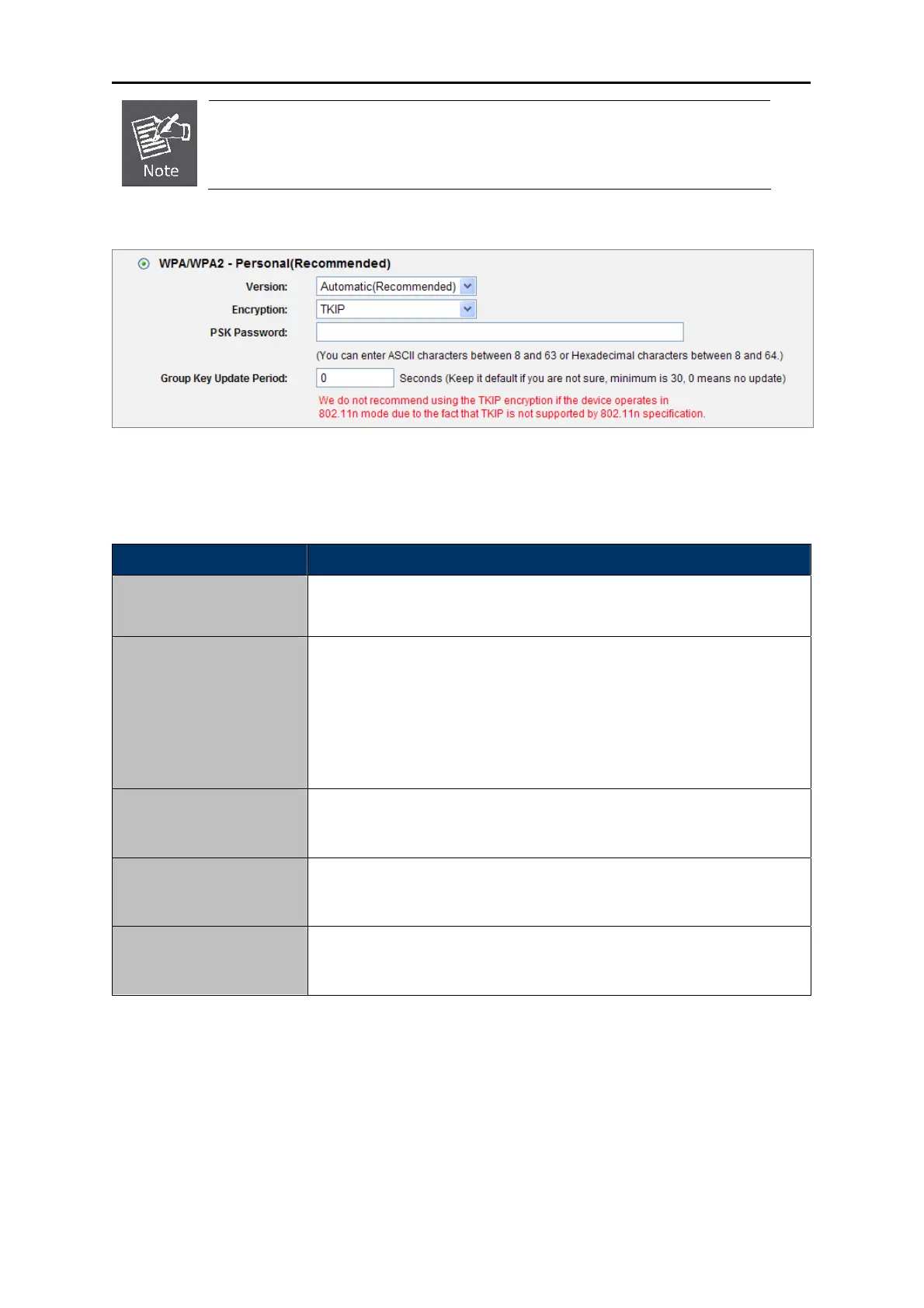
If you check the WPA/WPA2 radio button and choose TKIP encryption, you will
find a notice in red as shown in Figure 5-23.
Figure 5-24 Wireles
s Security - WPA/WPA2 Personal
The page includes the following fields:
Object Description
WPA-PSK/WPA2-PSK
It’s the WPA/WPA2 authentication type based on pre-shared
passphrase.
You can c
hoose the version of the WPA-PSK security on the
drop-down list. The default setting is Automatic, which can select
WPA-PSK (Pre-shared key of WPA) or WPA2-PSK (Pre-shared key of
WPA) automatically based on the wireless station's capability and
request.
Version
Encryption
When WPA-PSK or WPA is set as the Authentication Type, you can select
either Automatic, or TKIP or AES as Encryption.
You can ente
r ASCII characters between 8 and 63 characters or 8 to
64 Hexadecimal characters.
PSK Password
Group Key Update
Period
Specify the group key update interval in seconds. The value should be
30 or above. Enter 0 to disable the update.
Table 5-17
Be sure to click the Save button to save your settings on this page.



 To Next Page