Chapter E - DIMAX3 DIGITAL SYSTEM ADJUSTMENT
Planmeca Proline CC panoramic x-ray E-49
Technical Manual
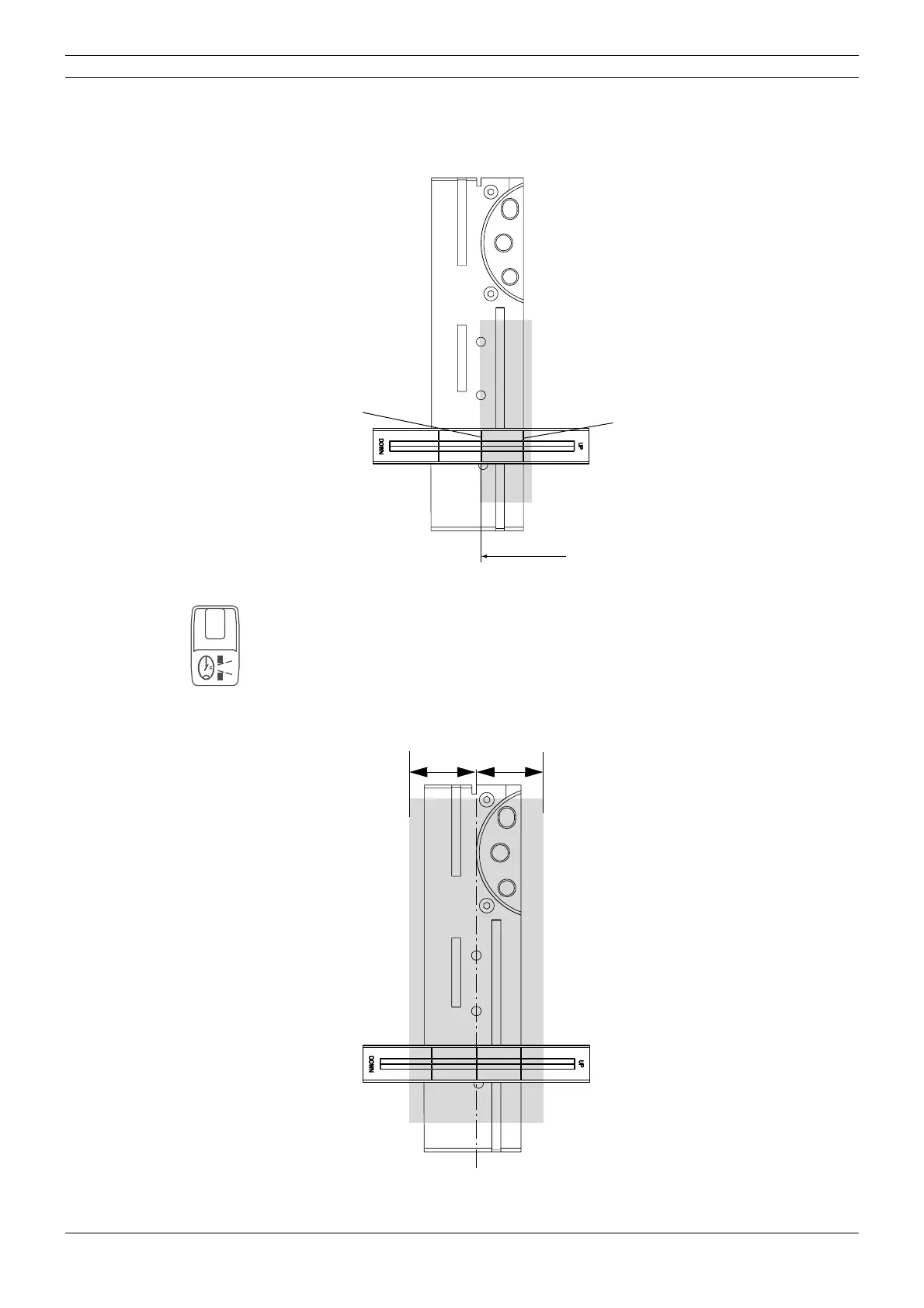
The radiation beam must appear on the beam alignment tool as shown on the figure below. It
must reach, but not overlap, the middle line of the tool. If it does not, the cephalostat arm posi
-
tion must be adjusted. Note that the beam does not have to reach the right side line. Refer to the
section
“Adjusting the cephalostat arm position” on page E-51.
Figure 83
Press the primary selection key once. The letter “d” will appear on the display.
Stand behind the tube head and protect yourself from radiation. Press and hold down the expo-
sure button. The image of the radiation beam will appear on the beam alignment tool.
The radiation beam must appear symmetrically on the beam alignment tool as shown on the fig-
ure below. If it does not refer to the section “Radiation beam adjustment” on page E-14. The
adjustment is performed in the same way as when adjusting the standard panoramic slot.
Figure 84
D2alinmhoriz.eps
Right side line
Middle line
d
D2adj_2prim.eps
AA



 To Next Page