Chapter D - ADJUSTMENT & CALIBRATION
D-34 Planmeca Proline CC panoramic x-ray
Technical Manual
9.2 Checking the head support position
Press the ceph mode selection key to enter the ceph mode if you are not already in it. The rotat-
ing unit and cassette carriage will move automatically to the correct position for taking cephalom-
etric exposures. Collimator number 4 will be automatically selected.
Remove the tube head covers and cassette carriage covers (see sections “Tube head covers” on
page H-1, “Secondary slot cover” on page H-1 and “Cassette carriage back cover” on page H-1).
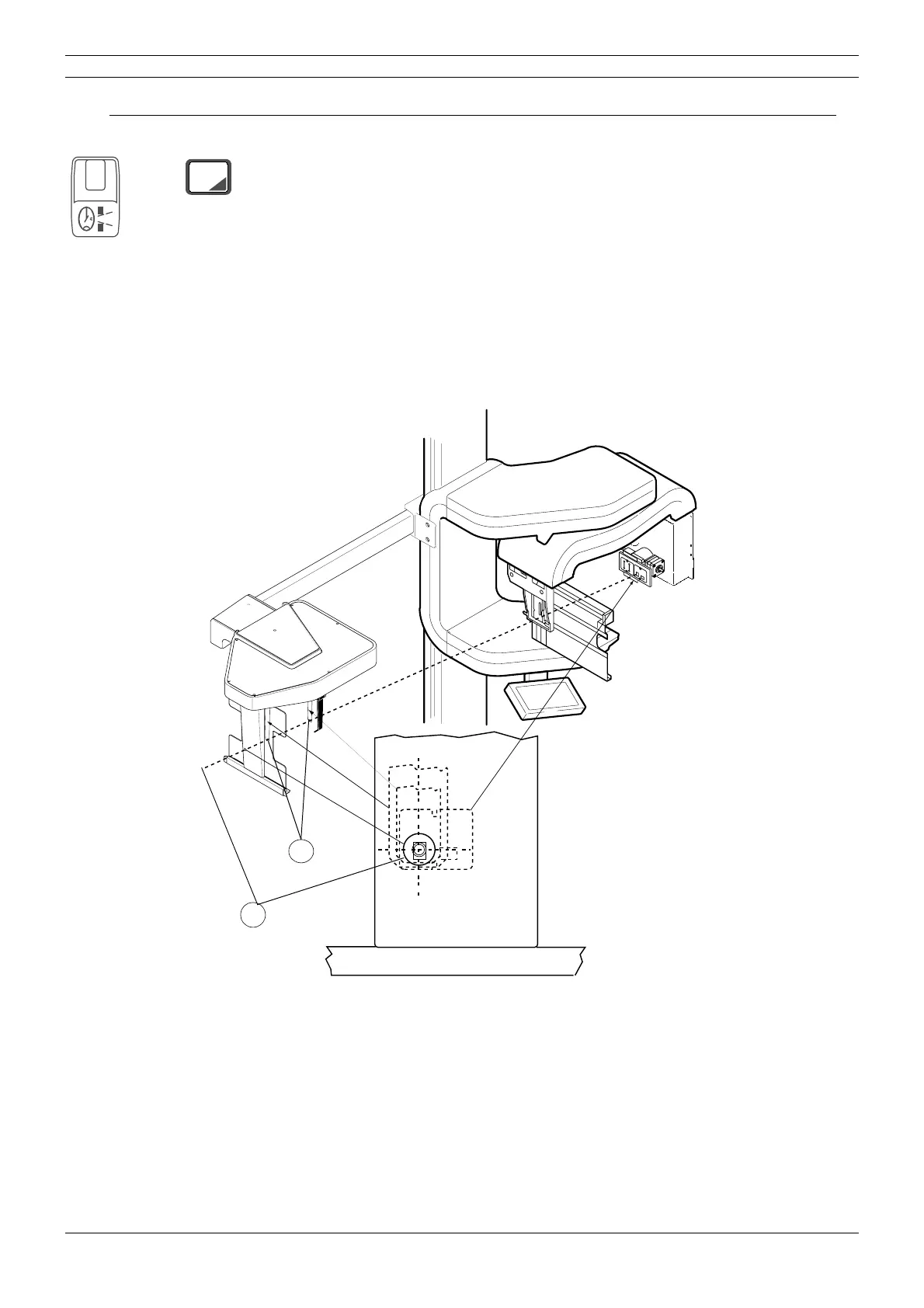
Place the ceph head support alignment tools in the ear post holders as far as they go (Fig. 36, 1).
Rotate the head support to the 90° position.
Look through the opening on the cephalostat cassette holder and the opening on the head sup-
port alignment tools. The fourth primary slot is seen symmetrically if the adjustment is correct
(
Fig. 36, 2).
Figure 36
If the fourth primary slot is not seen symmetrically, the head support requires readjustment. See
instruction given in section
“Head support adjustment” on page D-35.
4
CEPH
1
2



 To Next Page