Chapter E - DIMAX3 DIGITAL SYSTEM ADJUSTMENT
E-68 Planmeca Proline CC panoramic x-ray
Technical Manual
7.2 Shifting the image area
NOTE The Image area sifting is possible from software versions PK 5.12 and PG 5.12.
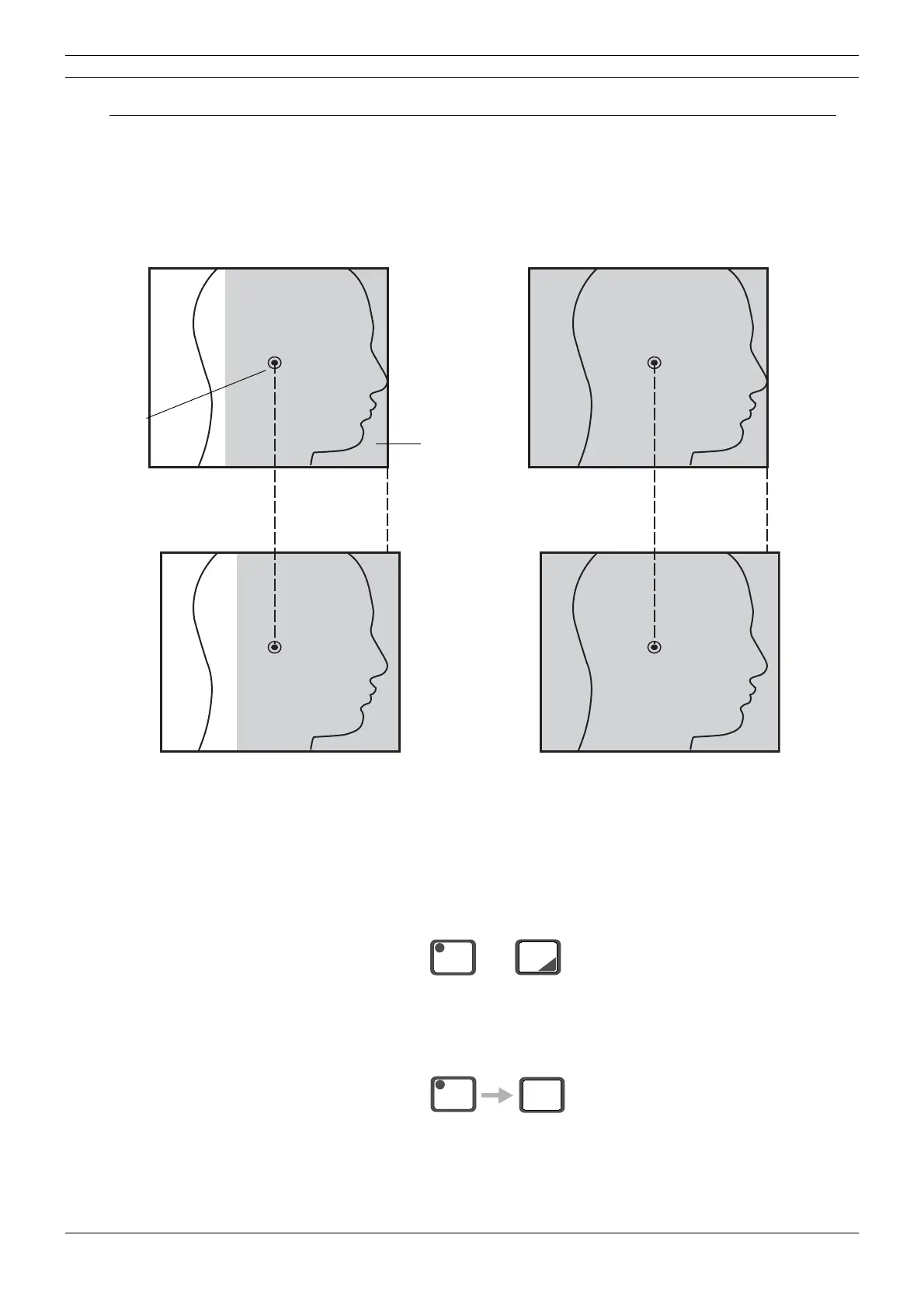
In the lateral view (image area number 4 or 6) the image area on the patient’s nasal side can be
shifted backwards and forwards as shown on the figure below.
The image area is shifted in the service mode as follows.
Enter the service mode: Press the CTL-key and simultaneously press and hold down the cepha-
lometric mode selection (CEPH) key until the temperature of the tube head appears on the dis-
play (about four seconds). The ready key indicator light will start to flash. This indicates that you
have entered the service mode.
Press the CTL-key and the PAN key until the text CS1 or CS2 appears on the display.
Image area number 4
Image area number 6
Ear post
Image area
(grey area)
CS=1
CS=2
CS=1
CS=2
CEPH
CTL
+
CTL
PAN



 To Next Page