Chapter E - DIMAX3 DIGITAL SYSTEM ADJUSTMENT
E-66 Planmeca Proline CC panoramic x-ray
Technical Manual
7 IMAGE AREA SHIFTING
The image area has been too short for some larger patients. With these instructions the image
area can be shifted forwards to avoid cutting the patient’s nose in the image.
NOTE The Image area shifting is possible from software versions PK 5.12 and PG 5.12. Upgrade
the software, if needed.
7.1 Adjusting the position of the frame cover fastening flat spring
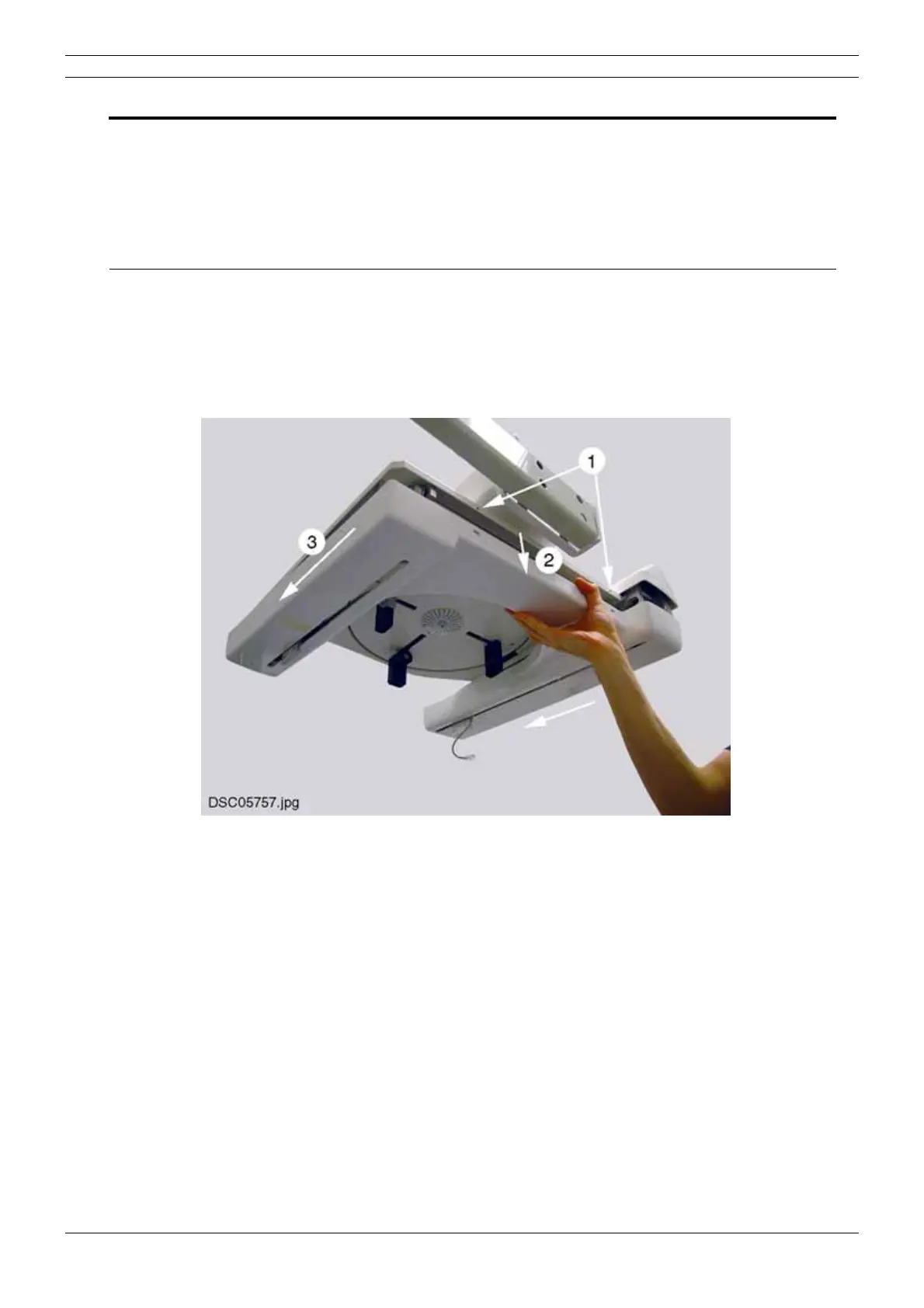
Remove the frame cover as follows. Unscrew the two attachment screws using the 2.5mm Allen
key. Remove the attachment screws and the washers (figure below, 1). Pull the frame cover
carefully downwards as shown on the figure below (2). Slide the frame cover away from the
cephalostat head support (3).
Figure 115



 To Next Page