19
1.1 Vertical Alignment
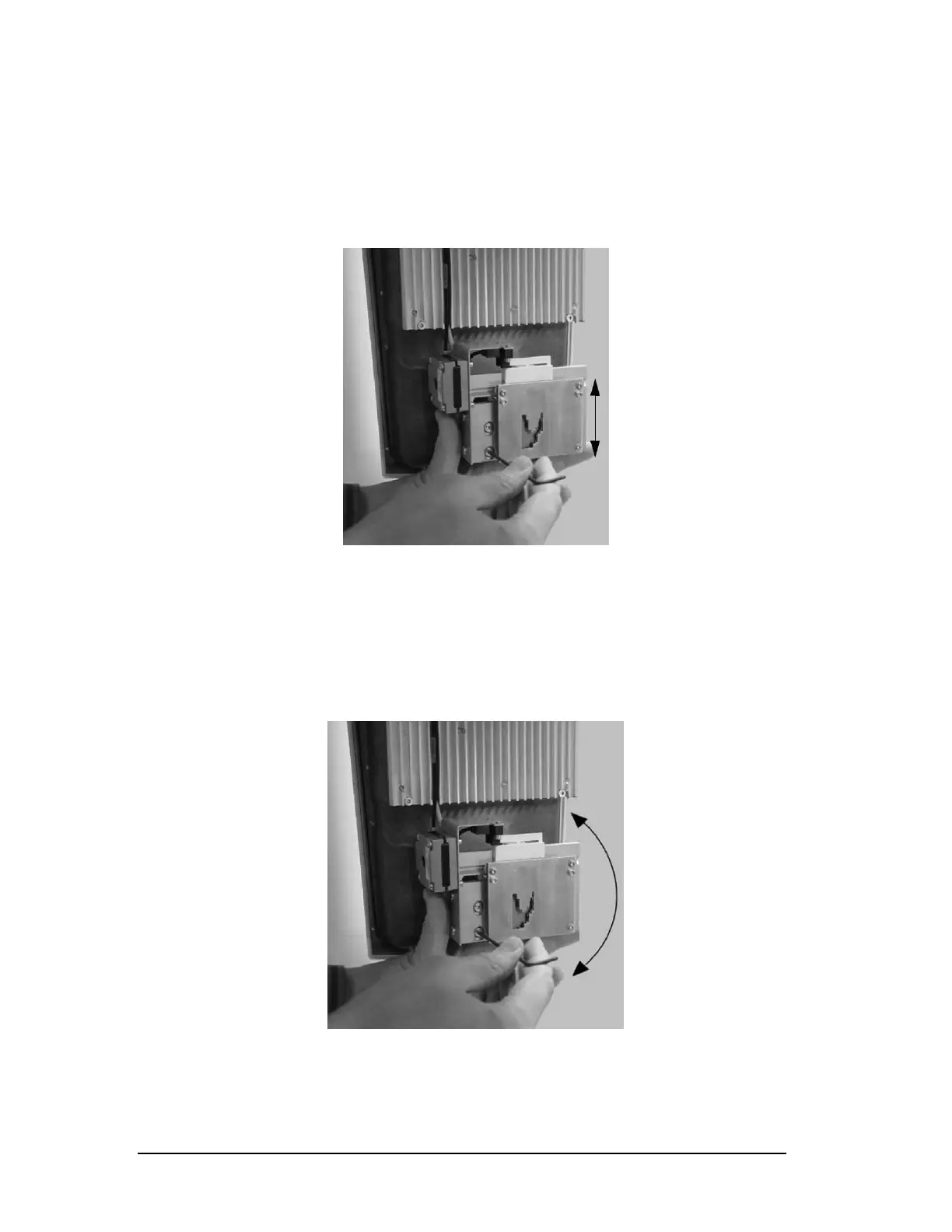
1.1.a High/Low
Loosen the two 2.5mm allen screws and slide the collimator
u
p/down accordingly. (Figure 23)
Figure 23
Press Test and take another exposure. If beam is aligned press the
green check in the lower right corner to save the changes
1.1.b Angled
Loosen the bottom 2.5mm allen screws and rotate the collimator
l
eft/right accordingly to get the beam straight. (Figure 24)
Figure 24
Press Test a
nd take another exposure. If beam is aligned press the
green check in the lower right corner to save the changes
Printed copies of this document are considered uncontrolled.
7535.11.Rev001 08.07.2018













 To Next Page