Section 4. PlexTools Professional Functions
PlexTools Professional Reference Guide 11
Changing the Drive Settings
To change a drive's reading speed, spindown time or audio output settings, select
Drive Settings in the command bar. Then select the desired tab and change the
desired settings.
To save these settings, select Options in the toolbar, select Preferences and check the
Save settings on exit checkbox in the General tab.
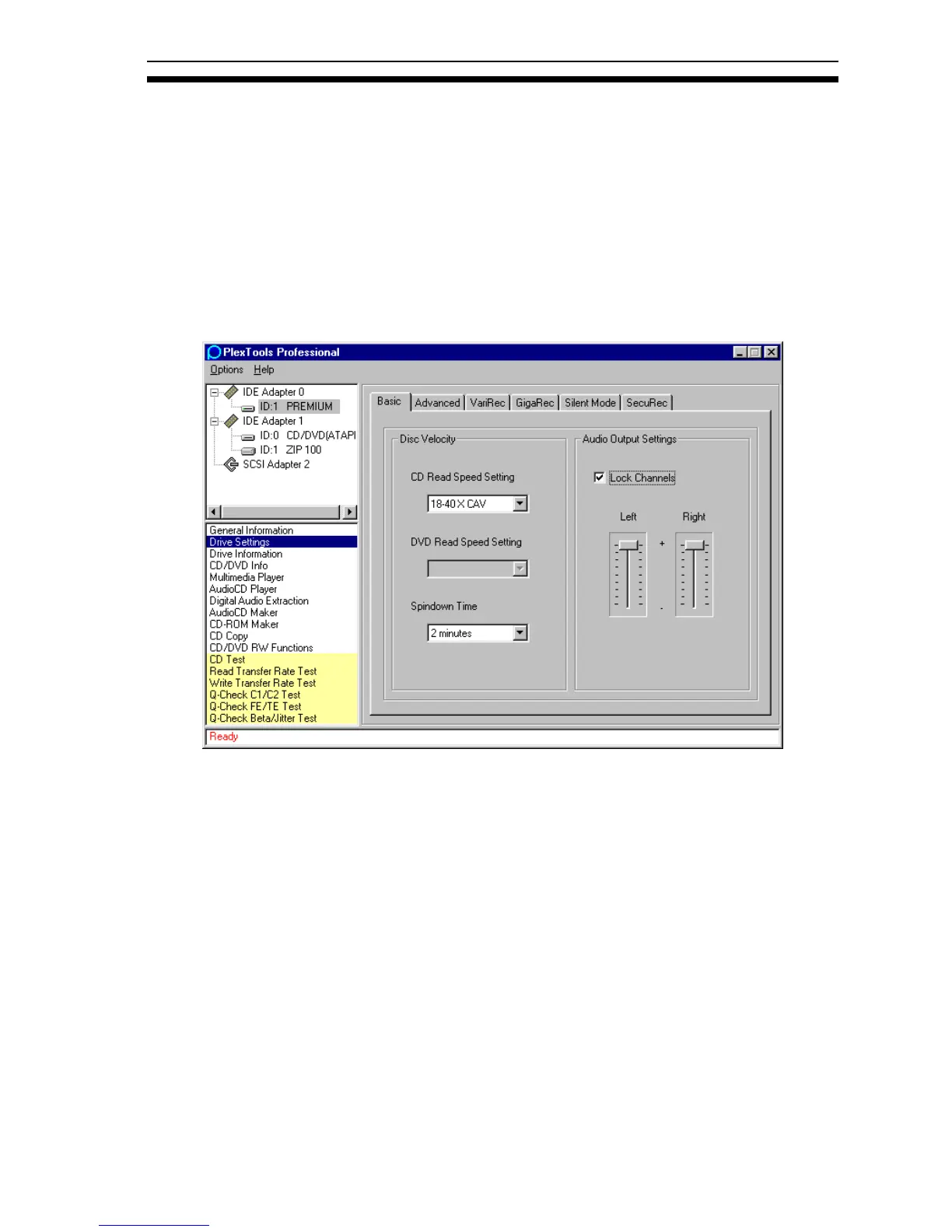
Selecting Basic Drive Settings
Figure 8: Basic Drive Settings
• CD Read Speed Setting: Changes the reading speed to the selected value.
• DVD Read Speed Setting: Changes the reading speed to the selected value.
(Available speed settings depend on the inserted DVD type.)
• Spindown Time: Changes the spindown time of the drive.
• Audio Output Settings: Adjust the audio output volume of the drive.
• Lock Channels: Locks the two volume sliders together. When locked, the sliders
move in unison. When the sliders are not locked, you can control a single slider
or channel independent of the other channel or slider.



 To Next Page