Section 4. PlexTools Professional Functions
PlexTools Professional Reference Guide 17
Getting Drive Information
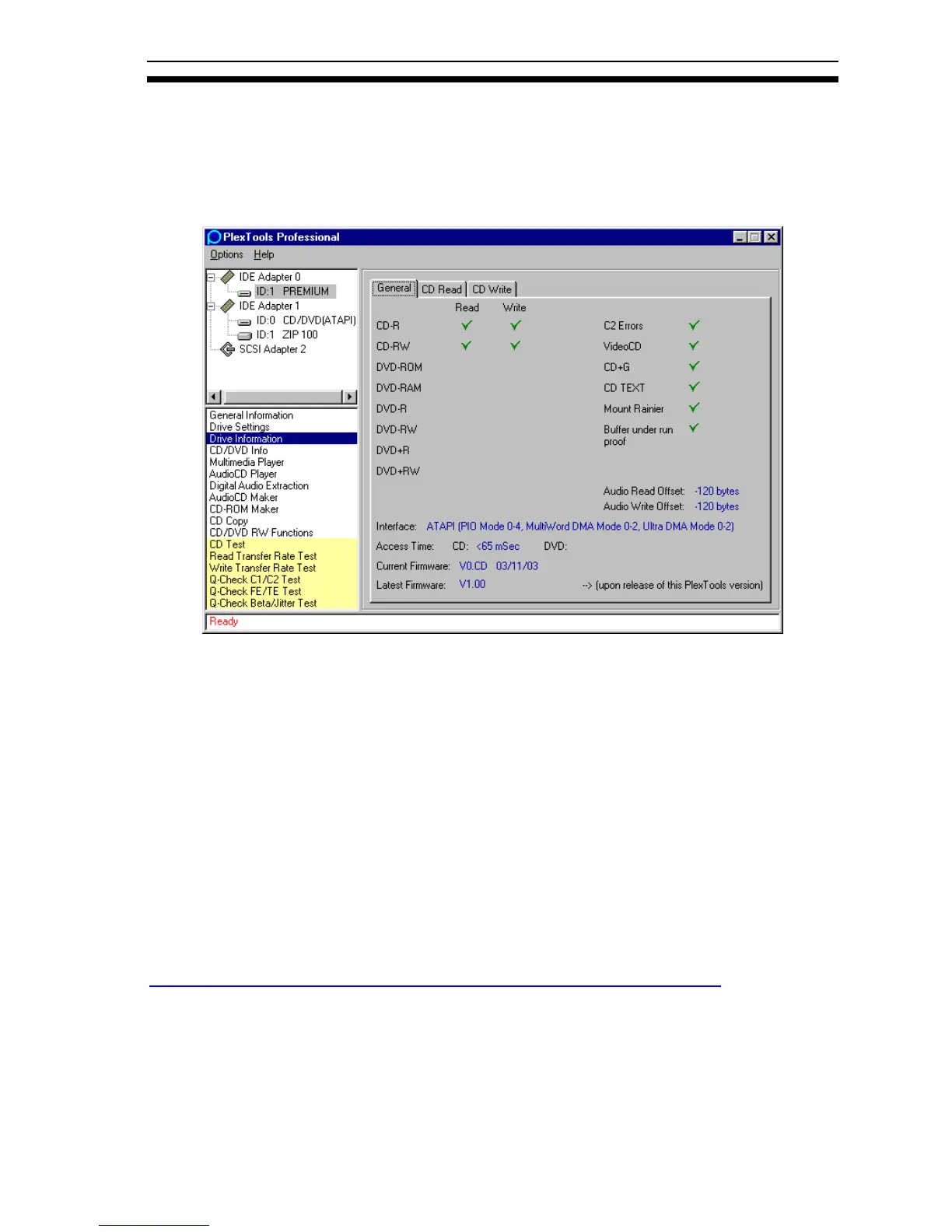
This function allows you to see more information about your Plextor drive.
Drive Information–General
Figure 14: General Drive Information Window
The drive’s general read and write capabilities are shown here.
• Audio Read Offset: Shows the audio read offset.
• Audio Write Offset: Shows the audio write offset, which is the location on the
track where the audio data starts after the TOC.
• Interface: Shows the interface type of the selected Plextor drive.
• Access Time: Shows the average access time for your Plextor drive.
• Current Firmware: Shows the current firmware of the selected Plextor drive.
• Latest Firmware: Shows the latest firmware available for your drive at the time
this version of PlexTools Professional was released.
To check for a newer version of firmware, visit the Plextor web site at:
http://www.plextor.com/english/support/support_downloads.html#firm



 To Next Page