Section 4. PlexTools Professional Functions
PlexTools Professional Reference Guide 59
6. To end measurement, click the Stop button, or wait for the measurement to stop
by itself. You see a graph of the errors recorded by the application.
The FE/TE graphing capability of the PlexWriter Premium drive displays the
mechanical characteristics of the disc by indicating how consistently the laser tracks
across the surface of the disc, and how accurately the focus is maintained on the
recording dye layer.
NOTE: The TE/FE measurements are accurate only for a blank CD-R or CD-RW disc.
If you attempt to measure a recorded, commercially pressed CD, the measurements
have no meaning.
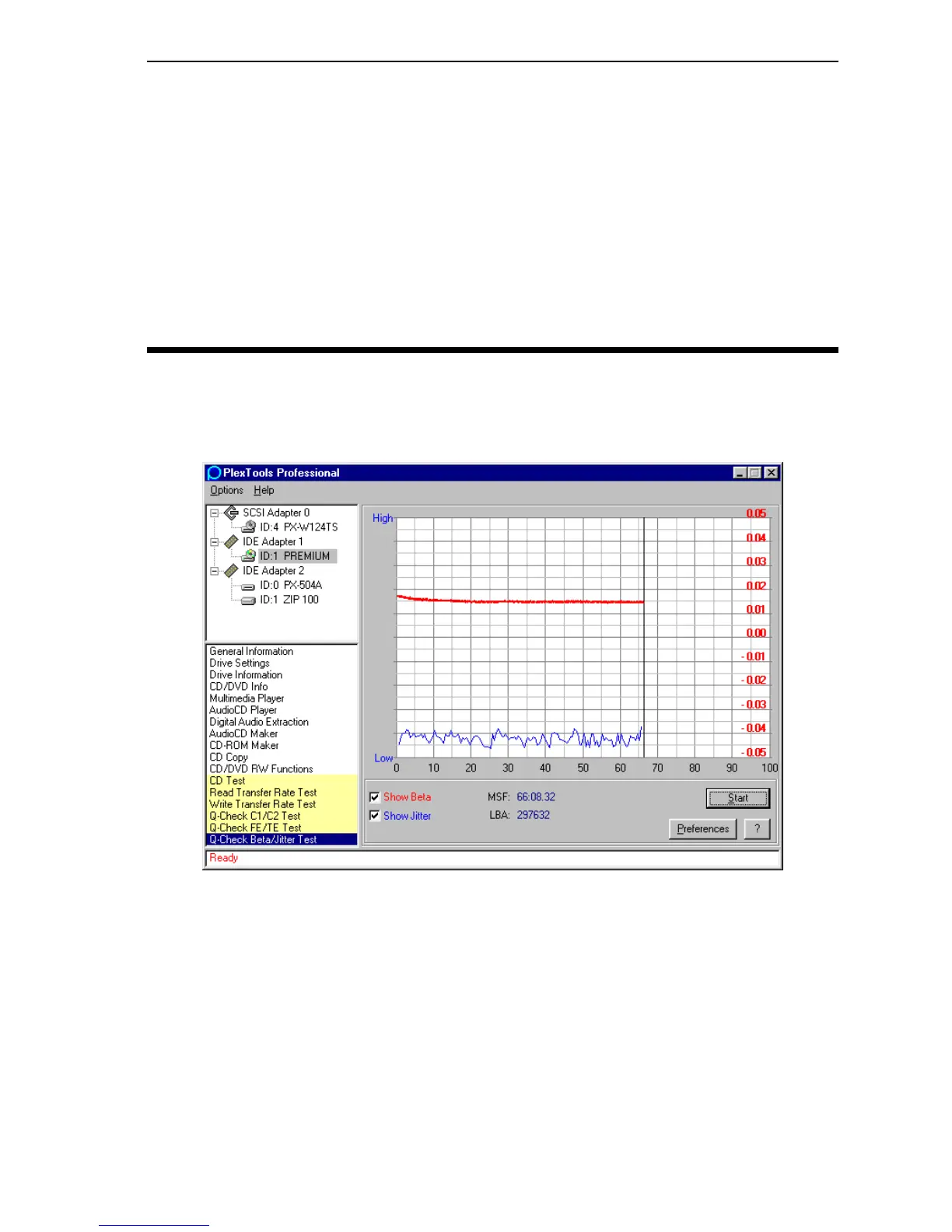
Measuring Beta/Jitter
This test measures the degree of beta and jitter. This test is for use on pressed or
recorded media that contains content.
Figure 54: Q-Check Beta/Jitter Test Window
• Show Beta: Specifies that beta will appear on the graph.
• Show Jitter: Specifies that jitter will appear on the graph.
• Start: Begins the test.
• Preferences: Displays the Q-Check Beta/Jitter Test Preferences window.
• ?: Displays help information.



 To Next Page