Section 4. PlexTools Professional Functions
56 PlexTools Professional Reference Guide
Q-Check C1/C2 Preferences
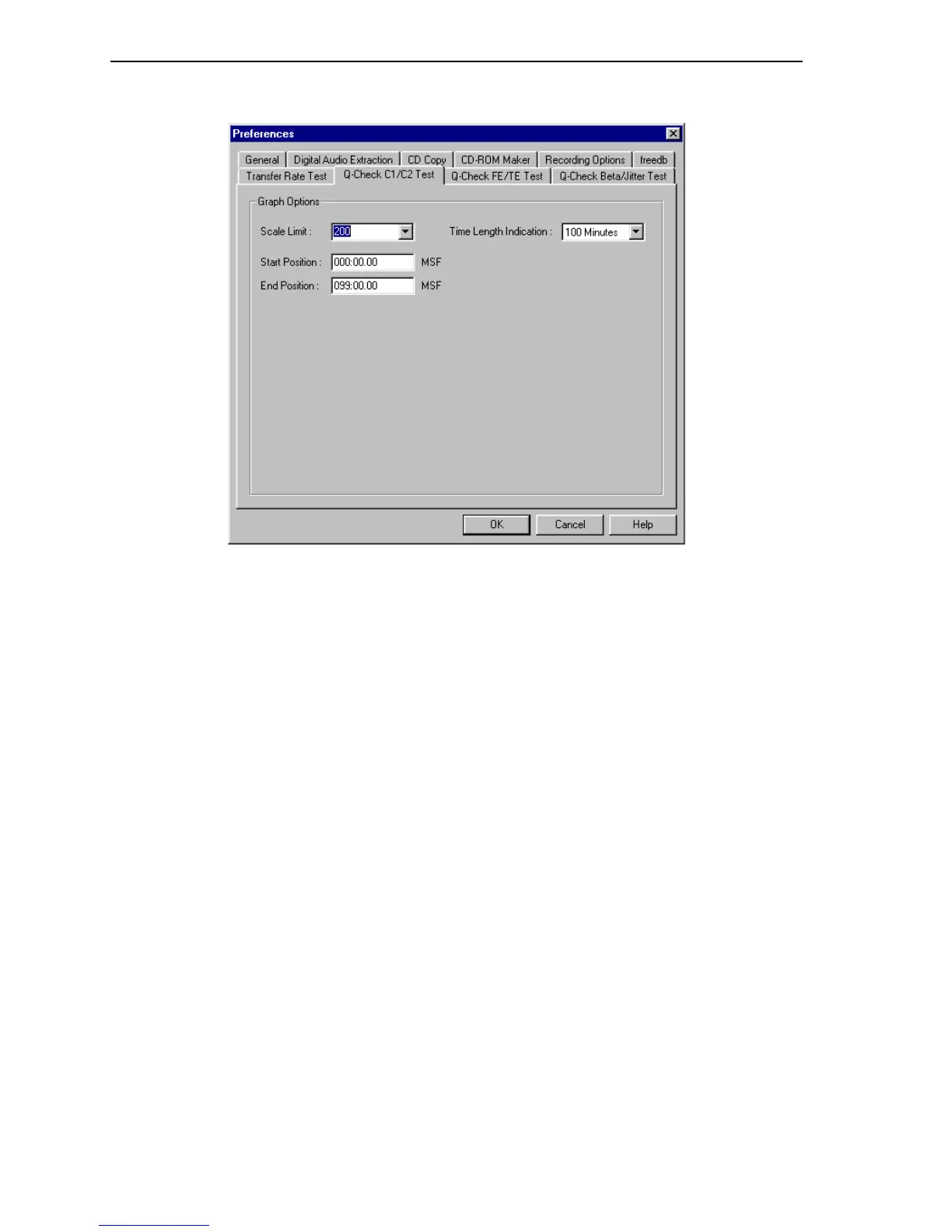
Figure 51: Q-Check C1/C2 Preferences Window
Graph Options:
• Scale Limit: Specifies the limit of the measuring scale on the graph.
• Time Length Indication: Specifies the time length indication of the graph.
• Start Position: Specifies the start position in minutes, seconds, frames.
• End Position: Specifies the end position in minutes, seconds, frames.
Procedure for Measuring C1/C2/CU Errors
To measure C1/C2/CU error:
1. Place a pressed CD-ROM disc, or a recorded CD-R or CD-RW disc, in the
PlexWriter.
2. In PlexTools Professional, select the Q-Check C1/C2 Test.
3. Click the Preferences button to view or change the preferences.
4. Exit the Preferences window and return to the Q-Check C1/C2 Test window.
5. To begin measurement, in the C1/C2 Test window, click the Start button. You
see the error counts representing the result of C1 error measurement (BLER) and
C2 error measurement (E22). If the disc is defective, you may also see a trace for
CU error. The test halts if a CU error is detected.
6. To end measurement, click the Stop button, or wait for the measurement to stop
by itself. Your window shows the test results, and a graph of the error counts
recorded by the application.
NOTE: This function measures C1/C2 errors in all kind of discs and recording modes,
even if they were recorded on another drive. It is, however, recommended to use this
measurement on CD-R media created by DAO (disc-at-once) recording.



 To Next Page