Section 4. PlexTools Professional Functions
50 PlexTools Professional Reference Guide
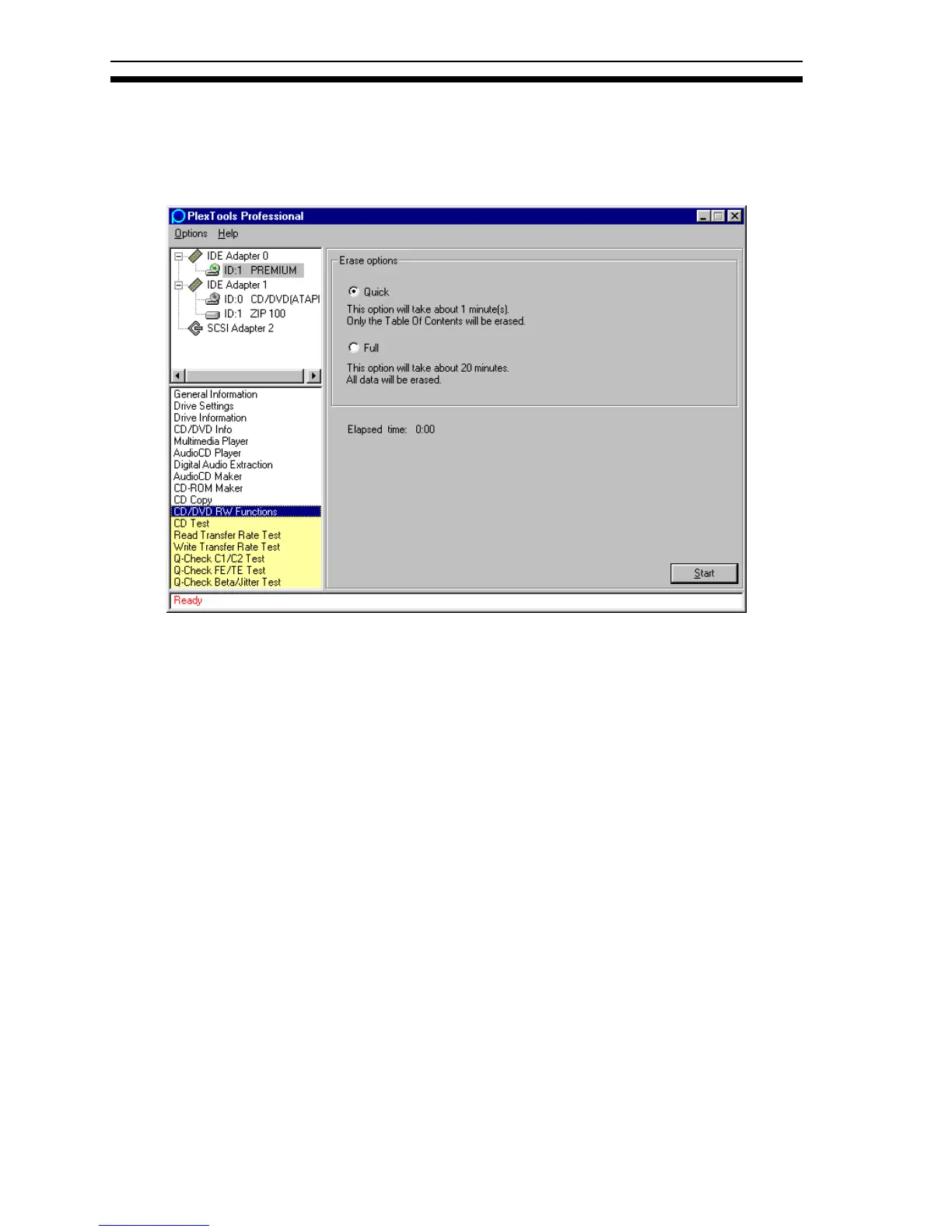
Erasing a CD-RW or DVD RW
This function is only available on a Plextor CD or DVD recording drive in
combination with a CD-RW or DVD RW disc. There are two ways of erasing a
CD-RW/DVD RW disc.
Figure 45: CD/DVD RW Functions
• Quick Erase: Erases only the CD-RW or DVD RW disc’s table of contents
(TOC). Data remains on the disc, but becomes inaccessible. Quick erase takes
about 2 minutes at 2X writing speed.
• Full Erase: Erases everything on the disc. This can take up to 40 minutes at 2X
writing speed.
NOTE: Newer CD-RW/DVD RW media can be written and erased at the maximum
rewrite speed the recorder supports.
• Start: Launches the erasing process. After completion, you see a text box
indicating the disc was erased successfully.
On the PlexWriter Premium, PlexTools Professional’s CD/DVD RW function can
erase a CD-RW disc. (It can erase DVD+RW or DVD-RW discs on Plextor drives
that support DVD media.)



 To Next Page