Section 4. PlexTools Professional Functions
PlexTools Professional Reference Guide 31
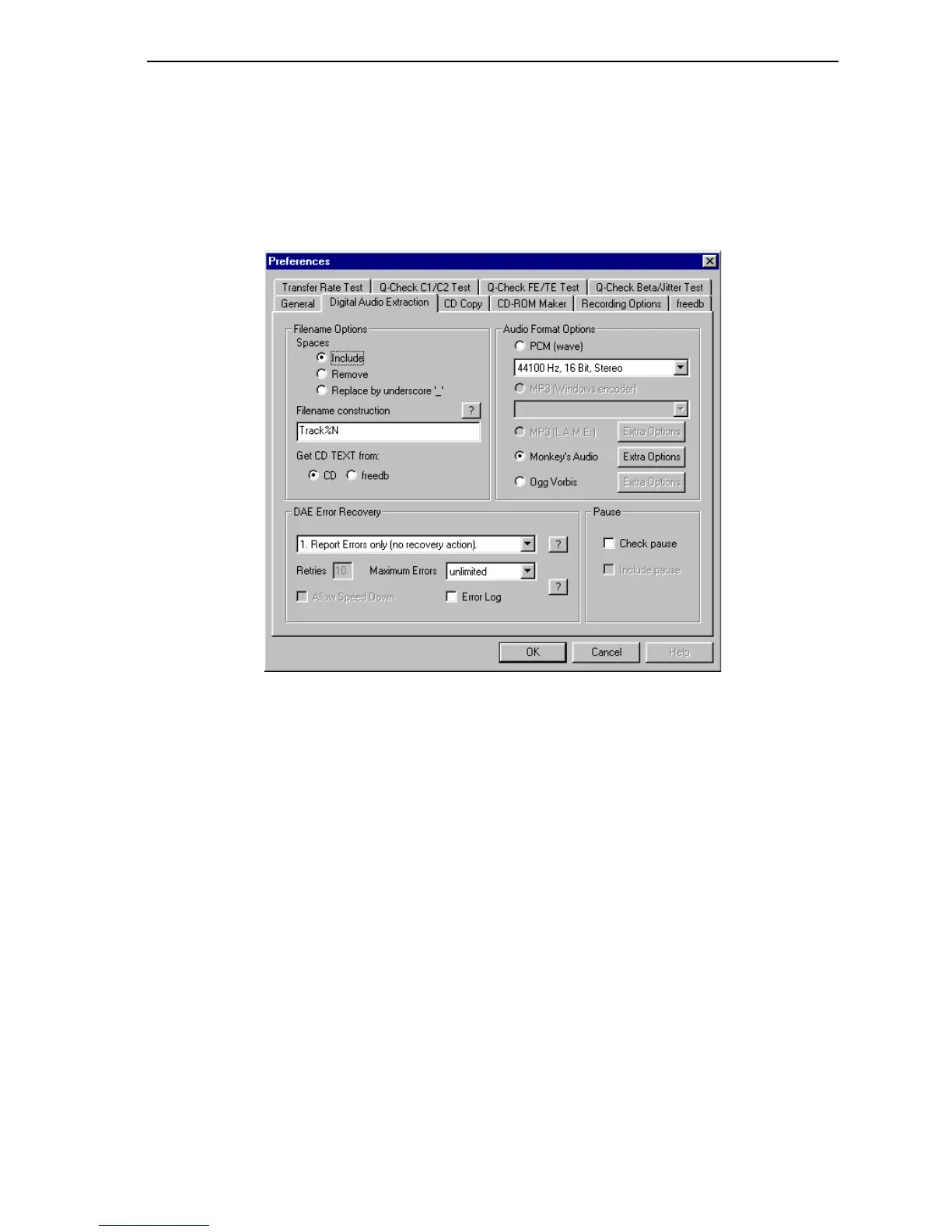
Digital Audio Extraction Preferences
To bring up this window, you can:
• In the Plextor Professional toolbar, select Options | Preferences and go to the
Digital Audio Extraction tab.
-or-
• In the main Digital Audio Extraction window, select Preferences.
Figure 28: Digital Audio Extraction Preferences
Filename Options:
• Spaces: Indicates the options for the automatically assigned filenames:
Include: Include spaces in the filename.
Remove: Remove spaces from the filename.
Replace by underscore: Replace spaces by underscore characters.
• Filename Construction: Lets you specify whether Track number, Track title,
Track artist, Disc title and ISRC Code should be used for filename construction.
Also lets you edit the order in which they appear.



 To Next Page