Section 4. PlexTools Professional Functions
PlexTools Professional Reference Guide 15
Changing Silent Mode Settings
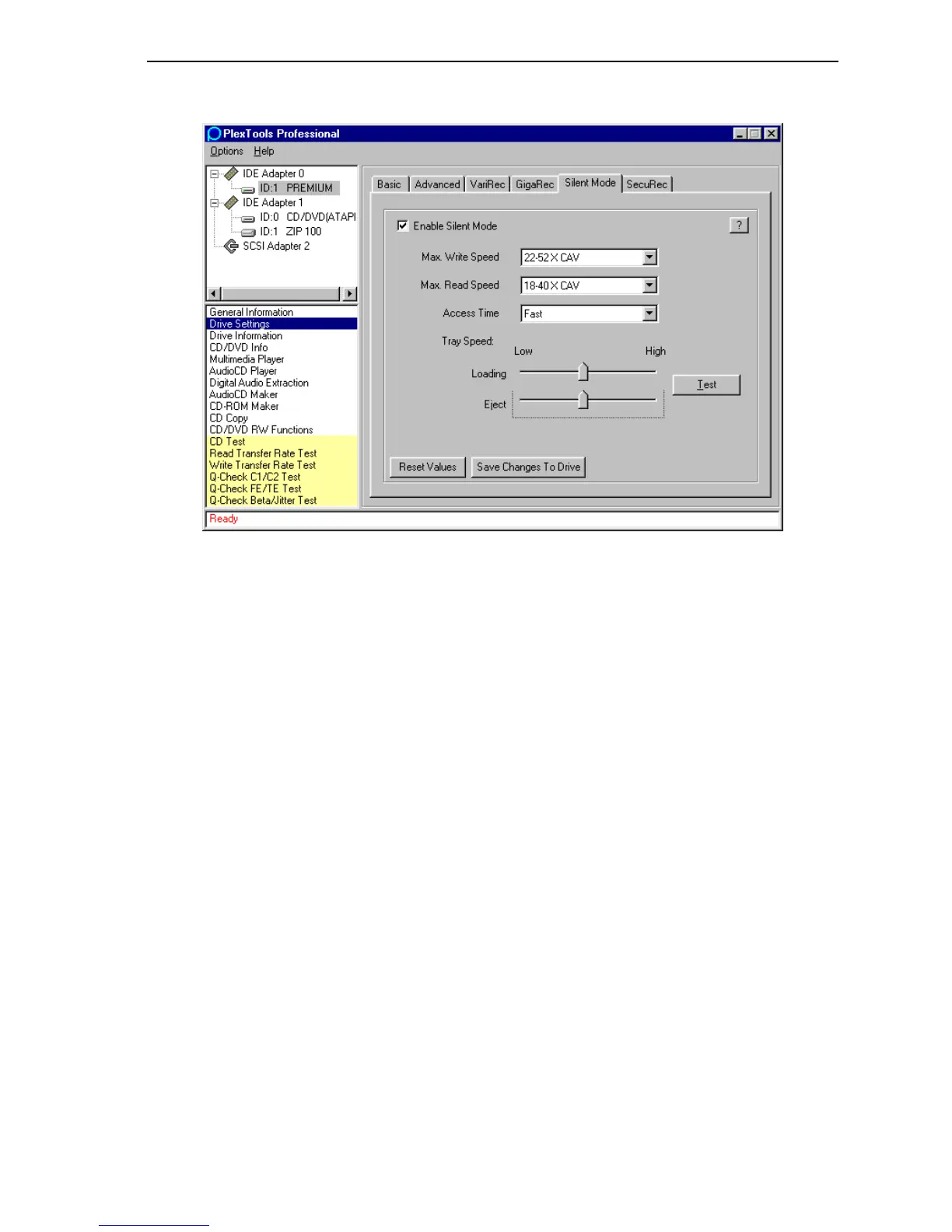
Figure 12: Silent Mode Drive Settings Window
• Enable Silent Mode: Enables Silent Mode.
• Max. Write Speed: Slows writing speed, making this process quieter. Smaller
numbers mean quieter operation, but take longer to write a disc.
• Max. Read Speed: Slows reading speed, making this process quieter. Smaller
numbers mean quieter operation, but slower disc reading.
• Access Time: Slows disc access by the drive, making this process quieter.
Choose Fast for a high access time (65 milliseconds), Middle for a medium
access time (130 milliseconds), and Slow for a low access time (180
milliseconds). The quietest setting is Slow.
• Tray Speed:
Loading: Adjusts the tray loading speed. Set slider to the left to reduce
speed, making the drive quieter.
Eject: Adjusts the tray eject speed.
• Test: Tests the tray eject and load speed.
• Reset Values: Return Silent Mode settings to the factory defaults (maximum
speed).
• Save Changes to Drive: Saves your Silent Mode changes to the drive.



 To Next Page