Section 4. PlexTools Professional Functions
PlexTools Professional Reference Guide 45
• Preferences: Displays the CD Copy Preferences window for choosing copying
preferences.
• Start: Launches the copying process.
Entering CD Text
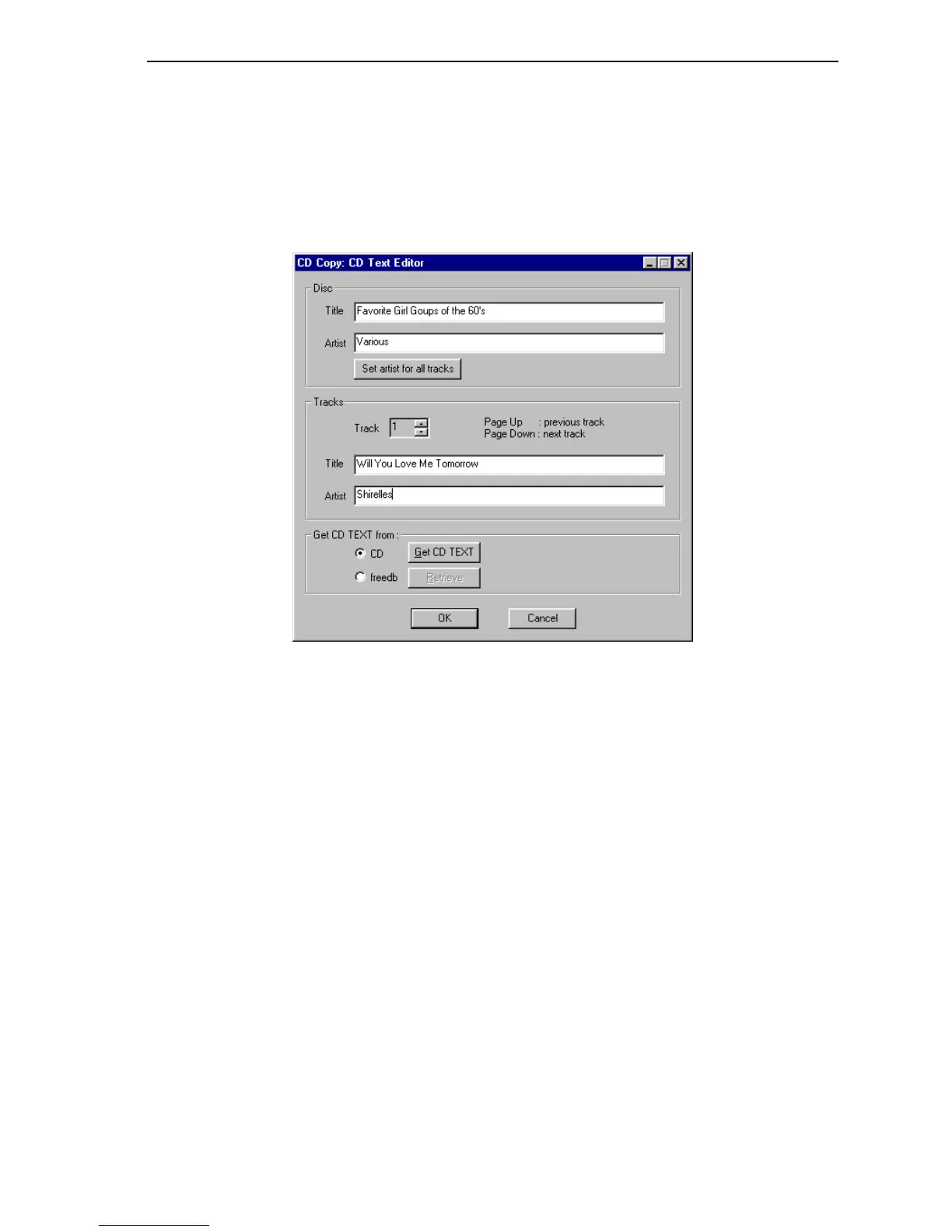
Clicking on the CD TEXT button opens the CD TEXT editor.
Figure 41: CD Copy CD Text Editor Window
• Disc:
Title: Specifies CD TEXT title to use for disc.
Artist: Specifies artist for the disc.
Set artist for all tracks: Uses the specified disc artist as CD TEXT entry for
all disc tracks.
• Tracks:
Track: Shows number of this track.
Title: Enter title for this track.
Artist: Enter artist for this track.
• Get CD TEXT from:
CD: Specifies that CD TEXT will be entered from CD.
freedb: Specifies that CD TEXT will be entered from freedb.
Get CD TEXT: Gets CD TEXT from source (CD or freedb).
Retrieve: Gathers the requested information from the freedb database.



 To Next Page