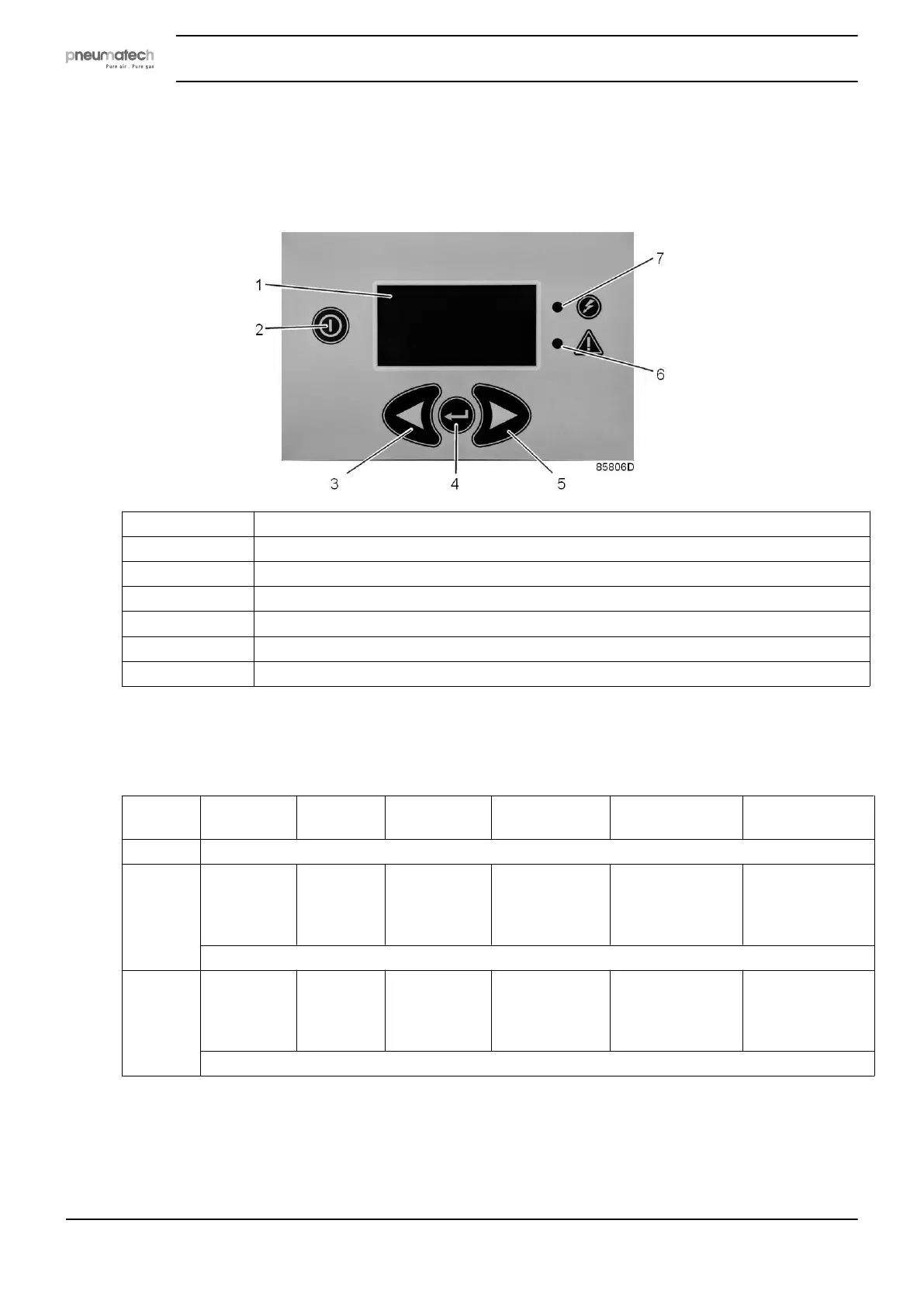
4 DC1 controller
4.1 Control panel
1 Display
2 ON/OFF button
3 LEFT button
4 ENTER button
5 RIGHT button
6 Alarm LED
7 Power On LED
Button functions
Press any button to light up the display.
Button Normal
operation
Alarm
status
Selection
menu
Alarms
browser
Parameters
editing
Counters and
service menu
ON/OFF Starts/stops the dryer
LEFT No action No action Moves the
cursor
upwards
cyclically
Displays the
previous alarm
cyclically
— Selects the
parameter
— Decrements
the data value
No action
With the PDP option available, you can press the left or right button to show a graph of the PDP.
RIGHT No action No action Moves the
cursor
downwards
cyclically
Displays the
next alarm
cyclically
— Selects the
parameter
— Increments the
data value
No action
With the PDP option available, you can press the left or right button to show a graph of the PDP.
Instruction book
16 2920 7111 23



 To Next Page