Module involved Cause Message on the
display
How to clear the
alarm
Alarm LED status
Service Running hours >
programmed
service hours A, B
or C
Running hours >
service hours X (X
= A, B or C)
Perform the
requested
maintenance (A, B
or C). Next, enter
the Alarm menu,
select Service
Alarm, press the
ENTER button and
keep it pressed
during minimum 5 s.
Blinking
24 V supply Supply voltage < 18
V
24 V supply is in
fault
Contact your
supplier
Blinking
Controller Controller hardware
fault
Internal error Reset all settings to
the default value.
Switch off the
controller and
switch it on again.
Call your supplier if
the fault persists.
Lit continuously
When an alarm is active, relay K01 is closed (relay X15, contacts 9 en 10) . When all the alarms
are cleared, K01 is open.
Acknowledgement of the alarms does not affect the status of K01 or the status of the red LED.
See section Electric diagram.
4.5 Editing parameters
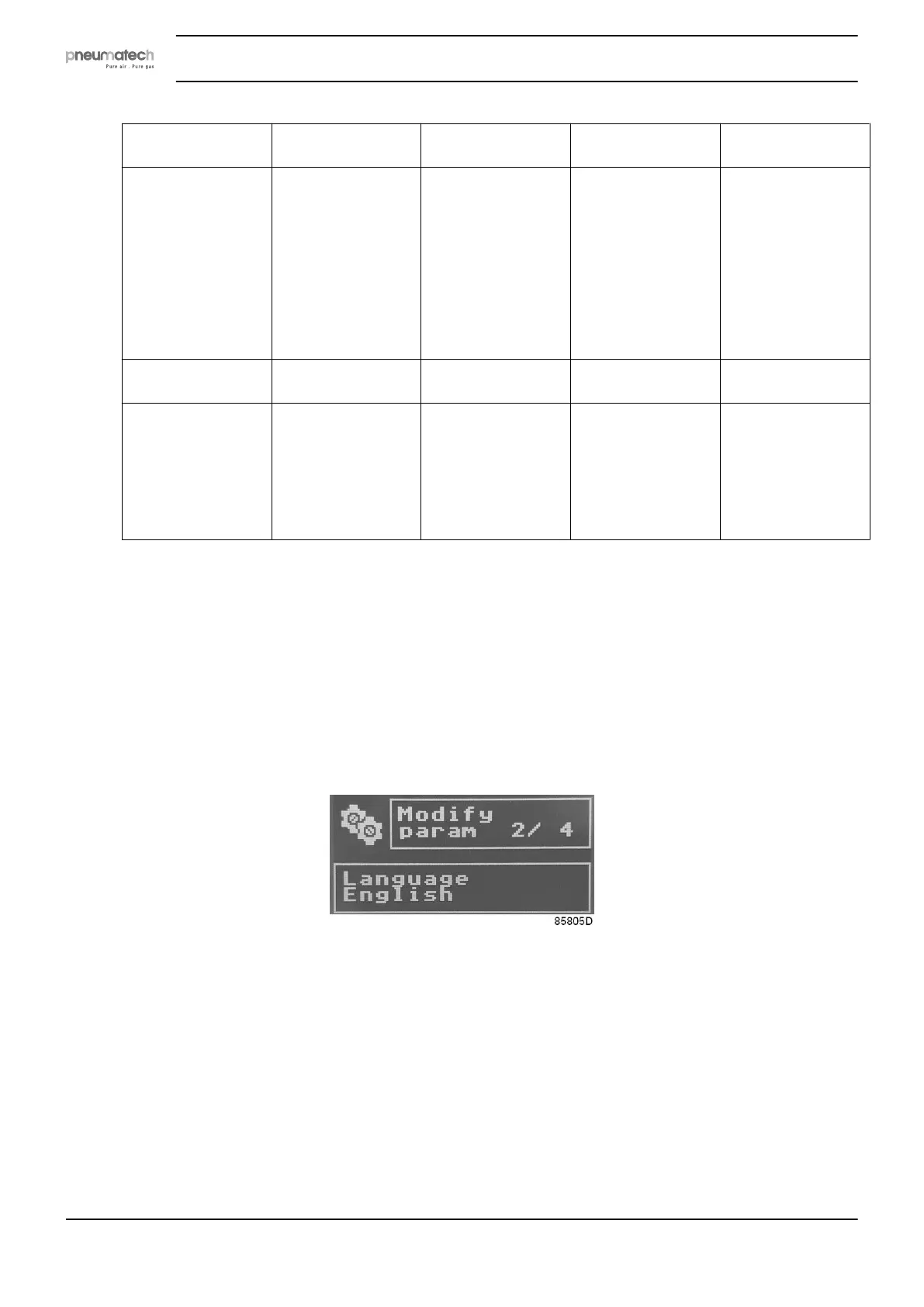
During parameters editing (see menu item Settings in Selection menu ), you will see a similar
image on your screen:
In the upper right area, the current parameter number and the total modifiable parameters
number are visualized.
In the lower area, the current parameter description and value are displayed.
Only the unprotected parameters can be displayed and modified! Example of settings that are
accessible to the end user are Automatic restart after voltage failure (ARAVF), language and the
display time-out.
Pressing ENTER for at least 2 seconds ends the editing procedure. The display will return to the
selection menu.
Instruction book
20 2920 7111 23



 To Next Page