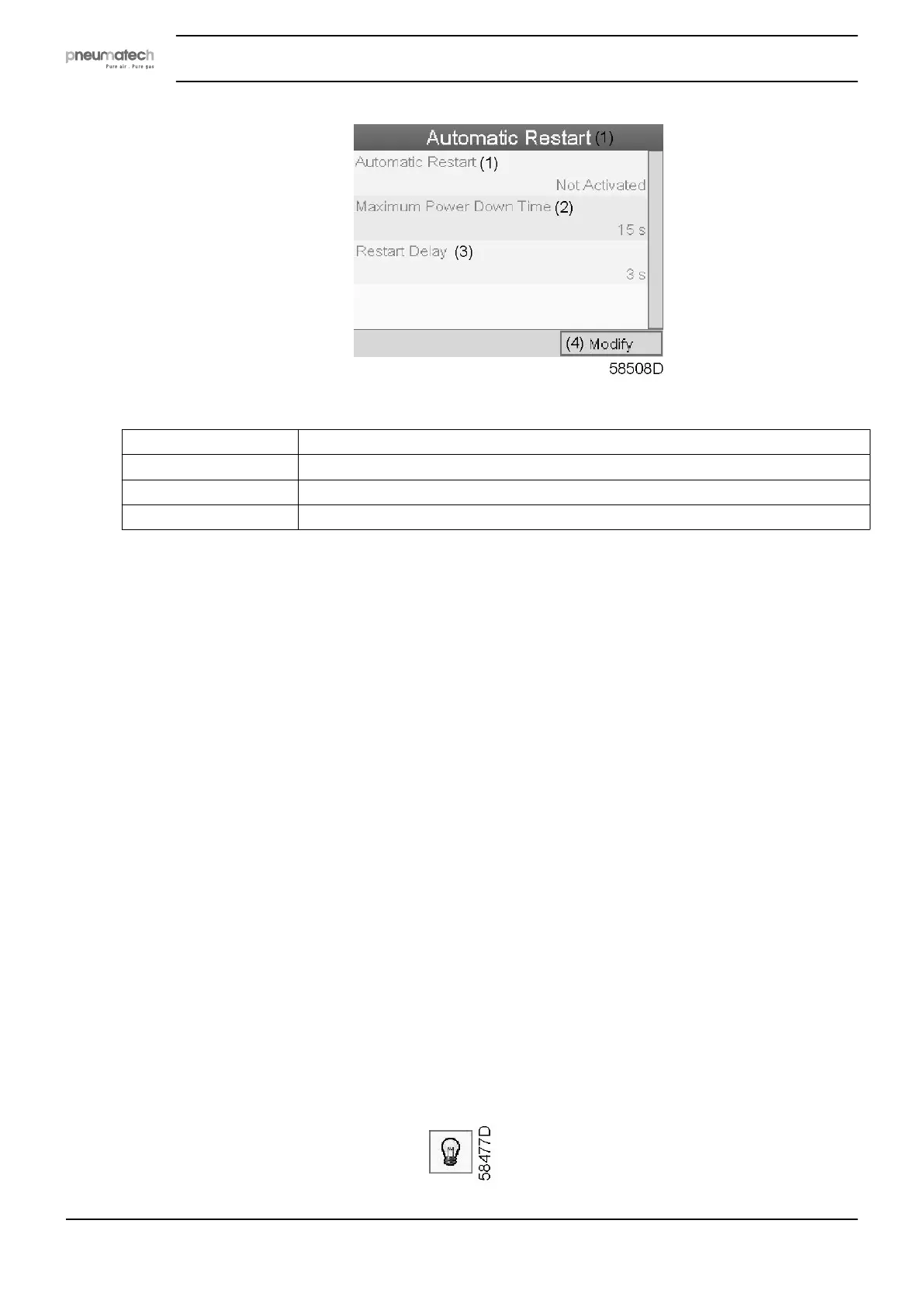
Text on figure
(1) Automatic Restart
(2) Maximum Power Down Time
(3) Restart Delay
(4) Modify
• The screen shows a list of all settings.
• Press the Enter button (2); a red selection bar is covering the first item (Automatic restart).
Use the ↓ key of the Scroll keys to select the setting to be modified and press the Enter key.
• A pop-up screen appears. Use the ↑ or ↓ key to select the required parameter and press the
Enter key to confirm.
Access key
Different security levels are programmed in the regulator (e.g. user, service technician, etc). This
menu item is used to change the security level. Scroll to the correct icon using the scroll key.
Press the Enter button. Press the Enter button again to modify the security level. Press the Enter
button again, a pop-up menu appears. Use the scroll keys to enter the password of the new
security level. Press the Enter key to confirm the change.
User password
If the password option is activated, it is impossible for not authorized persons to modify any
setting.
• Using the Scroll keys, move the cursor to the Password icon.
• Press the Enter key.
• Select the Modify button using the Scroll keys and press the Enter key. Next, modify the
password as required.
5.16 Extra menu
Menu icon, Test
Instruction book
60 2920 7111 23



 To Next Page