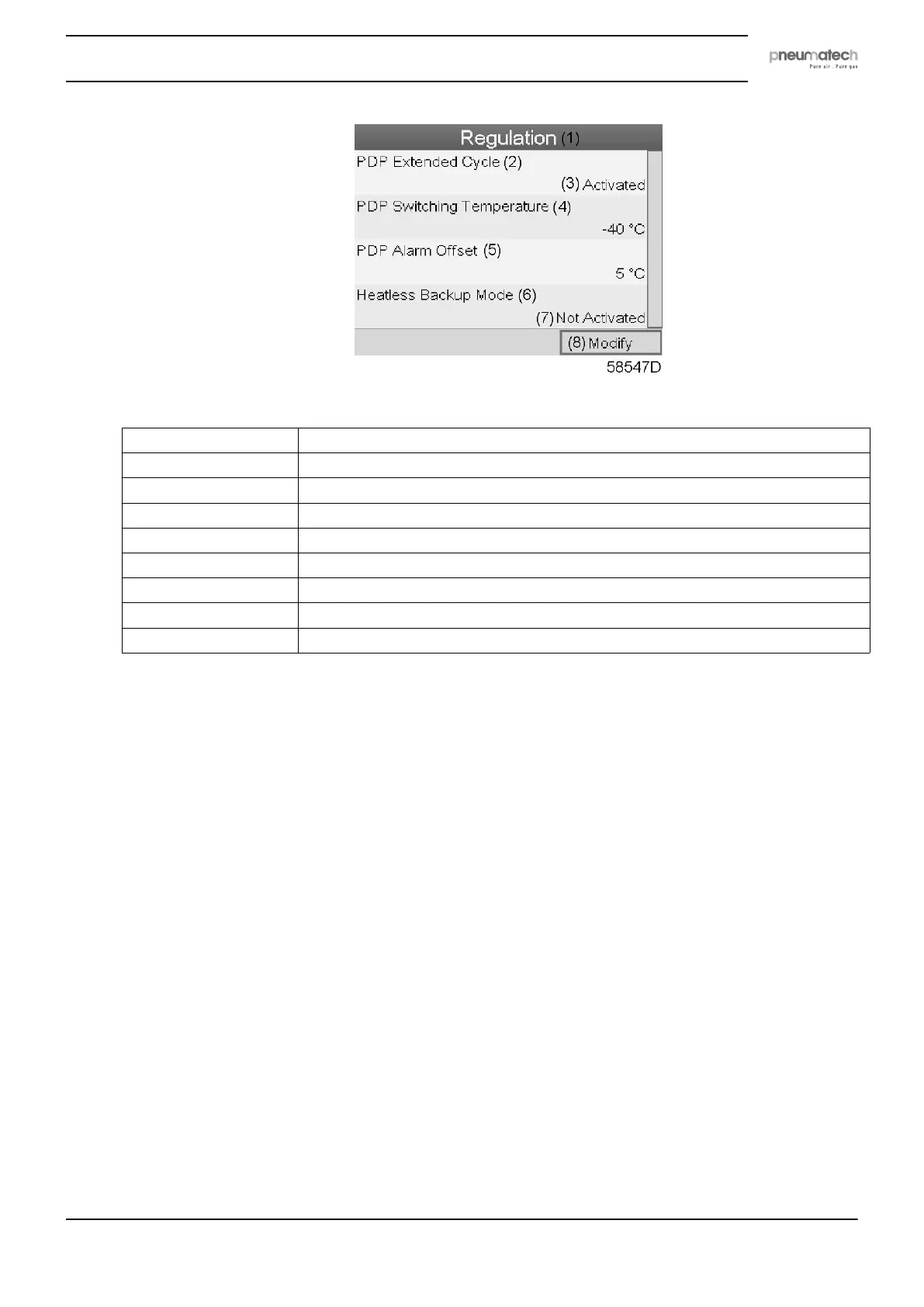
Text on figure
(1) Regulation
(2) PDP Extended Cycle
(3) Activated
(4) PDP Switching Temperature
(5) PDP Alarm Offset
(6) Heatless Backup Mode (not applicable for this type of heatless dryers)
(7) Not activated
(8) Modify
(9) Pulsed Purge Mode
• The screen shows the list of all settings.
• Press the Enter button (2); a red selection bar is covering the first item (PDP Extended
Cycle).
Use the ↓ key of the Scroll keys to select the setting to be modified and press the Enter key.
• A pop-up screen appears. Use the ↑ or ↓ key to select the required parameter and press the
Enter key to confirm.
Regulation settings:
• PDP Extended Cycle: the cycle is lengthened by putting the vessel in waiting mode
(standby) if PDP is low enough after regeneration and cooling.
• PDP Switching Temperature: the PDP should not increase to this setting before the
vessels are switched when the dryer is in standby mode.
• PDP Alarm Offset: the PDP alarm is active when: PDP > PDP_switching_temperature +
PDP_alarm_offset. In that way, the alarm threshold can be set independently of the
switching threshold.
Automatic restart
• Select the Automatic restart settings icon as described above and press the Enter button (2).
The following screen appears:
Instruction book
2920 7111 23 59



 To Next Page