Button Normal
operation
Alarm
status
Selection
menu
Alarms
browser
Parameters
editing
Counters and
service menu
ENTER Displays the
selection
menu
Cancels
the
displayed
alarm for
one minute
(alarm
acknowled
gment)
Selects the
pointed menu
and activates
it
— Returns to
the selection
menu
— Cancels the
service alarm, if
pressed for 5 s
— Starts the
parameter editing
— Selects the
numerical data
digits
— Confirms the
modified value
— Pressed for at
least 2 s, returns
to the selection
menu
Returns to the
selection menu
LED functions
LED Color Description
Power
ON
Green The controller is turned on.
Alarm Blinking
red
The controller is in alarm condition.
Fixed red The controller needs technical assistance.
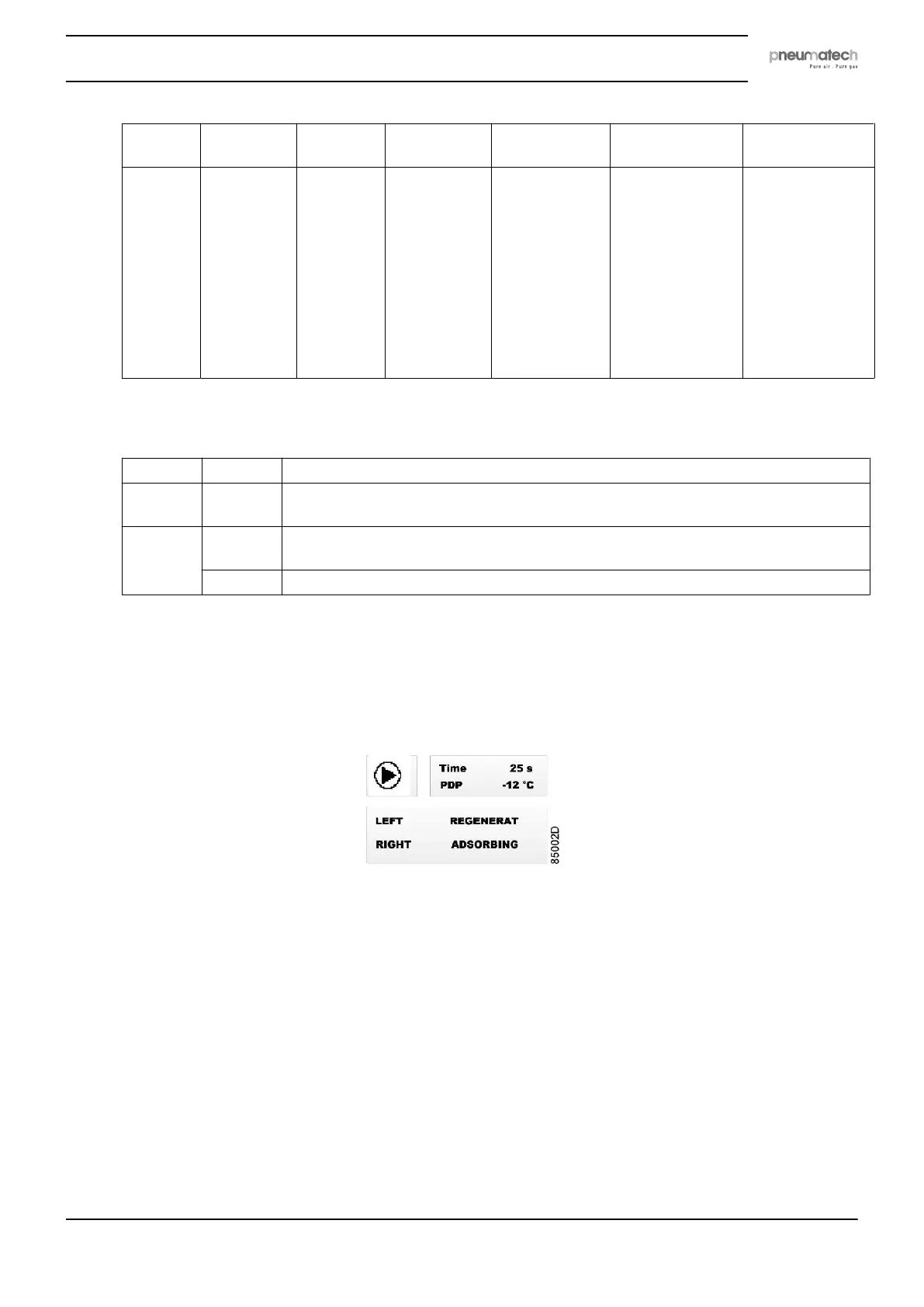
4.2 Main screen
During normal operation the following image is displayed:
• In the upper right area, the current working phase countdown and the measured dew point
are displayed.
When the pressure dew point (PDP) sensor is not enabled, the dew point is not displayed.
When the PDP sensor is enabled but either not connected or defective, no dew point value
is displayed (four dashes substitute the measure).
• In the lower area, the current working phase of each vessel is displayed.
• In the upper left area of the screen, an animated icon is present:
Instruction book
2920 7111 23 17



 To Next Page