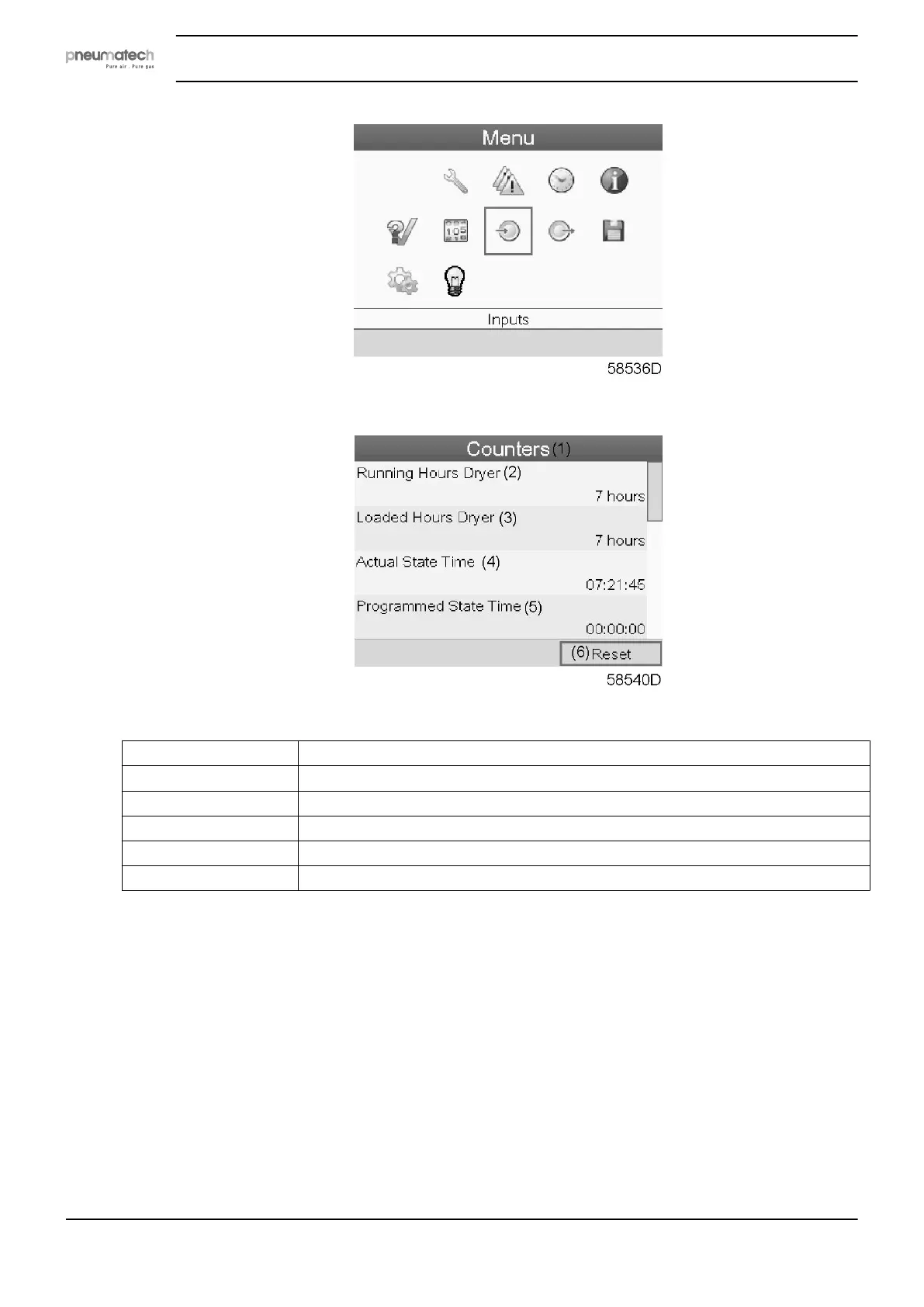
• Using the Scroll keys, move the cursor to the Counters icon (see above, section Menu icon).
• Press the Enter key. Following screen appears:
Text on figure
(1) Counters
(2) Running hours dryer
(3) Loaded hours dryer
(4) Actual state time
(5) Programmed state time
(6) Reset
The screen shows a list of all counters with their actual readings. A number of counters keep
track of the state of the dryer:
• Running hours: counts the operation hours of the dryer.
• Loaded hours: the same as running hours, but shows to which time interval the energy
counters refer to; this counter is also reset when the energy counters are reset.
• Actual state time: shows how long the dryer’s current state has been active.
• Programmed state time: shows how long (at most) the current state should be active.
• Actual half cycle time: shows how long the adsorbing vessel has been adsorbing
(since last vessel shift).
• Programmed half cycle time: shows how long the half cycle should take; minimum
value if PDP control is not active, maximum value if PDP is active.
• Regeneration cycles vessel A: integer that counts how many cycles vessel A has
performed.
Instruction book
36 2920 7111 23



 To Next Page