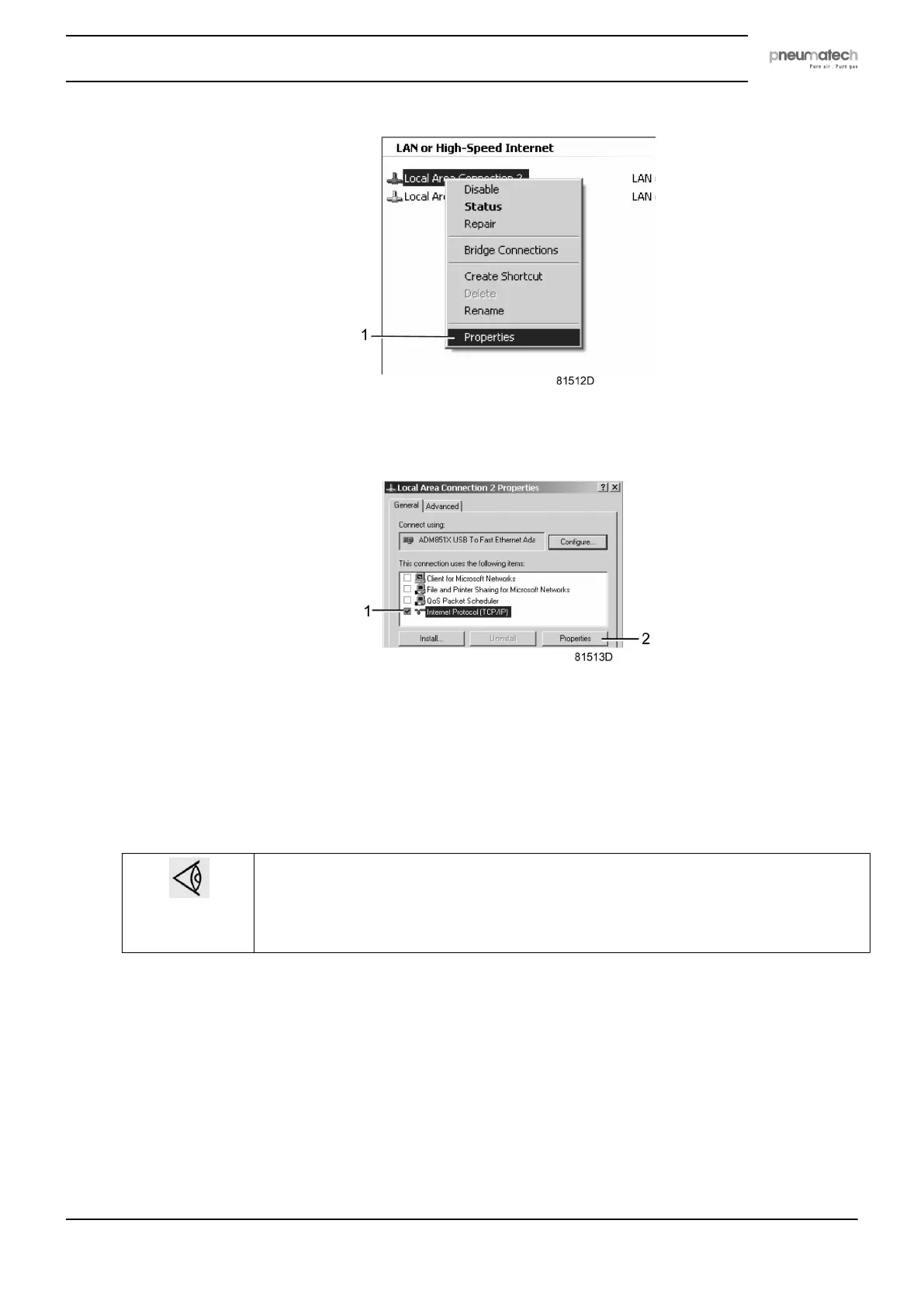
• Use the checkbox Internet Protocol (TCP/IP) (1) (see picture). To avoid conflicts, de-select
other properties if they are selected. After selecting TCP/IP, click on the Properties button
(2) to change the settings.
• Use the following settings:
• IP Address 192.168.100.200
• Subnetmask 255.255.255.0
Click OK and close network connections.
Configuration of the web server
Configure the web interface
The internal web server is designed and tested for Microsoft® Internet Explorer 6, 7 and
8. Other web browsers like Opera and Firefox do not support this internal web server.
When using Opera or Firefox, a redirect page opens. Click on the hyperlink to connect
to the download server from Microsoft® to download the latest version of Internet
Explorer, and install this software.
• When using Internet Explorer:
Open Internet Explorer and click on Tools - Internet options (2).
Instruction book
2920 7111 23 65



 To Next Page