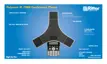
User Guide for the SoundStation IP 7000 Phone
1 - 16
Select a menu item Do one of the following:
• Scroll to the menu item, and then press
.
• Scroll to the menu item, and then press
the Select soft key.
• Press the dial pad key that corresponds
to the item in the numbered menu list.
For example, to select the second item
in a menu, press 2.
Enter text In text-entry mode, press the number keys
one or more times.
For example, to enter “A,” press 2. To enter
“C,” press 222.
Enter numbers, uppercase
characters, or lowercase characters
Press the 1/A/a soft key (if available) or the
# key.
The format the text will display in appears at
the top of the screen.
Enter text in a specific language Press the Encoding soft key.
The language the text will display in
appears at the top of the screen.
Enter special characters In text-entry mode, press the 1, *, or 0 key.
Enter a space In text-entry mode, press the 0 key three
times quickly.
Delete text you entered Press the << soft key.
View additional soft keys Press the right or left scroll key:
and .
Enable or disable fields Press the right or left scroll key:
and .
If you want to ... Then do this ...
www.InternetVoipPhone.co.uk | sales@internetvoipphone.co.uk | 0800 088 4846



 To Next Page