62 MAN. PS 254 EN – Ind. 2
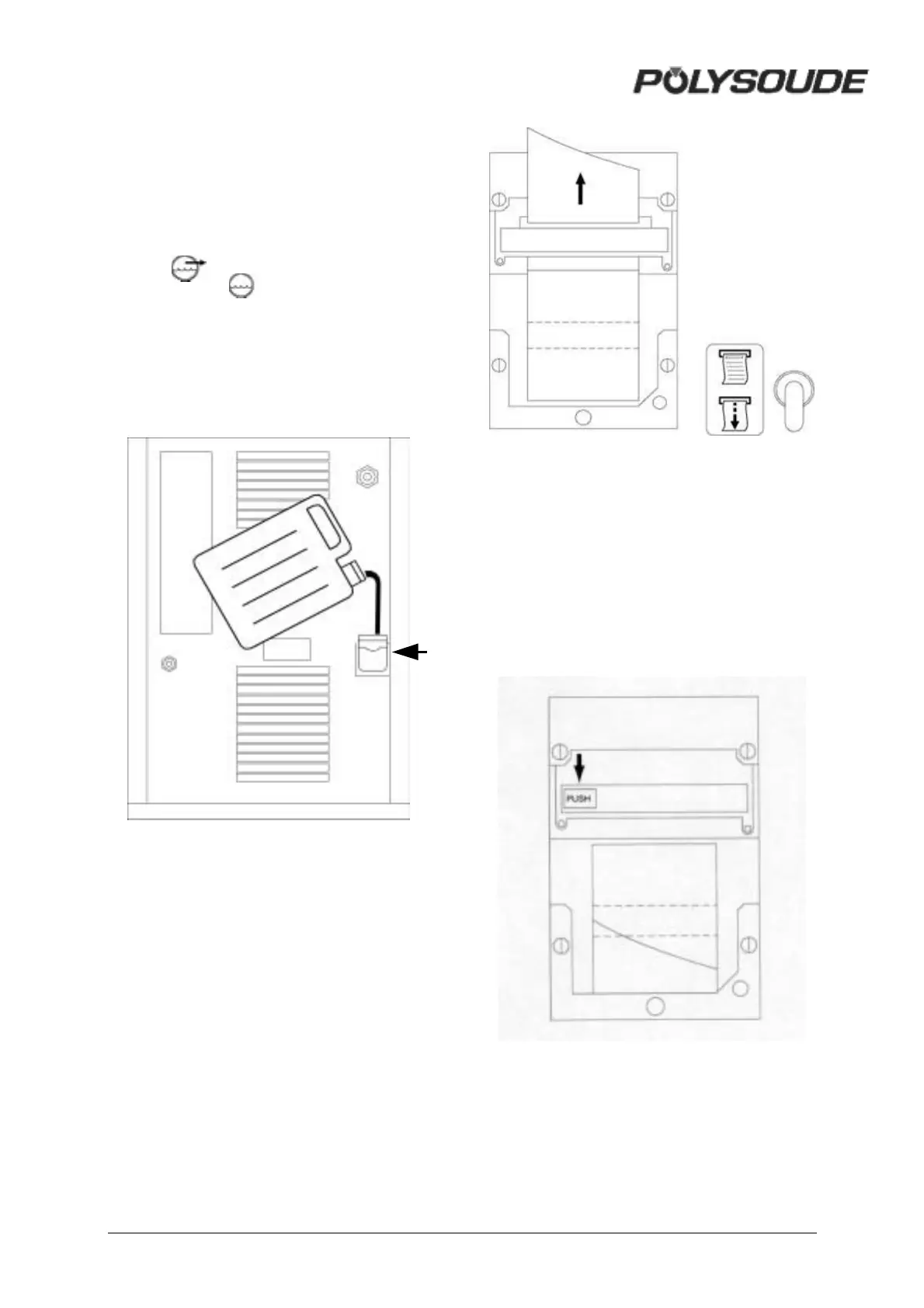
4.1.4. Coolant
Please make sure that the coolant level in the
reservoir of the power source is always
maintained. We advise you to change the
coolant once a year. Pump out the used liquid
by connecting a hose to the coolant outlet
(symbol ) and press the button
BT 15 (symbol )on the remote control
pendant. Pure, clean water should be used for
rinsing the cooling circuit. The refilling of the
coolant reservoir is made by the top of the
power source. NOTE : Only use coolant
recommended by Polysoude. The use of any
other coolant will void any warranty
commitment.
Fig. 4.7 : Coolant inlet
4.1.5. Printer
! Loading paper to the printer
The paper has to be loaded with the power
source turned on. To change the paper roll,
you have to open the cover (unscrew the 2
screws). Take out the empty roll and insert the
end of the new paper roll into the printer. The
paper advances by pushing the printer switch
SY 29 downwards. Insert the paper into the
slot of the cover before closing it.
Fig. 4.8 : Change of paper roll
! Change of ribbon
To change the ribbon in the printer, you have
to open the cover (unscrew the 2 screws). The
ribbon is situated below the printer block.
Press on «PUSH» to take it out. To insert a
new ribbon, push it slightly to the top when
inserting it. Insert the paper into the slot of the
cover before closing it.
Fig. 4.9 : Change of ribbon cartridge



 To Next Page