www.poolpak.com | 800-959-772550 | ComPak
®
Series - Installation, Operation and Maintenance
• Surf T Sens Fail
• Self Diagnostic Fail
• 10 Fault Lockout
• Line 4: Compressor status indication. Possible values include:
• Compressor Off
• Compressor Running
• Compressor Delay Act
• Pool T Sens Fail
• Outs T Sens Fail
• Surf T Sens Fail
• Self Diagnostic Fail
• 10 Fault Lockout
• Line 4: Compressor status indication. Possible values include:
• Compressor Off
• Compressor Running
• Compressor Delay ActSet Point Change Menu
• Press the PRG key to access the main menu.
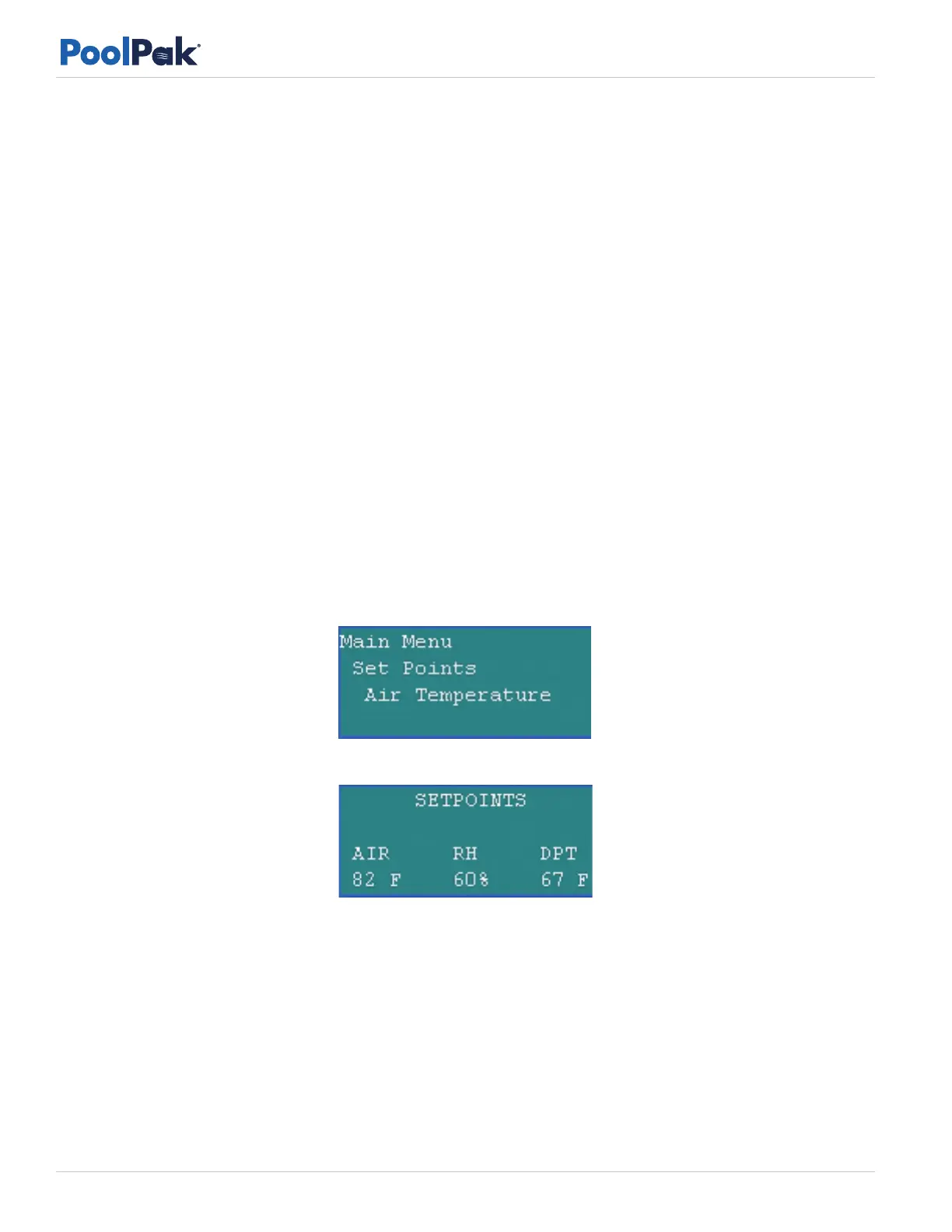
• Use the arrow keys to scroll to the menu selection for Set Points and then press the Enter key.
• Use the arrow keys to select the set point to be changed and then press Enter. Available set points are shown
in the following examples:
AIR TEMPERATURE
Figure 5-6. Air Temperature Selection on the Set Points Menu
Figure 5-7. Air Temperature Set Point Change Screen
For air temperature set point, use the arrow keys to change the set point and then press Enter. The new dew
point set point is shown immediately as DPT. The set point change screen will remain visible for a short time to
allow verification of the new dew point set point. After about five seconds, the RIU will return to the status screen
display.
RELATIVE HUMIDITY
For relative humidity set point, use the arrow keys to change the set point and then press Enter. The new dew
point set point is shown immediately as DPT. The set point change screen will remain visible for a short time to
allow verification of the new dew point set point. After about five seconds, the RIU will automatically return to
the status screen display.



 To Next Page