© 2017 PoolPak LLC. All rights reserved. ComPak
®
Series - Installation, Operation and Maintenance | 61
ComPak
®
Series IOM
SUPPLY FAN
This menu contains the supply fan speed set point for units with EC fans (-RP models)
• Speed: 1600 RPM
History
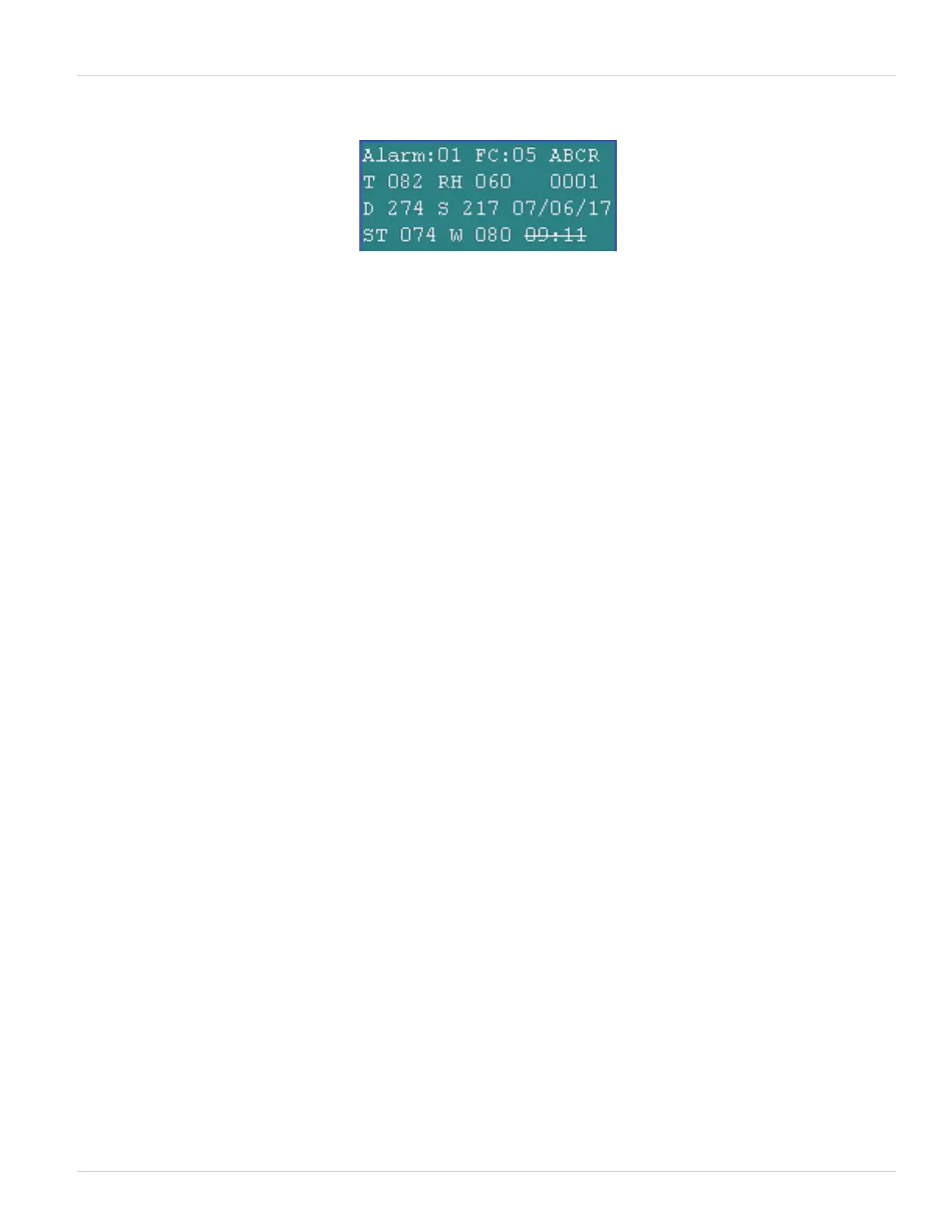
The history screen provides information on the last 50 faults that have occurred in the dehumidifier. It can be
used for troubleshooting by an experienced HVAC technician. The faults are recorded with a sequence number
from 01 to 50. Sequence number 01 is always the most recent fault. To view the list of faults, press the Enter key
to move the cursor to the sequence number. Use the up and down arrow keys to change the number and move
through the list of faults. The fault information updates automatically when the sequence number changes. The
following information is stored and displayed for each fault:
• Hour at which the fault occurred. This is the number of hours since the dehumidifier was last powered on.
FAULT CODE NUMBER
• A 2-digit fault code for indicating an alarm status including:
• 3 – High Pressure
• 4 – Low Pressure
• 5 – Fire Trip
• 6 – Fan Overload
• 7 – High Compressor Motor Temperature
• 8 – Return Air Temperature Sensor Failure
• 9 - Return Air Relative Humidity Sensor Failure
• 10 - Pool Water Temperature Sensor Failure
• 11 - Outside Air Temperature Sensor Failure
• 12 - Surface Temperature Sensor Failure
• 13 - Compressor Locked Out After 10 Faults
• 14 - Controller Hardware Failure
SYSTEM STATUS
The following system status items will show for each alarm:
• Return Air Temperature (T)
• Return Air Humidity (RH)
• Discharge Pressure (D)
• Suction Pressure (S)
• Suction Temperature (ST)
• Pool Water Temperature (W)
STATUS CODE
A 4-digit status code for on/off. On = 1, Off = 0. For the following sequence:
• Return Air Temperature (T)
• Return Air Humidity (RH) AC Solenoid Status
Figure 5-14. Fault History Log screen



 To Next Page