www.poolpak.com | 800-959-772552 | ComPak
®
Series - Installation, Operation and Maintenance
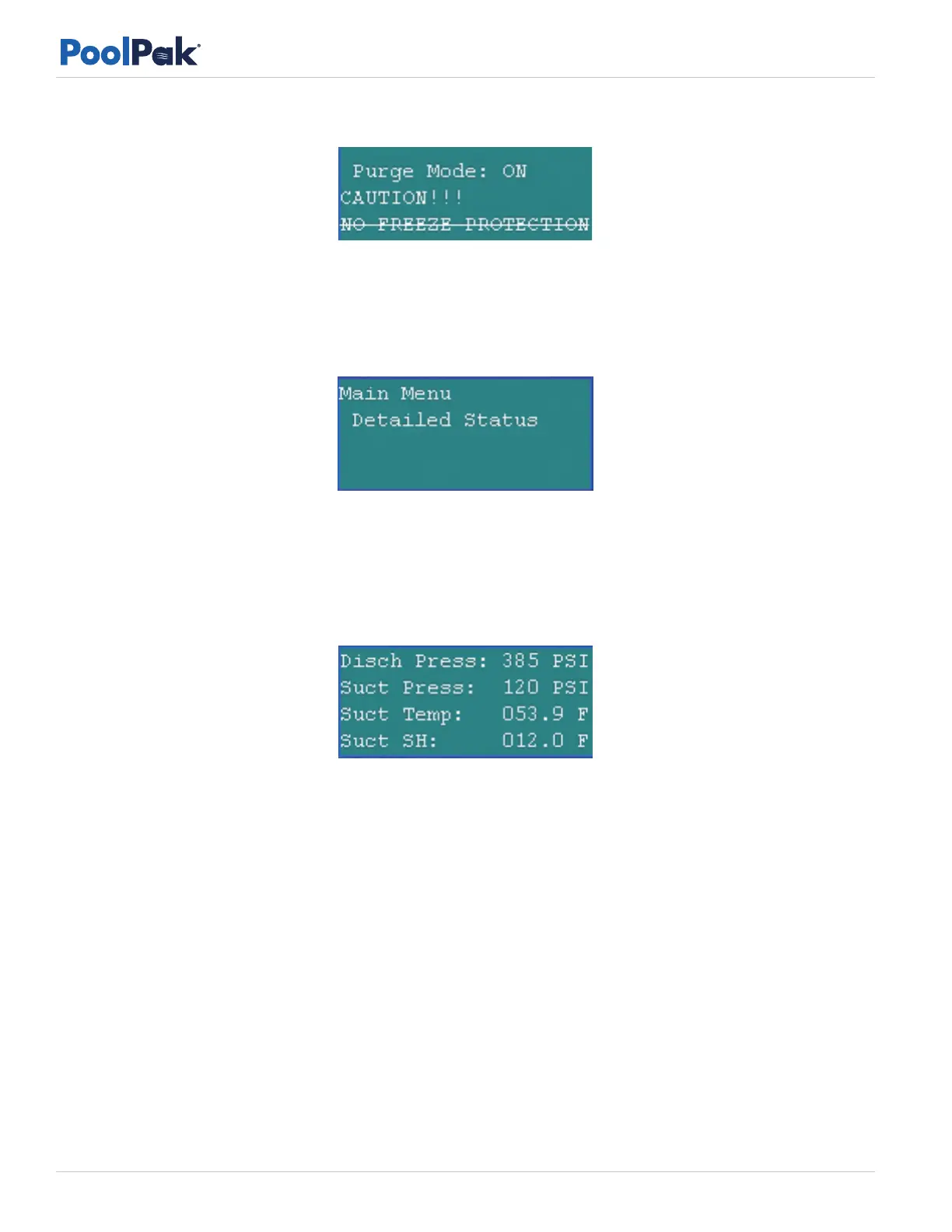
Figure 5-9. Purge Mode Freeze Caution Screen
Detailed Status Menu
To access the detailed status menu:
• Press the PRG key to access the main menu.
• Use the arrow keys to scroll to the menu selection for Detailed Status and then press the Enter key.
Figure 5-10. Detailed Status Menu
Detailed Status Screen 1 display temperatures:
• Surface – The temperature measured at the cold surface sensor.
• Dew Point – The calculated dew point of the space.
• Dewpt Setpoint – The dew point set point calculated from the temperature and relative humidity set points.
Figure 5-11. Detailed Status Screen 2
Detailed Status Screen 2 display run hours:
• Disch Press – The measured refrigerant pressure in the discharge line at the compressor.
• Suct Press – The measured refrigerant pressure in the suction line at the compressor.
• Suct Temp – The refrigerant temperature measured on the surface of the suction line at the compressor.
• Suct SH – The calculated superheat at the suction of the compressor.
Detailed Status Screen 3 display refrigeration system status:
The number of hours the following device or system has been active since power was last applied to the unit:
• Cmpr - Compressor
• Fan – Supply Fan
• A/C – Mechanical Air Cooling (Economizer Cooling Not Included)
• Aux – Air – Auxiliary Air Heating
• Aux - Wtr – Auxiliary Water Heating



 To Next Page