© 2017 PoolPak LLC. All rights reserved. ComPak
®
Series - Installation, Operation and Maintenance | 67
ComPak
®
Series IOM
Data Log Retrieval
The CPCS records data every minute keeping approximately 30 days of data. To aid in troubleshooting,
this data can be downloaded to a USB pen drive and sent to PoolPak® Service for analysis.
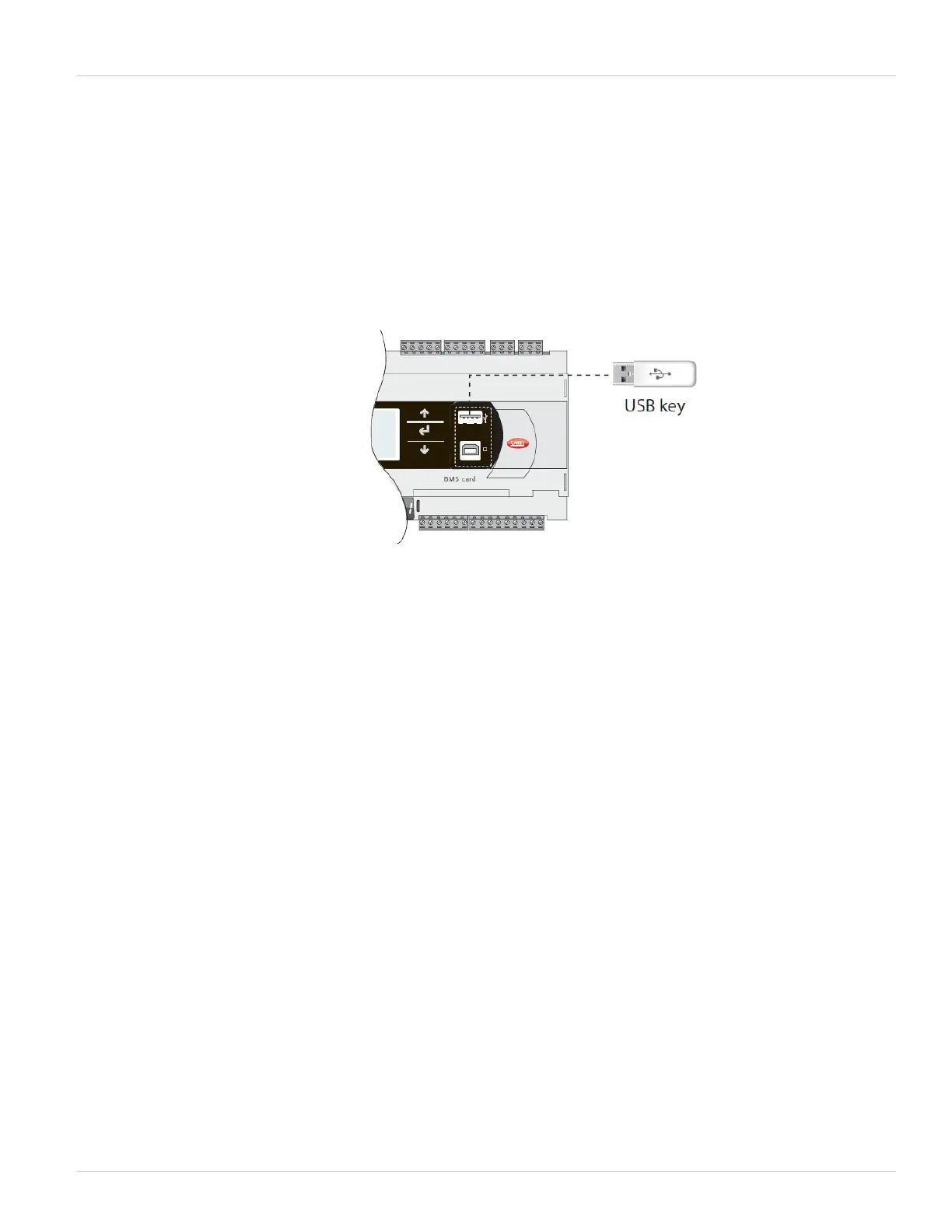
To begin, remove the cover to the right of the service buttons on the CM1 module. It is the part that has a red
Carel label attached. Gently pry it off from the top. Insert a USB pen drive with at least 3MB of storage available
into the USB slot.
Figure 5-16. Data Retrieval Using USB Key
Press Alarm and Enter together for 3 seconds to enter the option menu. Select FLASH/USB memory and press
Enter to confirm.
Select USB pen drive and press ENTER. Wait a few seconds after the pendrive has been plugged in for it to be
recognized by the controller. If the message “No USB disk or PC connected” is displayed momentarily with the
request to connect a pendrive key or computer USB cable, wait a few seconds until the recognition message is
shown (“USB disk found”).
Insert Password is displayed. Use the up arrow to change the password to 1943 and DOWNLOAD
(pCO-pen) and press ENTER. Select Download LOGS and press ENTER. Press ENTER key to start the download.
Downloading logs Please wait…. is displayed. Once the download is completed (approximately , the screen will
display “Operation complete. Data downloaded. LOG00_01”
Remove the pen drive and connect it to a USB port on your computer. Email the folder called LOG00_01
to service@poolpak.com along with the job name and serial number of the PoolPak
®
.



 To Next Page