© 2017 PoolPak LLC. All rights reserved. ComPak
®
Series - Installation, Operation and Maintenance | 53
ComPak
®
Series IOM
Detailed Status Screen 4 displays:
• Fault Count – The total number of high pressure, low pressure, and defrost trips that have occurred since
power was last applied to the unit. When this number reaches 10, the compressor is locked out.
• AC Proof – Indicates a status of “Proven” if AC mode operation is allowed. “Not Proven” indicates that AC
mode operation is not allowed.
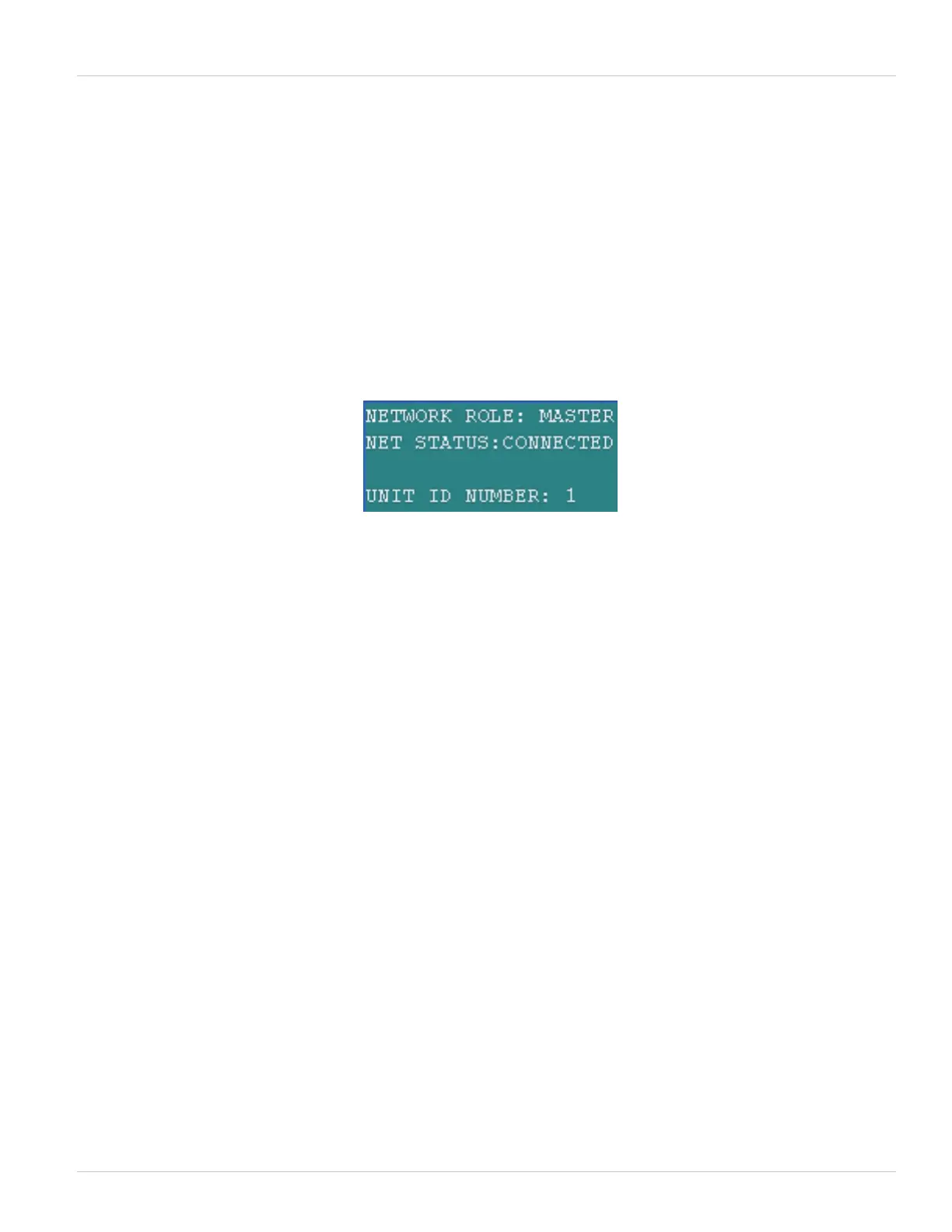
Detailed Status Screen 5 is only present in units configured for multi-unit networking. It displays the following:
• Network Role – Indicates if the unit currently being displayed by the RIU is the master or a slave.
• Net Status – Indicates “CONNECTED” if the unit is properly connected to the multi-unit network. “NO LINK”
indicates the unit is not connected.
• Unit ID Number – Indicates the unit address on the multi-unit network.
Figure 5-12. Detailed Status Screen 5
Detailed Status Screen 6 is only present in units configured for multi-unit networking. It displays the following:
• Unit 1 Present – Indicates if the unit currently being displayed by the RIU can communicate with unit 1 on the
multiunit network
• Unit 2, 3, 4 – Same as for unit 1, but for the other 3 possible units on the network.



 To Next Page