18
5.6.2 Camera
•The gimbal may shake when ying in Spo Mode or strong wind. It is recommended to y the drone in
Video Mode to acquire optimal gimbal stabilization.
•Do not touch the lens after recording for a long period of time to avoid scald.
•Do not record video when the drone is not ying; otherwise the drone will trigger overheat protection.
•Do not point the camera at laser beams, such as laser shows or LiDAR module of sma cars, to avoid
damaging the camera sensor.
•Use the drone within the specied ambient temperature range (0°C to 40°C) to ensure stable camera
operation.
•If the lens is diy, use professional lens cleaning tools to clean it to avoid damaging the lens and
aecting image quality.
5.6.3 Storing Photos and Videos
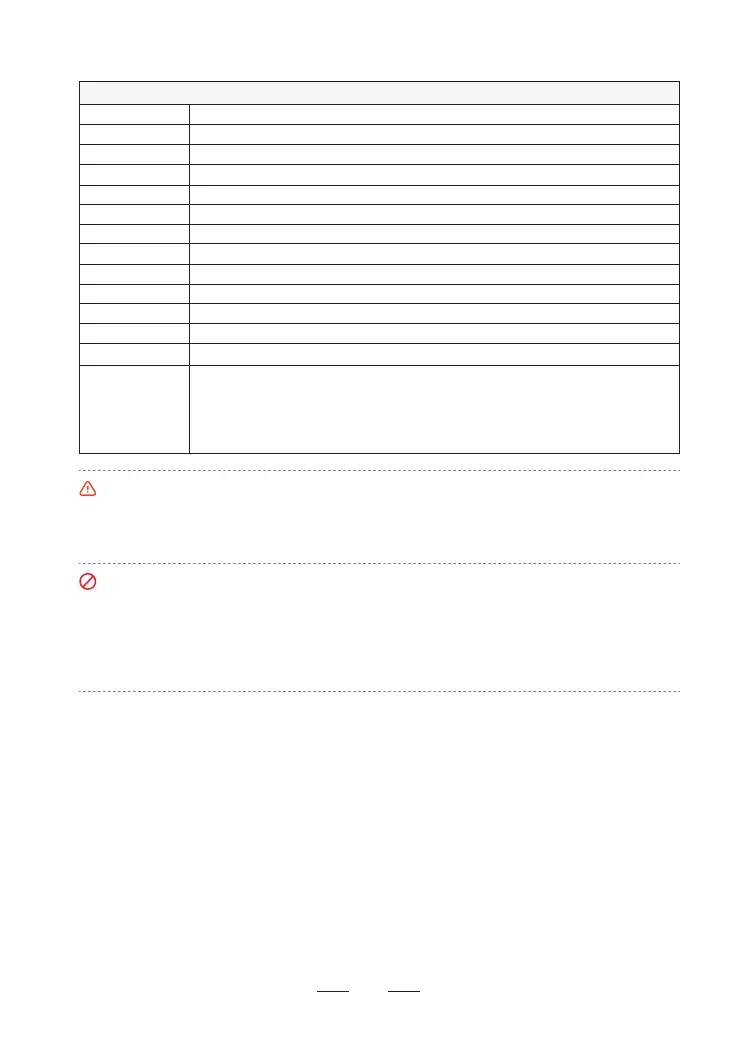
Sensor brand
Sensor size
Eective pixel
Apeure
FOV
Focus range
ISO range
Shutter range
Memo
Picture format
Picture size
Codec
Video format
SONY
1/2" CMOS
48MP
F1.8
79.4°
4m ~ ∞
100 ~ 6400 (Normal shooting modes) 100 ~ 25600 (AI Night)
1/6400 ~ 8s
Micro SD card (U3 or V30 and above)
JPG/JPG+RAW (DNG)
48MP (8000*6000)
H.264/H.265
MP4
Basic Parameters
Video Resolution
4K: 3840×2160 (16:9) @24/25/30 fps
2.7K: 2704×2028 (4:3)/2704×1520 (16:9)/1520×2704 (9:16) @24/25/30 fps
FHD: 1920×1440 (4:3)/1920×1080 (16:9)/1080×1920 (9:16) @24/25/30/50/60 fps
Slow Motion: 1920×1080 (16:9) @2/3/4/5 x
Videos and photos recorded by ATOM 2 will be stored on the SD card instead of the Potensic Eve App or
your phone galle. Make sure to inse an SD card prior to ight. Otherwise, it's unable for ATOM 2 to
record videos or capture photos. Users can preview and download videos and photos from the SD card in
the Potensic Eve App. For downloading high-denition content from the SD card, it is recommended to use
the SmaTransfer feature, which oers a download speed of up to 25 MB/s.
SD Card Requirements
File format: FAT32, exFAT
Capacity: 4G ~ 512G
It is recommended to use an SD card with U3/V30 or higher specications. Using an SD card with
specications lower than the recommended ones may result in ceain recording settings being unavailable
or pose a risk of video recording interruptions.



 To Next Page