25
6.3.3 Pairing
ATOM 2 and its remote controller are pre-paired at the facto and ready for use immediately after
powering on. If you replace the remote controller or drone for any reason, you will need to re-pair them
before use.
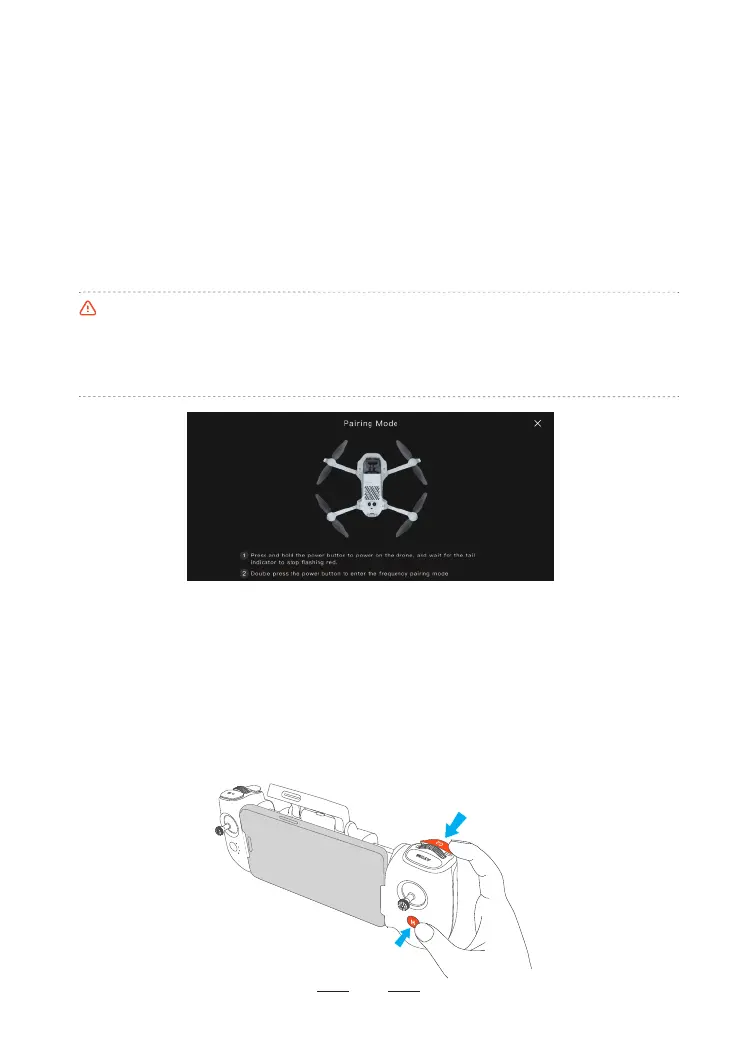
Pairing Steps:
1. Power on the remote controller and connect it to your mobile device. Go to Potensic Eve App > Settings >
Calibration > Re-pair the drone to access the pairing inteace.
2. Power on the drone by pressing and holding the power button. Then quickly double-press the drone's
power button. The drone’s tail indicator will ash rapidly, indicating that it is in pairing mode.
3. During the pairing process, the LED 1 of the remote controller will ash blue. When you hear a beep from
the remote controller, it means the pairing is successful. The LED 1 of the remote controller will change
from ashing blue to solid green, and the Potensic Eve App will prompt "Pairing Successful!".
6.3.4 Emergency Propeller Stop Mid-Flight
In case of an emergency during ight where the drone needs to be stopped immediately, you can use the
Emergency Propeller Stop Mid-Flight feature. Stopping the motors mid-ight will cause the drone to crash.
Use this function with caution.
How to enable:
The Emergency Propeller Stop feature is disabled by default. To enable it, go to Potensic Eve App > Settings >
Safety > Advanced Safety Settings > Emergency Propeller Stop Mid-Flight. After enabling, in an emergency,
press and hold the C2 button and the RTH button simultaneously for 2 seconds. The motors will be stopped
immediately. When using this feature, ensure the area below the drone is clear.
•During pairing, keep the remote controller and drone within 1 m of each other and ensure there is no
2.4G inteerence nearby.
•If pairing fails, check for inteerence, ensure no other drones are in pairing mode, and verify that the
remote controller is not too far from the drone or obstructed. Address these issues and t again.
•Do not move or operate the remote controller or drone during the pairing process.



 To Next Page